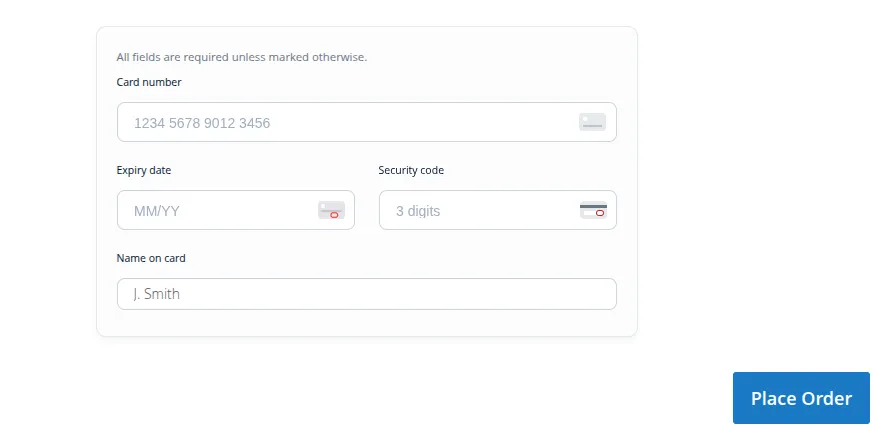
General Configuration
Configure the Adyen API credentials, environment modes, merchant accounts, and webhook settings in the admin panel.
Admin Configuration Path
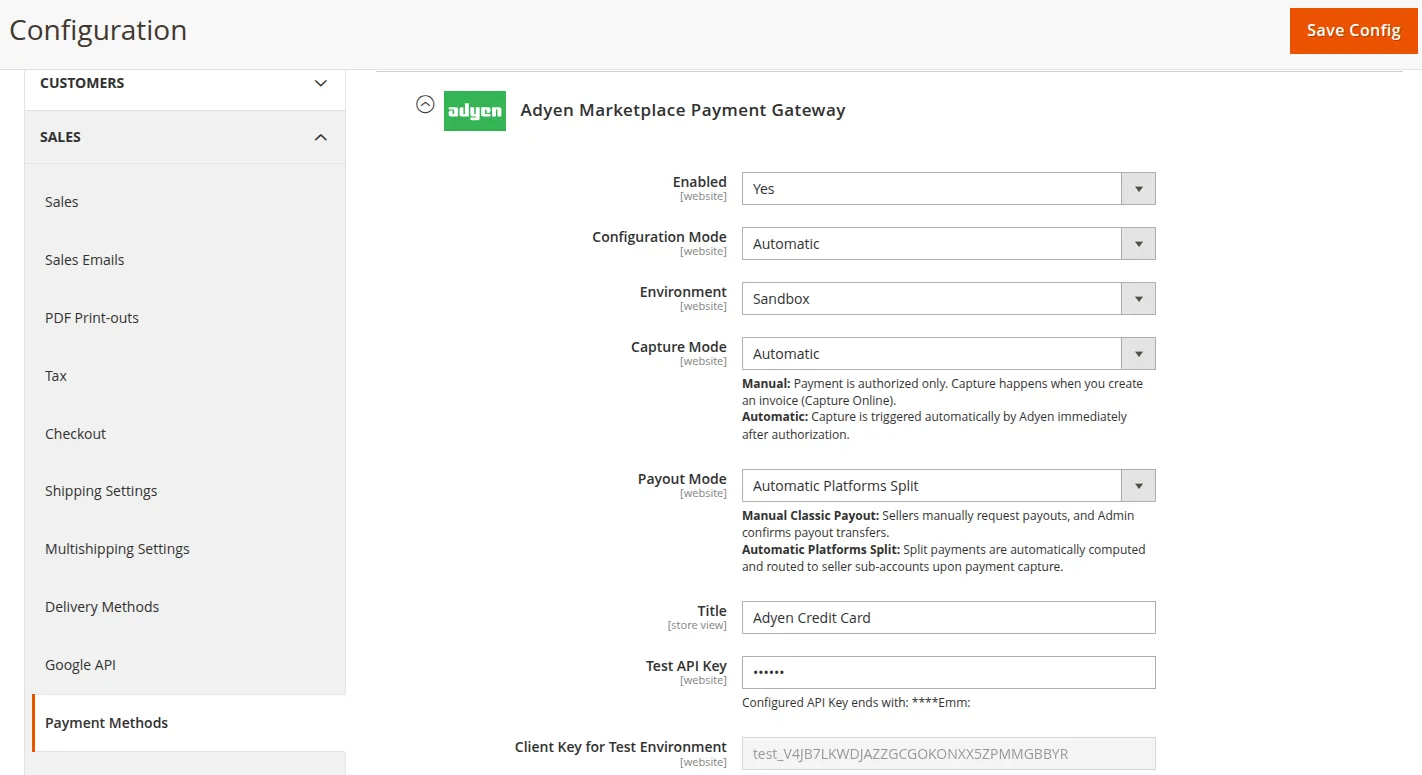
Navigate to Stores > Configuration > Sales > Payment Methods > Adyen Marketplace Payment Gateway.
Configuration Settings Field Reference
| Setting Field | Type | Description |
|---|---|---|
| Enabled | Select (Yes / No) | Enable or disable the Adyen payment method at customer checkout. |
| Configuration Mode | Select (Automatic / Manual) | Select automatic or manual setup mode for payment gateway configuration. |
| Environment | Select (Sandbox / Live) | Switch between Adyen Sandbox (test) and Production Live environment. |
| Capture Mode | Select (Automatic / Manual) | Manual: Payment authorized only; capture occurs upon creating an invoice. Automatic: Payment captured automatically by Adyen immediately after authorization. |
| Payout Mode | Select (Manual Classic Payout / Automatic Platforms Split) | Manual Classic Payout: Sellers manually request payouts for admin approval. Automatic Platforms Split: Split payments automatically computed and transferred to seller sub-accounts upon payment capture. |
| Title | Text | Payment method label visible to customers during checkout (e.g. Adyen Credit Card). |
| Test API Key | Password / Text | Secret Web Service API Key generated in Adyen Customer Area under Developers > API Credentials. |
| Client Key for Test Environment | Text | Client-side key generated in Adyen Customer Area for initializing the Web Drop-in component. |
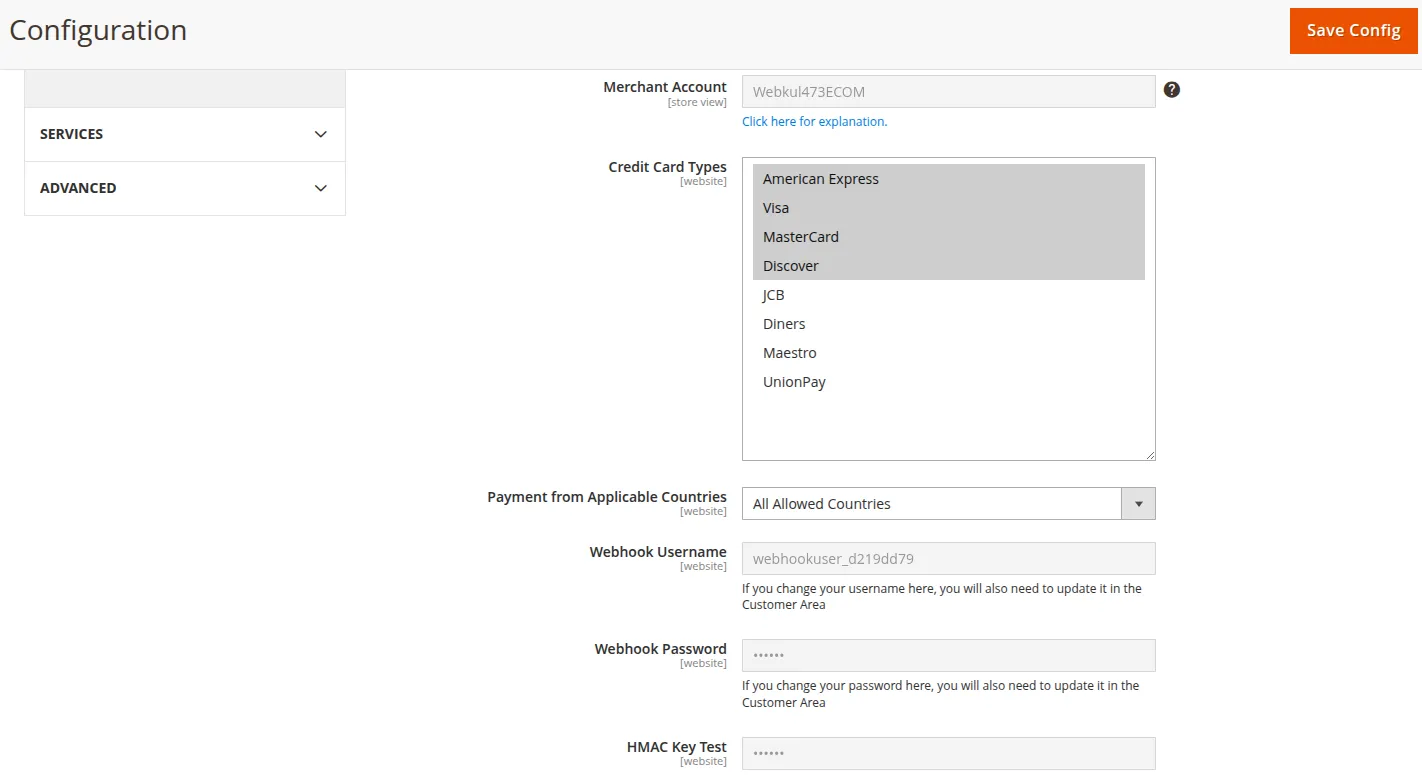
| Merchant Account | Text | Your primary Adyen Merchant Account Name (e.g. Webkul473ECOM). |
| Credit Card Types | Multiselect | Select the credit card types accepted by the gateway (Visa, MasterCard, American Express, etc.). |
| Payment from Applicable Countries | Select (All Allowed Countries / Specific Countries) | Restrict payment availability by customer billing country. |
| Webhook Username | Text | Username used to authenticate incoming Adyen webhook notifications. |
| Webhook Password | Password / Text | Password used to authenticate incoming Adyen webhook notifications. |
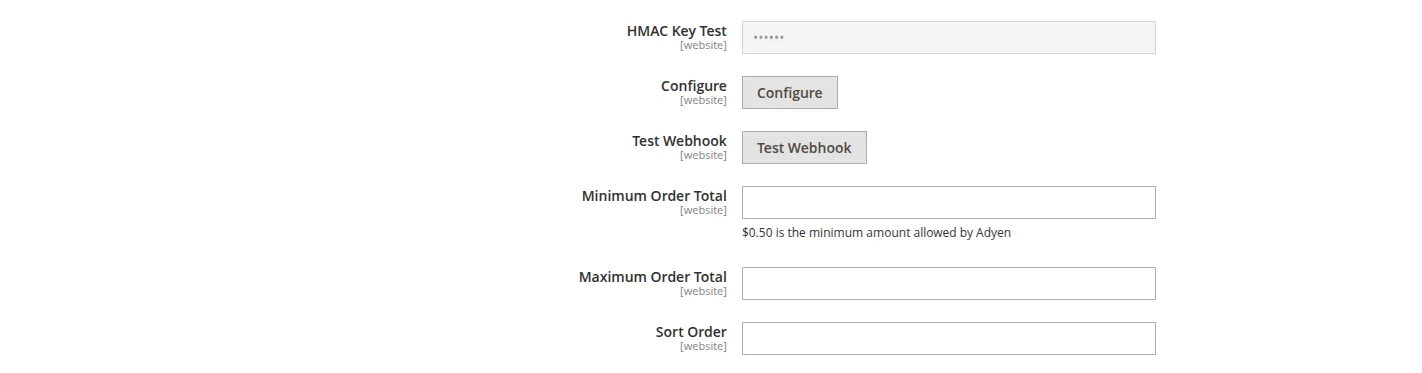
| HMAC Key Test | Password / Text | Hexadecimal HMAC Key generated from your Adyen Webhook configuration for verifying incoming payload signatures. |
| Configure | Button | Automatically configures webhook settings with Adyen. |
| Test Webhook | Button | Tests the webhook connectivity and authentication with Adyen. |
| Minimum Order Total | Text | Minimum order total required to use this payment method ($0.50 minimum allowed by Adyen). |
| Maximum Order Total | Text | Maximum order total allowed for this payment method. |
| Sort Order | Text | Display order position of this payment method on the checkout page. |
Testing Credentials in Sandbox Mode
When operating in Test mode:
- Obtain test API Keys from the Adyen Test Customer Area.
- Use Adyen test credit card numbers (e.g.
4111 1111 1111 1111with CVV737) to verify authorization flows. - Webhook endpoints resolve to your local or staging server URL for event payload delivery.