
Activate the Module
Before the payment drop-in components and seller payout settings appear in your store layout, you must activate the module settings in the Magento backend.
Check Registration Status
To verify that Magento has correctly registered and loaded the module, run:
bin/magento module:status Webkul_MpAdyenPayment
If the module is listed under Disabled Modules, enable it with:
bin/magento module:enable Webkul_MpAdyenPayment
bin/magento setup:upgrade
Module License Verification & Activation
The Marketplace Adyen Payment configurations are secured behind centralized Webkul license verification. Upon initial installation, the payment configurations are locked or hidden until your license key is verified via the Webkul_Base management panel.
Step 1: Verify Your License Key Centralized
- Log into your Magento Admin Panel.
- Navigate to:
Navigation Path
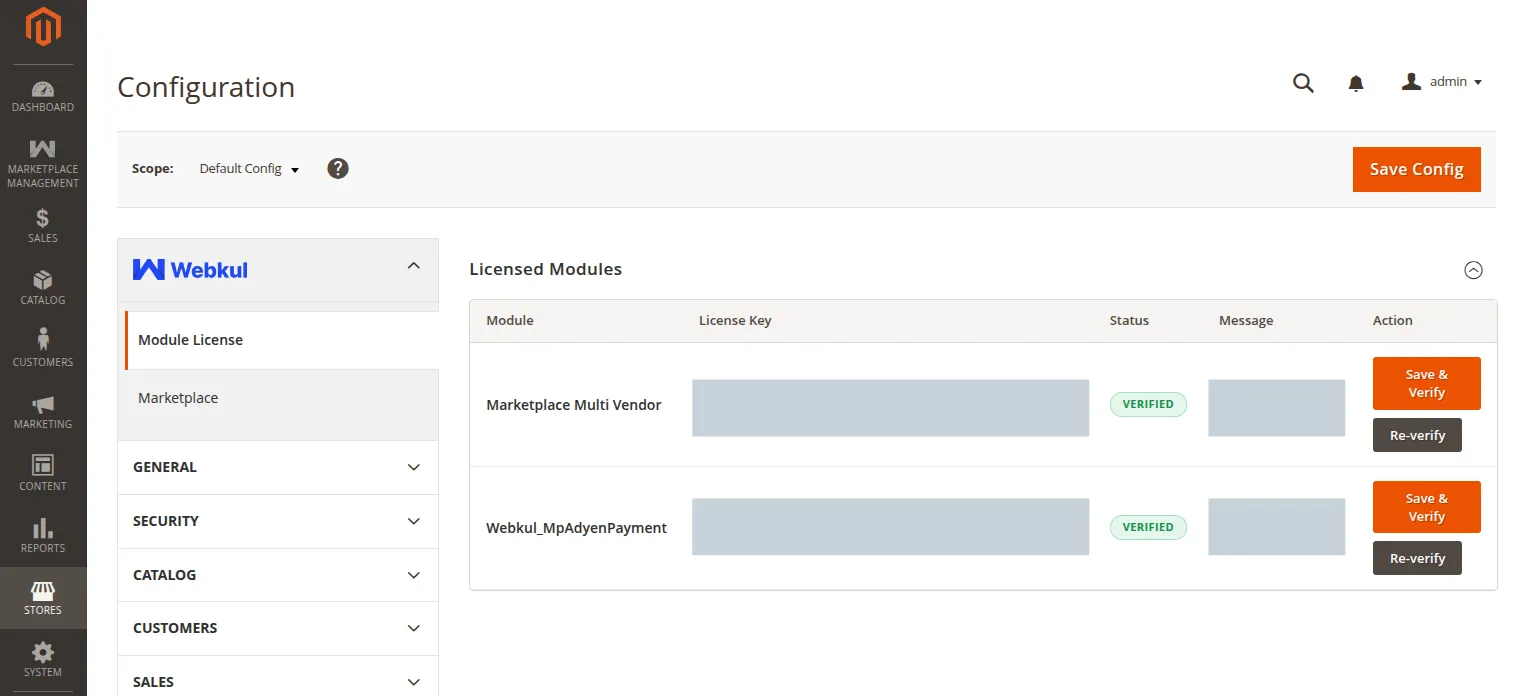
Stores → Configuration → Webkul → Module License
- Under the Licensed Modules section, locate the row corresponding to Webkul_MpAdyenPayment (or select it from the list of modules).
- Enter your purchased License Key in the input field.
- Click the Verify button. The system validates the key asynchronously with Webkul's central licensing servers.
- Once verified, the status will show a green verified label.
Step 2: Enable the Payment Gateway Module
- Navigate to:
Navigation Path
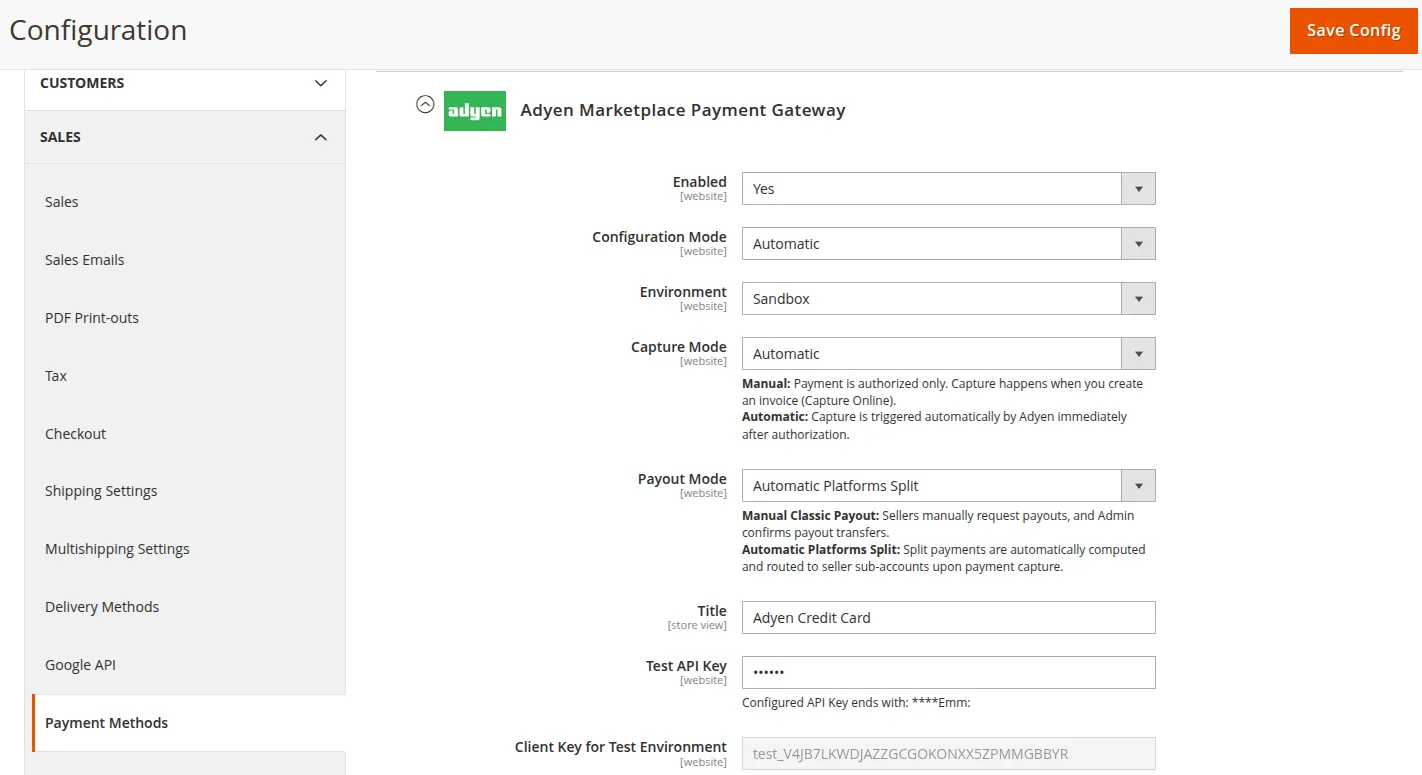
Stores → Configuration → Sales → Payment Methods → Adyen Marketplace Payment Gateway
- Under the Adyen Marketplace Payment Gateway fieldset, set Enabled to
Yes. - Click Save Config in the top-right corner.
Clearing Cache
Flush the Magento cache using the Admin Cache Management page or the CLI command:
bin/magento cache:clean
bin/magento cache:flush
Now all functional Adyen Payment configuration sections and seller payout panels are fully unlocked and ready for use.