
Order Import & Shipping
The Marketplace Etsy Connector synchronizes customer orders placed on Etsy directly into your Magento 2 store, providing unified order fulfillment, inventory decrementing, and vendor commission tracking.
1. How Order Synchronization Works
Whenever a customer buys an item on your Etsy shop, the order information is transferred into Magento:
2. Order Synchronization Methods
Orders can be imported in two ways:
Automated Background Sync:
- Runs automatically every 5 minutes in the background.
- Captures newly placed or updated Etsy orders without needing any manual button clicks.
- Avoids duplicates by verifying existing synced Etsy order IDs.
Manual On-Demand Import:
- Allows store owners and sellers to immediately pull orders from Etsy whenever needed.
3. Manual Order Import
To import orders manually:
- Admin: Go to Marketplace Management → Etsy Accounts Manager → Edit Account → Order Sync tab.
- Seller: Go to Marketplace Dashboard → Import Order From Etsy (
mpetsymagentoconnect/importorder/index).
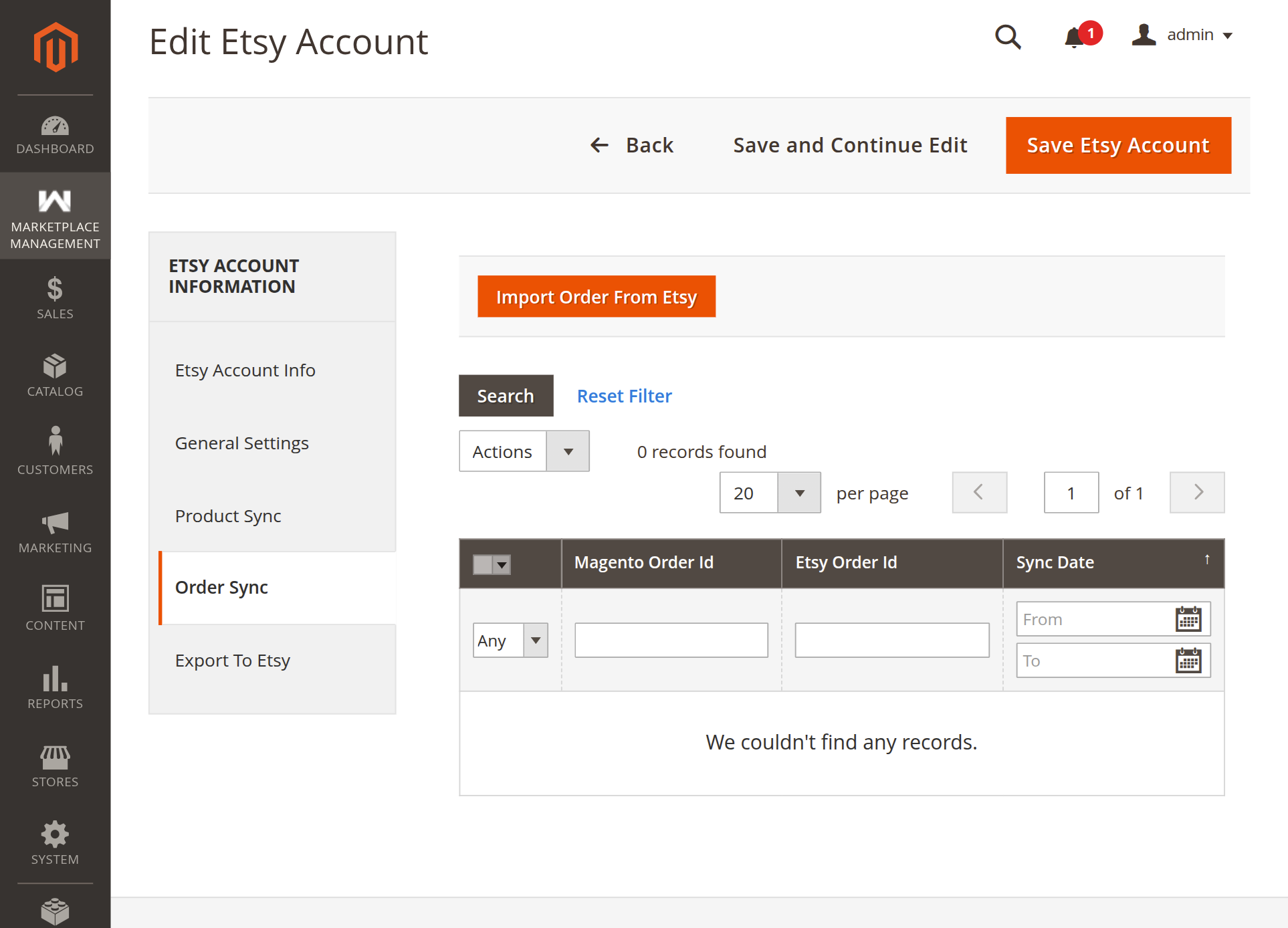
Steps:
- Click the orange Import Order From Etsy button.
- The Order Profiler launches in an overlay modal with a progress bar.
- Once completed, the imported orders populate the grid below, displaying the Magento Order ID, Etsy Order ID, and Sync Date.
4. Key Order Fulfillment Features
Automatic Buyer Email Fallback
If an Etsy customer checks out with private email settings, Etsy may not provide their personal email address. The connector automatically creates a safe fallback email address (buyer_{receipt_id}@etsy-customer.com) so the Magento sales order is created smoothly without customer validation errors.
Dedicated Etsy Shipping Method
- The connector applies a dedicated shipping carrier: Marketplace Etsy Connector Shipping.
- The shipping amount matches the exact delivery charge paid by the buyer on Etsy.
Dedicated Etsy Payment Method
- Because the customer has already paid on Etsy, the order is assigned the Payment From Marketplace Etsy offline payment method.
- This marks the order as paid in Magento without attempting a second payment transaction.
Vendor Commission & Payouts
- In multi-vendor environments, imported orders are immediately credited to the marketplace seller who owns the Etsy shop.
- Admin commissions and seller payout totals are calculated automatically based on your marketplace commission rules.
5. Reviewing Synced Orders
Both the administrator and individual sellers can review synced orders at any time:
- Admin View: Accessible directly on the Order Sync tab of each Etsy Account.
- Seller View: Accessible from Marketplace Dashboard → Etsy Order History.
The grid provides:
- Magento Order ID: Direct link to the full Magento sales order.
- Etsy Order ID: Reference to the original Etsy transaction.
- Sync Date: Timestamp of when the order was imported.
Next Step
Review complete version changes and updates in Release Notes & Changelog.