
Etsy Account Management
Connecting an Etsy shop to Magento allows you to synchronize catalog products, inventory levels, and customer orders. You can connect and manage Etsy shops either from the Magento Admin Panel or directly through the Marketplace Seller Dashboard.
1. Accessing the Accounts Manager
Admin Panel Access
Navigate to Marketplace Management → Marketplace Etsy Magento Connect → Etsy Accounts Manager. The grid displays all connected Etsy shops, their assigned marketplace sellers, shop IDs, authentication status, and creation timestamps.
Seller Panel Access
From the storefront customer account, navigate to the Marketplace Dashboard and click Etsy Connector (mpetsymagentoconnect/account/index).
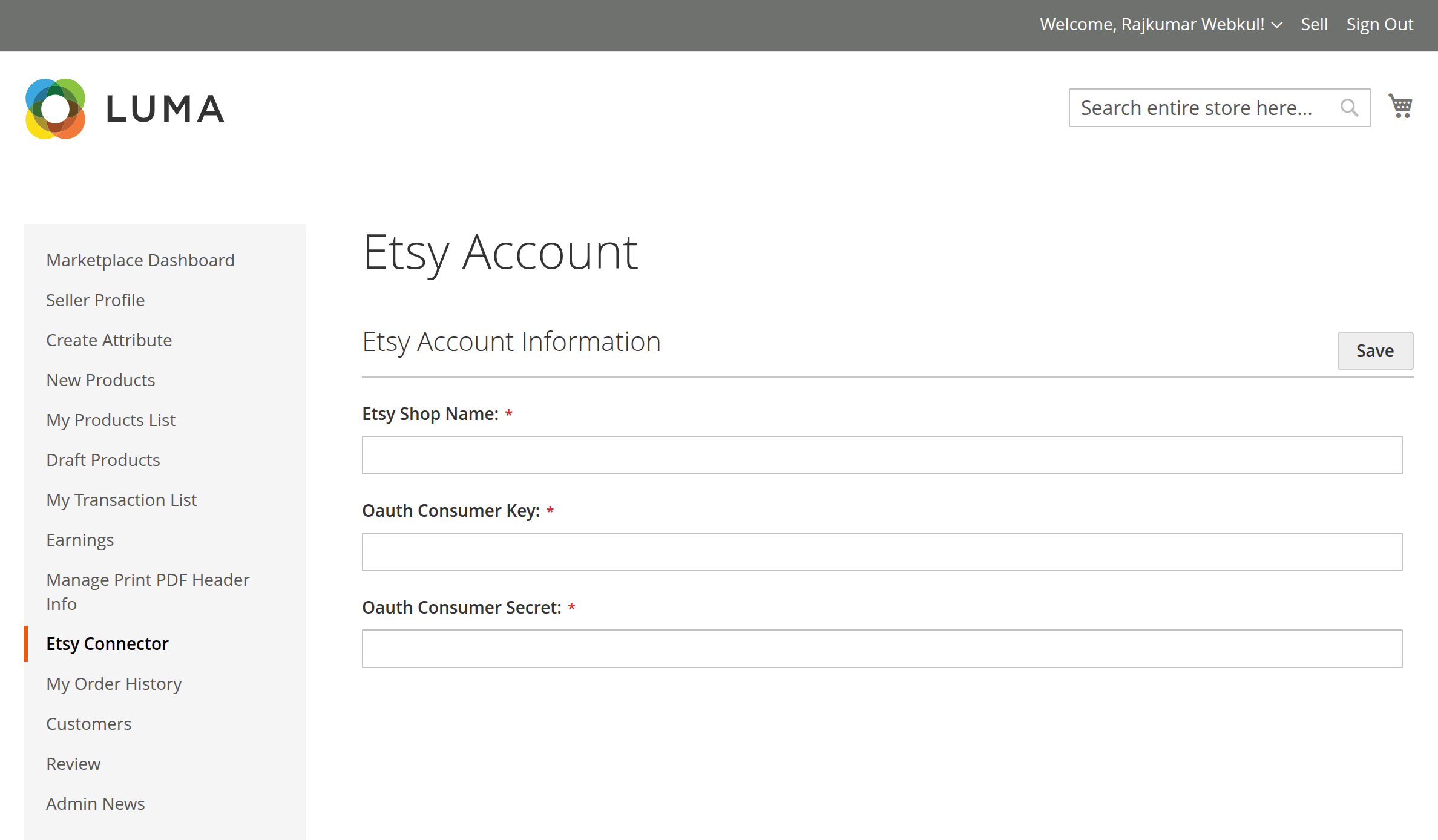
2. Adding a New Etsy Shop Account
Click the Add Etsy Account button (or Add Account in the seller panel) to open the registration form:
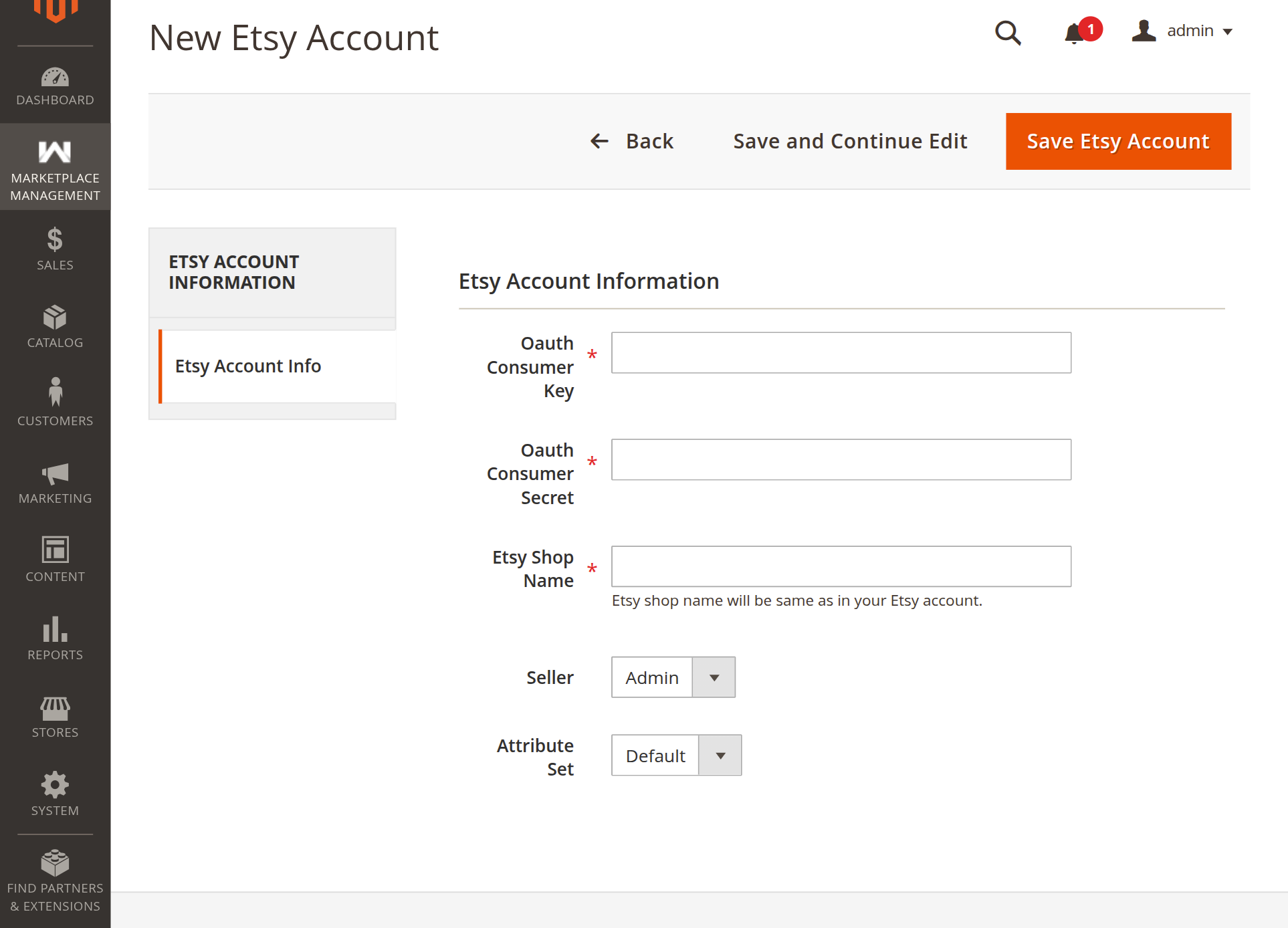
General Account Information
| Field | Description |
|---|---|
| Etsy Shop Name | Enter your exact Etsy shop name (as shown in your Etsy URL: etsy.com/shop/<shop-name>). |
| Seller (Admin only) | Select which marketplace seller owns this Etsy account. Select Admin if connecting a store-owned shop. |
| Attribute Set | Choose the default Magento Attribute Set (e.g., Default) applied when creating new products imported from Etsy. |
| Oauth Consumer Key & Secret | (Only required if Global Etsy App is set to "No"). Enter your Etsy Developer App Keystring and Shared Secret. If Global App is enabled, these are handled automatically. |
Shop Verification & Save
When you click Save Etsy Account:
- Magento verifies that the shop exists on Etsy.
- The account record is created and saved.
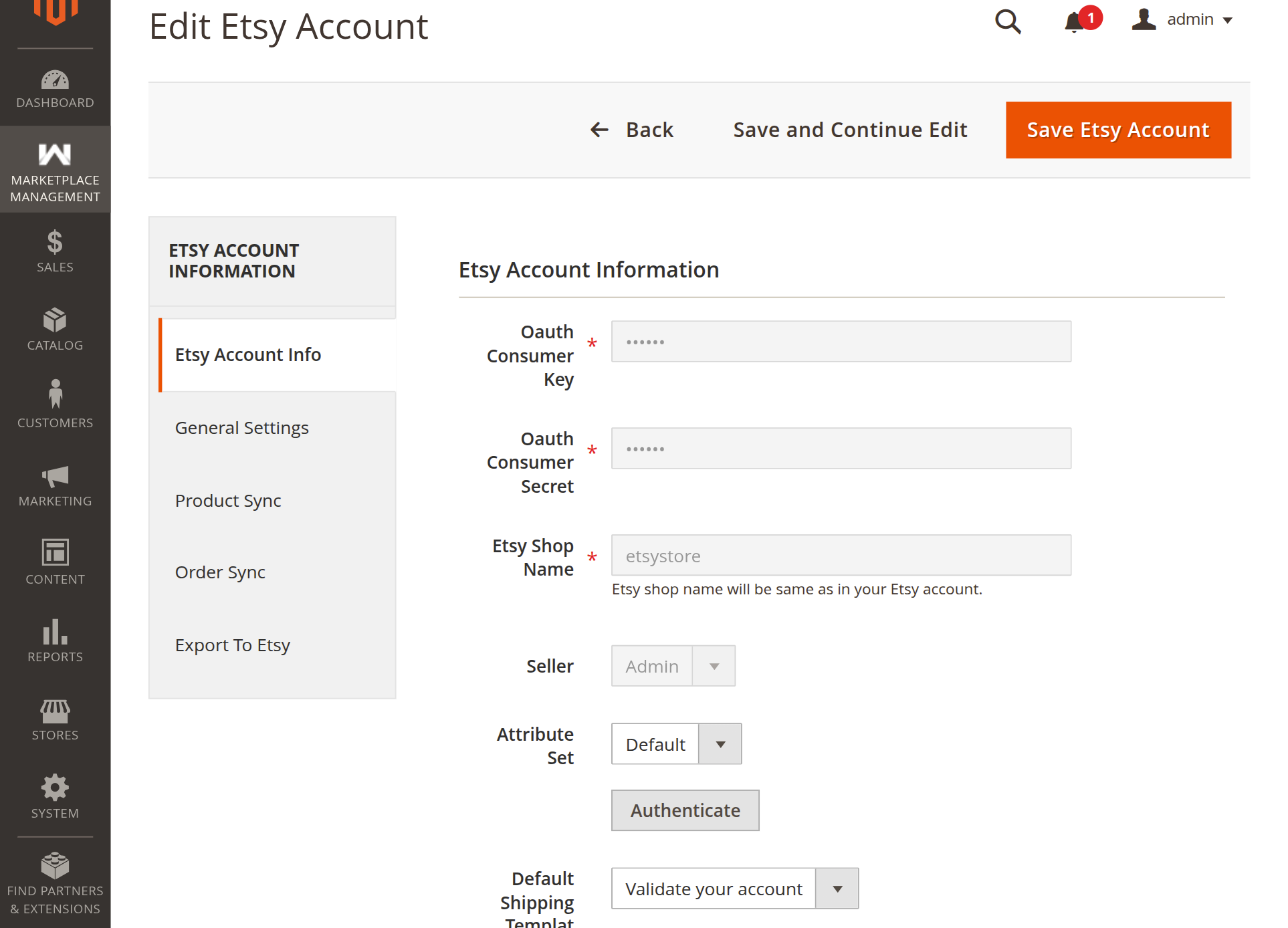
- The edit screen reloads with the Authenticate button and additional configuration tabs (General Settings, Product Sync, Order Sync, Export To Etsy).
3. Authenticating the Account (OAuth 2.0 PKCE)
Once saved, the account is ready for secure authentication:
Admin Authentication
On the Etsy Account Info tab, click the Authenticate button below the Attribute Set field:
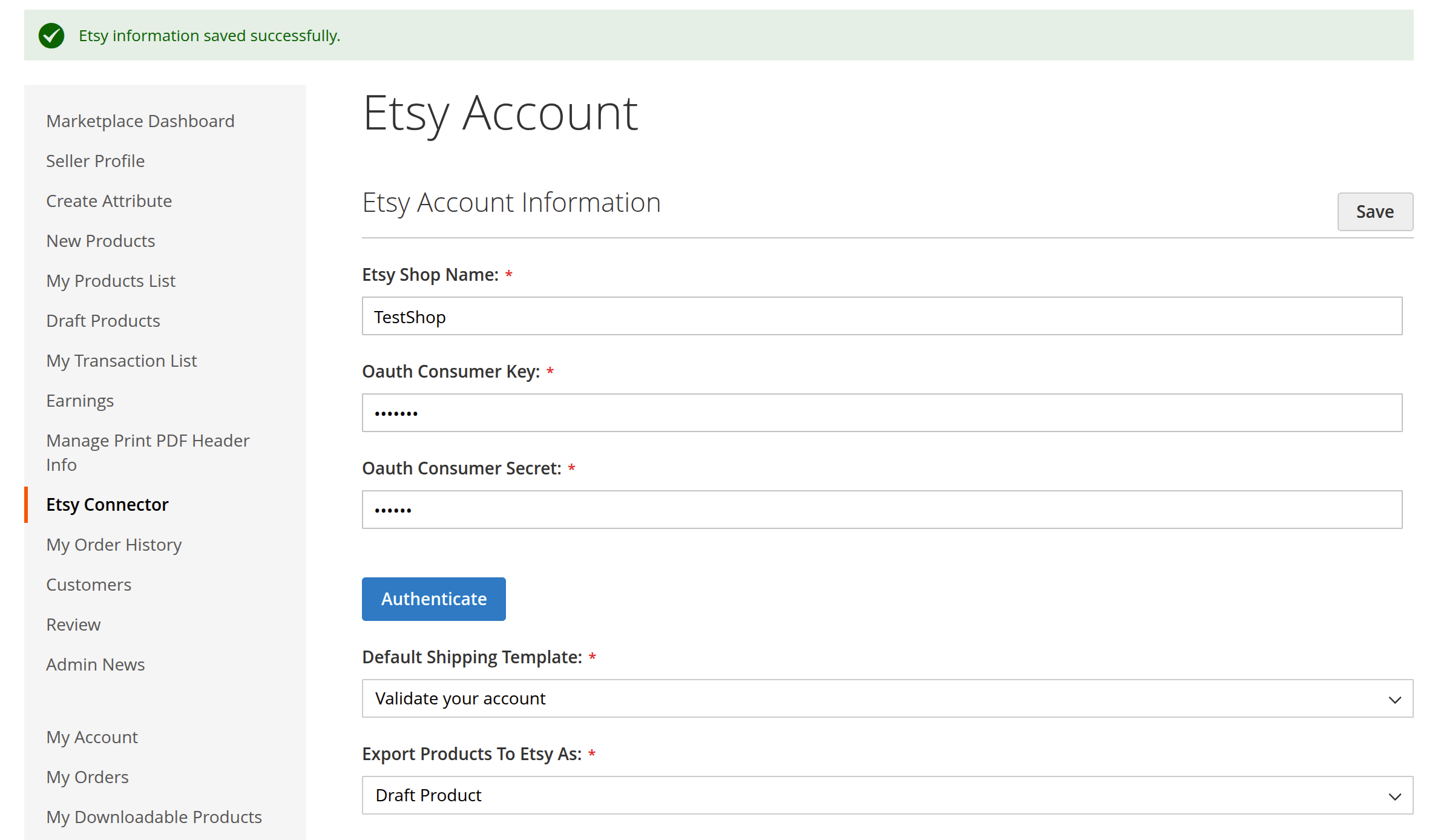
Seller Portal Authentication
For marketplace sellers authenticating from their dashboard, click the blue Authenticate button:
Granting Permissions on Etsy
- You will be redirected to the secure Etsy Authorization page.
- Verify you are logged into the correct Etsy account and click Grant Access.
- Etsy redirects your browser back to your Magento store:
- For Admin accounts:(e.g.,
https://<your-store-domain>/<admin_frontname>/mpetsymagentoconnect/oauth/index/id/<account_id>https://<your-store-domain>/admin/mpetsymagentoconnect/oauth/index/id/1) - For Seller accounts:
https://<your-store-domain>/mpetsymagentoconnect/oauth/index/
[!IMPORTANT] Make sure this exact redirect URL is registered in the Callback URLs in your Etsy Developer App. If there is a mismatch or missing ID parameter, Etsy will return an
invalid_redirect_urierror. - For Admin accounts:
- Magento exchanges the authorization code for access and refresh tokens, securely saving them.
- The account page refreshes with the status set to Authenticated.
4. Configuring Listing Defaults & Shipping Templates
After authentication, configure listing defaults for items exported to Etsy:
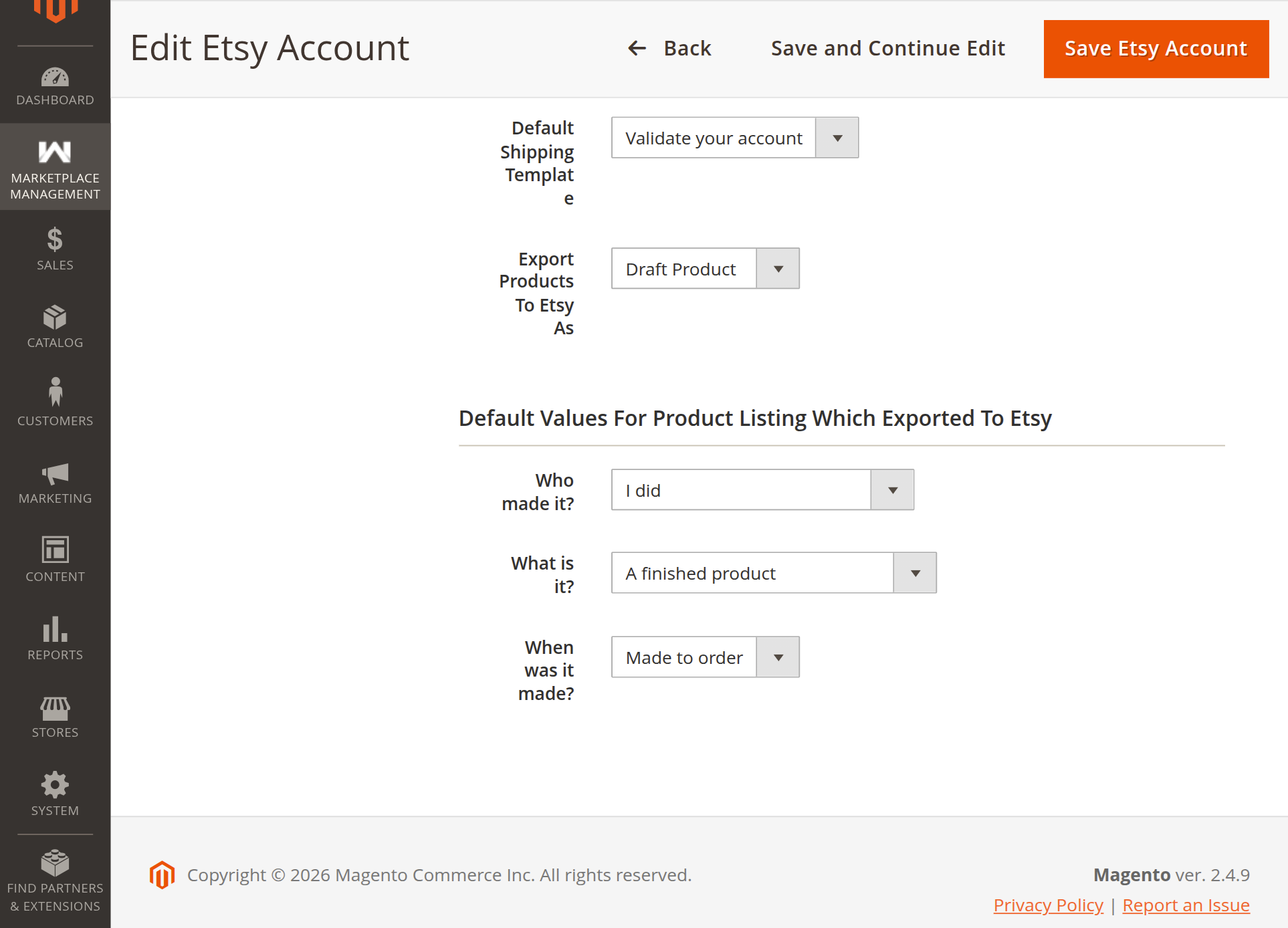
Default Shipping Template
Etsy requires every listing to have an associated shipping profile:
- Select a Default Shipping Template from the dropdown (automatically fetched from your Etsy shop).
- All products exported from Magento will automatically use this shipping template.
Export Products To Etsy As
- Active Product: Exported items become immediately active and purchasable on Etsy.
- Draft Product: Exported items are saved as drafts in your Etsy Shop Manager so you can review them before publishing.
Mandatory Etsy Provenance Fields
Etsy requires three provenance attributes for every marketplace listing:
| Provenance Field | Options | Description |
|---|---|---|
| Who made it? | I did, A member of my shop, Another company or person | Identifies who produced the item. |
| What is it? | A finished product, A supply or tool to make things | Distinguishes finished merchandise from craft supplies. |
| When was it made? | Made to order, 2020-2026, or vintage periods | Indicates when the item was manufactured. |
5. Account General Settings
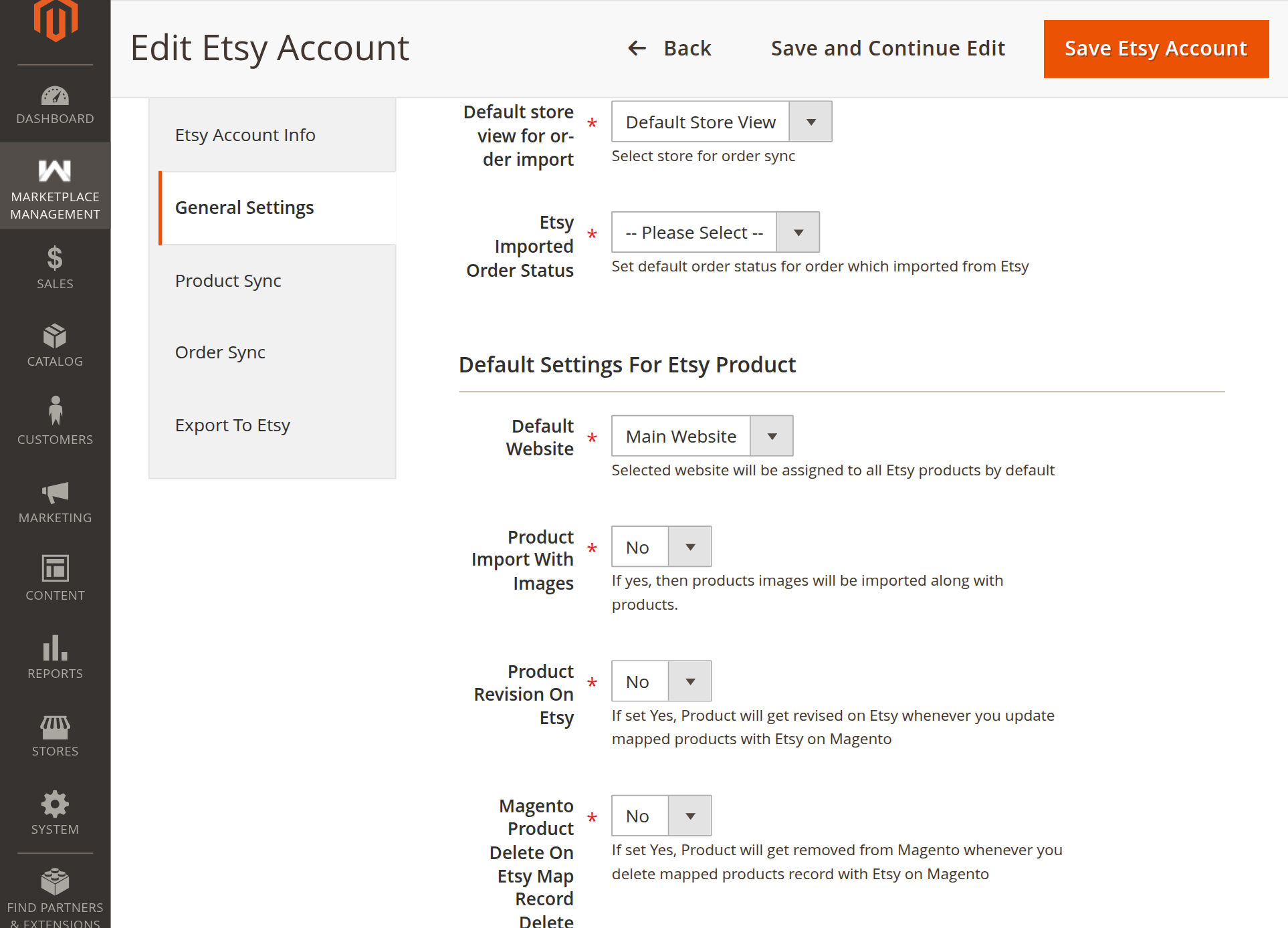
Under the General Settings tab of the Etsy Account edit page, you can customize order import and product behavior specifically for this shop:
| Setting | Options | Description |
|---|---|---|
| Default store view for order import | Store Views dropdown | Select which Magento store view newly imported orders are assigned to. |
| Etsy Imported Order Status | Order Status dropdown | Set the initial order status for imported Etsy purchases (e.g., Processing, Pending). |
| Default Website | Websites dropdown | Select which Magento website imported Etsy products are assigned to. |
| Product Import With Images | Yes / No | When set to Yes, product images from Etsy listings are downloaded and assigned to Magento catalog items. |
| Product Revision On Etsy | Yes / No | When set to Yes, updates made to product price, stock, or details in Magento are automatically pushed to Etsy. |
| Magento Product Delete On Etsy Map Record Delete | Yes / No | When set to Yes, deleting an Etsy mapping record also deletes the product from Magento's catalog. Set to No to retain the Magento product. |
6. Automated Token Refresh
Etsy API access tokens expire after 1 hour for security. The connector automatically manages renewal in the background:
- Daily Auto-Refresh: Background cron jobs automatically refresh expiring tokens once every 24 hours.
- On-Demand Auto-Refresh: If an operation occurs and a token is near expiration, the connector immediately renews it.
- Store owners and vendors do not need to re-authenticate manually under normal operation.
Next Step
Proceed to Category Mapping to align Etsy taxonomies with Magento categories.