
Magento 2 ChatGPT Product Review SummaryMagento 2 ChatGPT Product Review Summary
Buy Now
Support
Buy Now
Support
  • Getting Started

    • Introduction
    • Key Features
    • How It Works
  • Installation

    • Requirements
    • Install the Module
    • Install the AI Packages
    • Enable & Compile
    • Verify the Installation
  • Setup

    • Enable the Module
    • Activate Your Licence
    • Select an LLM Provider
    • Validate & Load Models
    • First Summaries
  • Configuration

    • Overview
    • General Settings
    • Scope & Store Views
    • Admin Menu
    • Access Control
  • LLM Providers

    • Provider Overview
    • How Validation Works
    • Ollama (Self-Hosted)
    • Switching Providers
  • Generating Summaries

    • Summary Basics
    • What Is Sent to the Model
    • From the Reviews Grid
    • CLI Command
    • Keeping Summaries Fresh
  • Storefront

    • On the Product Page
    • Full-Width Layout
    • Styling
  • Developers

    • Data Model
    • Useful SQL
    • Logging
  • Help

    • Setup Problems
    • Generation Problems
    • Storefront Problems
    • FAQ

First Summaries

The module does not summarise existing reviews on its own. Run the bulk command once after setup:

php bin/magento generate:reviewsummary

It finds every product and store view with approved reviews and generates a summary for each, one at a time, with a progress bar.

Generating Product Review Summary
=================================

 12/12 [============================] 100%

 [OK] 12 product review summary generated successfully

Check the result

  1. Open a product that has approved reviews on the storefront.
  2. Open the Reviews tab.
  3. A Customers Say block appears above the reviews, ending with the line AI generated product reviews summary.
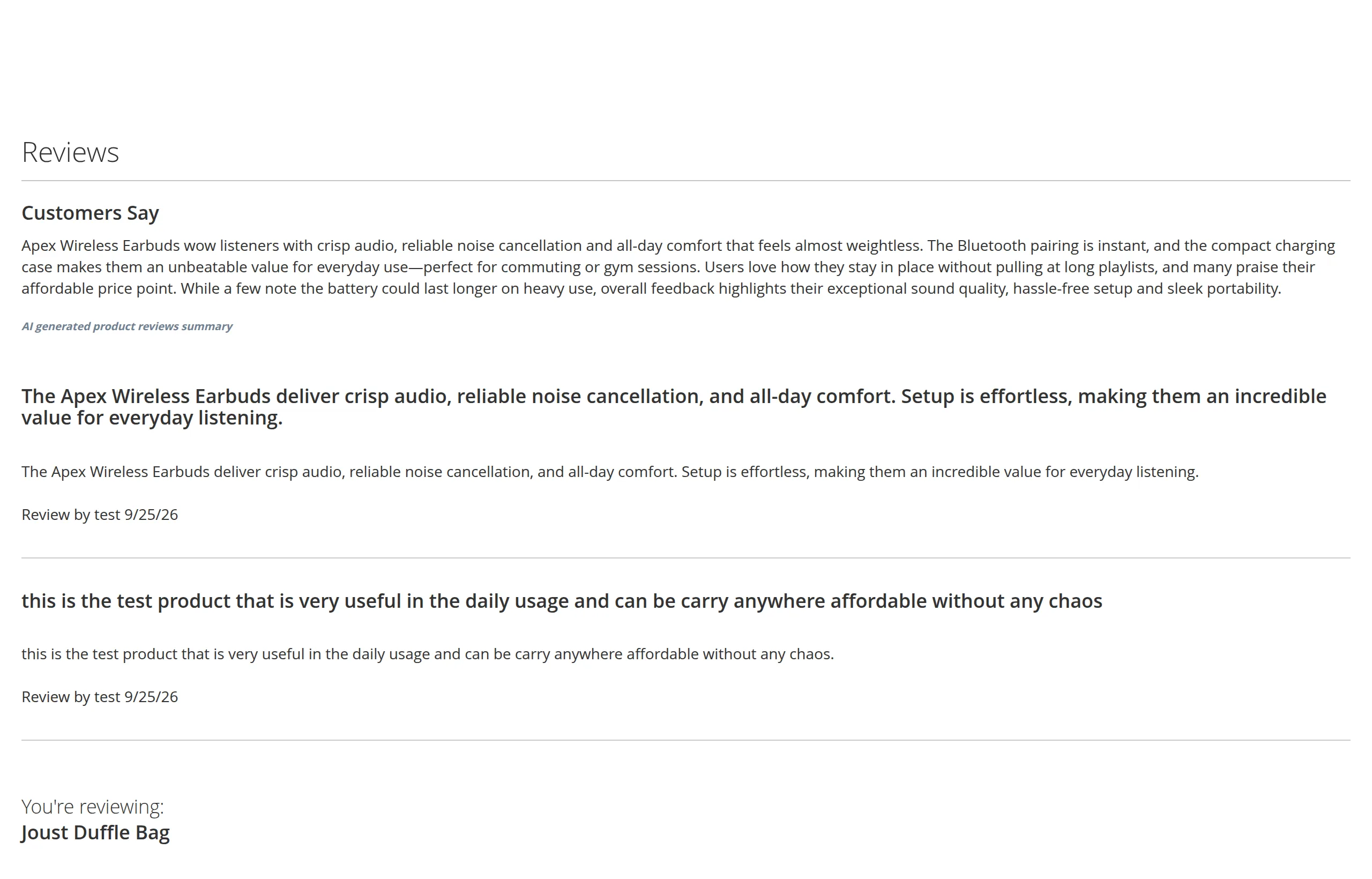
Customers Say summary on the product page

If it is not there, flush the full-page cache:

php bin/magento cache:flush full_page

and see Storefront Problems.

Try a single product first

To test with one product, go to Marketing → All Reviews, select one of its approved reviews, and use Update Status → Approved. That regenerates just that product. See From the Reviews Grid.

Next: Configuration Overview.

Prev
Validate & Load Models