
Magento 2 ChatGPT Product Review SummaryMagento 2 ChatGPT Product Review Summary
Buy Now
Support
Buy Now
Support
  • Getting Started

    • Introduction
    • Key Features
    • How It Works
  • Installation

    • Requirements
    • Install the Module
    • Install the AI Packages
    • Enable & Compile
    • Verify the Installation
  • Setup

    • Enable the Module
    • Activate Your Licence
    • Select an LLM Provider
    • Validate & Load Models
    • First Summaries
  • Configuration

    • Overview
    • General Settings
    • Scope & Store Views
    • Admin Menu
    • Access Control
  • LLM Providers

    • Provider Overview
    • How Validation Works
    • Ollama (Self-Hosted)
    • Switching Providers
  • Generating Summaries

    • Summary Basics
    • What Is Sent to the Model
    • From the Reviews Grid
    • CLI Command
    • Keeping Summaries Fresh
  • Storefront

    • On the Product Page
    • Full-Width Layout
    • Styling
  • Developers

    • Data Model
    • Useful SQL
    • Logging
  • Help

    • Setup Problems
    • Generation Problems
    • Storefront Problems
    • FAQ

Admin Menu

Once Enable Module is Yes, an AI Product Review Summary entry appears in the admin sidebar.
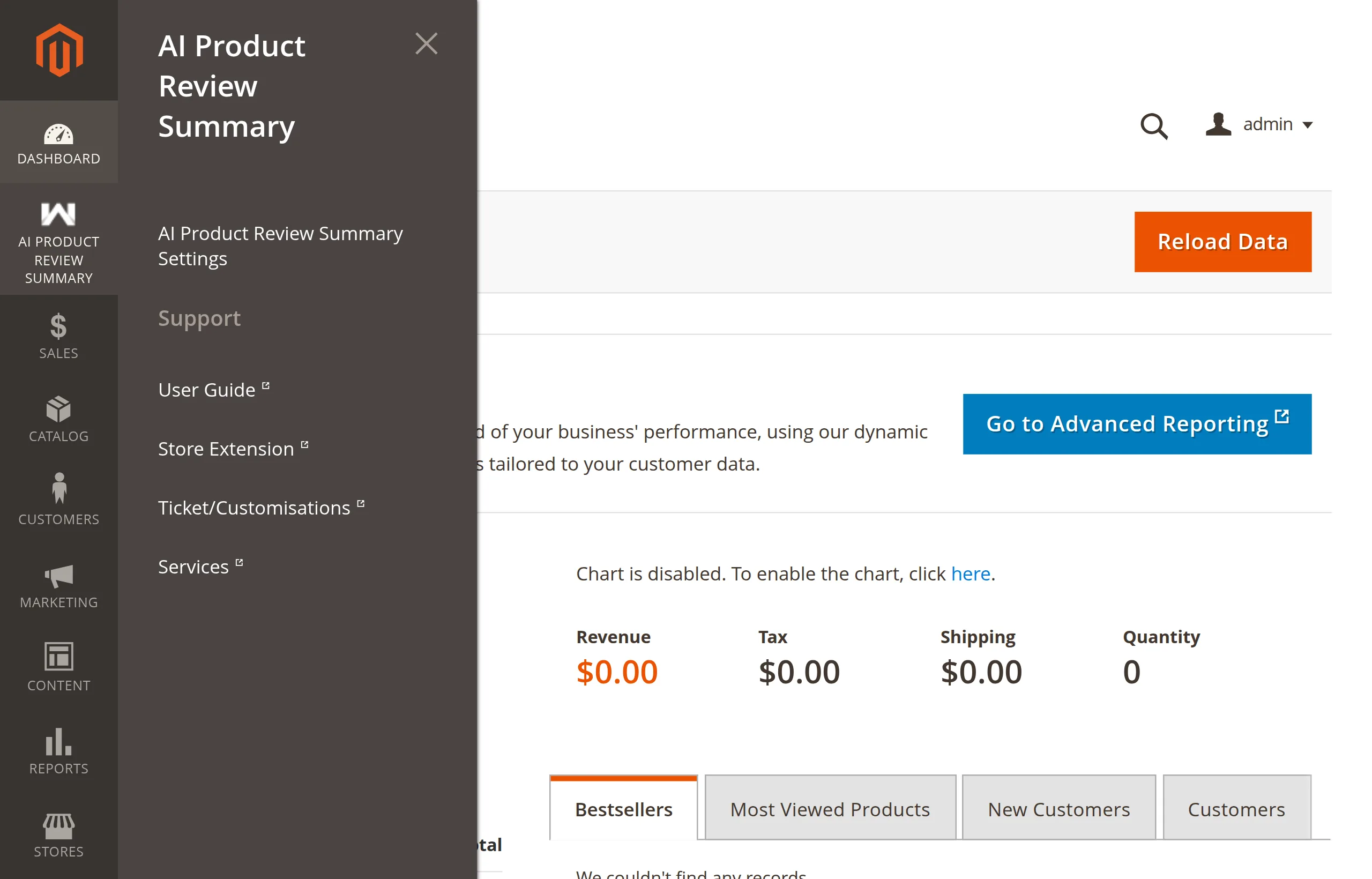
AI Product Review Summary admin menu

ItemOpens
AI Product Review Summary SettingsStores → Configuration → Webkul → AI Product Review Summary
Support → User GuideThe user guide, in a new tab
Support → Store ExtensionThe extension's page on the Webkul Store
Support → Ticket/CustomisationsThe Webkul support desk, to raise a ticket
Support → ServicesWebkul's Magento development services

The menu is missing

The menu is hidden while the module is disabled. Enable it the first time from Stores → Configuration → Webkul → AI Product Review Summary, then flush the cache.

If it is still missing, your admin role may lack the menu permissions. See Access Control.

There is no summaries grid

The menu has no page listing the generated summaries. To see them, open a product page on the storefront or query the table — see Useful SQL.

Next: Access Control.

Prev
Scope & Store Views
Next
Access Control