
Installation
Choose one of the two installation methods below depending on where you purchased the extension.
Option A: Installation from Webkul Store
Step 1: Download & Unzip
Log into Webkul Store, navigate to My Account > My Purchased Products, and download the extension ZIP file. Unzip the file on your local machine.
Step 2: Upload Files
Follow the path src > app and copy the app folder into your Magento 2 root installation directory on the server.
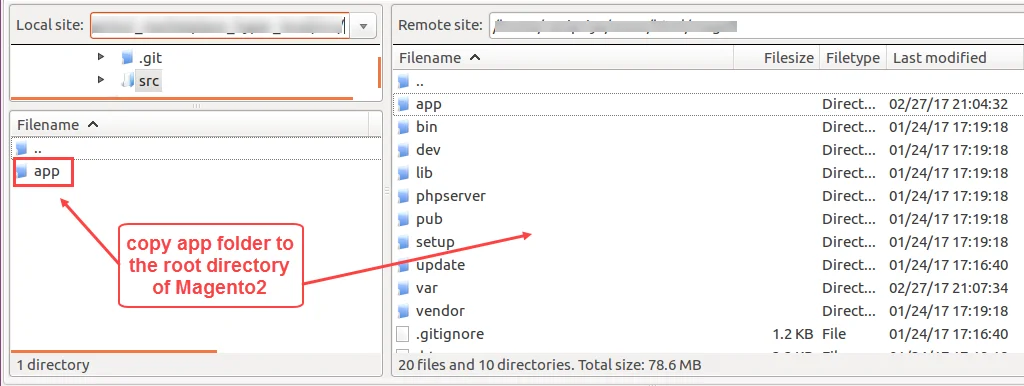
magento-root/
 ├─ app/
 │  └─ code/
 │     └─ Webkul/
 │        └─ PriceDropAlert/
Step 3: Run Deployment Commands
Run the following commands in sequence from your server terminal:
php bin/magento setup:upgrade
php bin/magento setup:di:compile
php bin/magento setup:static-content:deploy -f
php bin/magento indexer:reindex
php bin/magento cache:flush
Option B: Installation from Magento Marketplace
Step 1: Obtain Access Keys
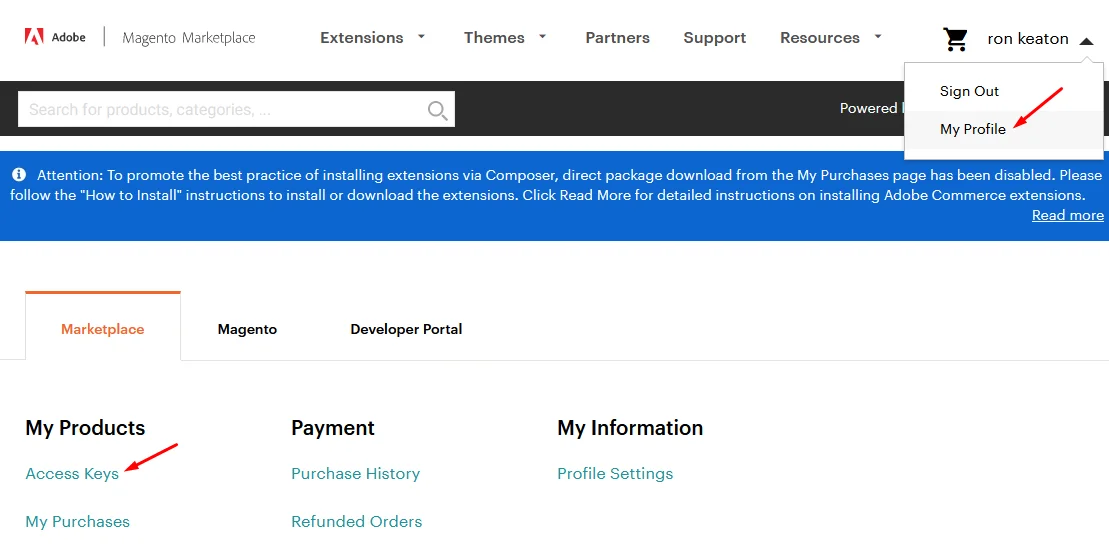
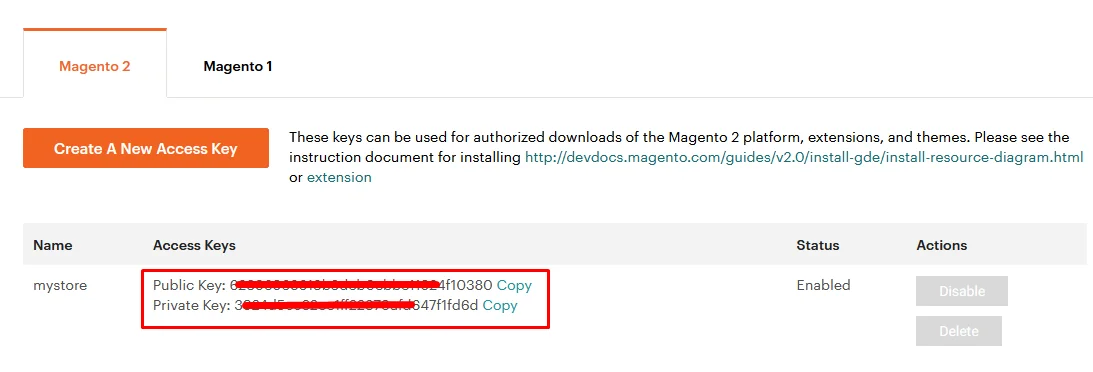
Log into Magento Marketplace, navigate to My Profile > Access Keys, and copy your Public Key and Private Key.
Step 2: Update composer.json
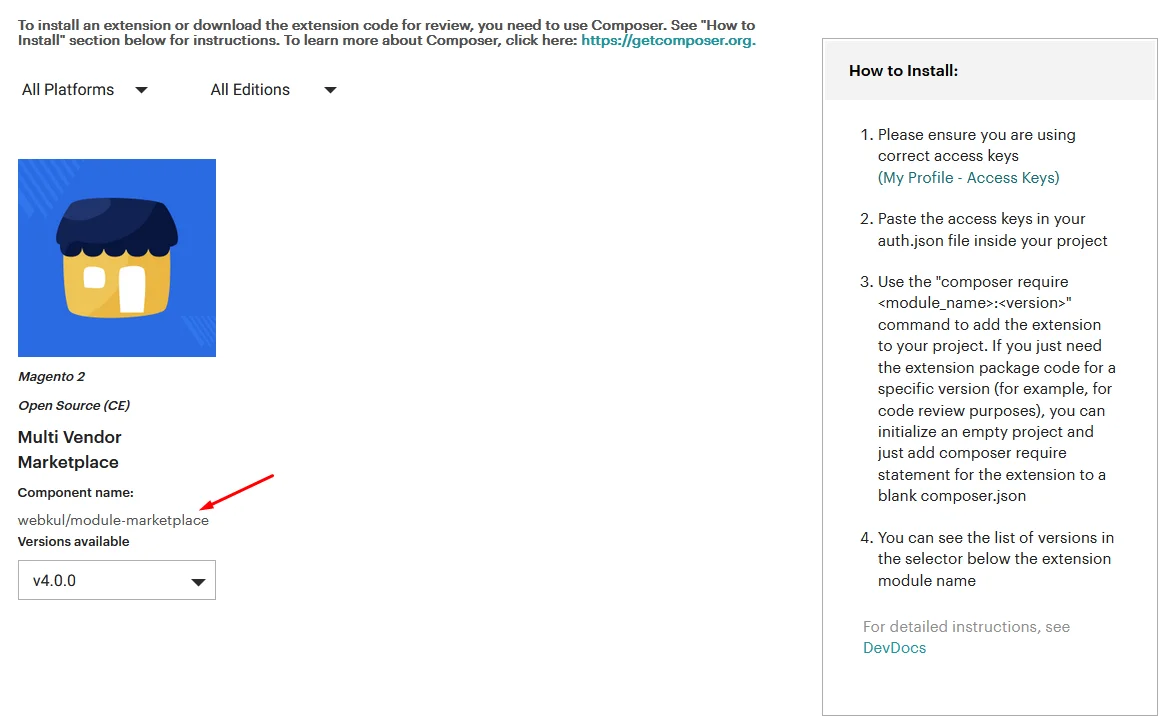
Run the composer command in your Magento root directory:
composer require webkul/price-drop-alert:5.0.0
Step 3: Authenticate & Deploy
Enter your Marketplace access keys when prompted, then run:
php bin/magento setup:upgrade
php bin/magento setup:di:compile
php bin/magento setup:static-content:deploy -f
php bin/magento cache:flush