
Admin Wishlist Management
Store administrators can monitor, filter, and inspect all customer wishlists and saved products directly from the Magento Admin Panel.
Viewing Customer Wishlists
Administrators can access customer wishlists via two navigation methods:
Method A — Standalone Wishlist Grid
- Log in to Magento Admin.
- Navigate to Wishlist > View Wishlist (or Webkul > Wishlist > View Wishlist).
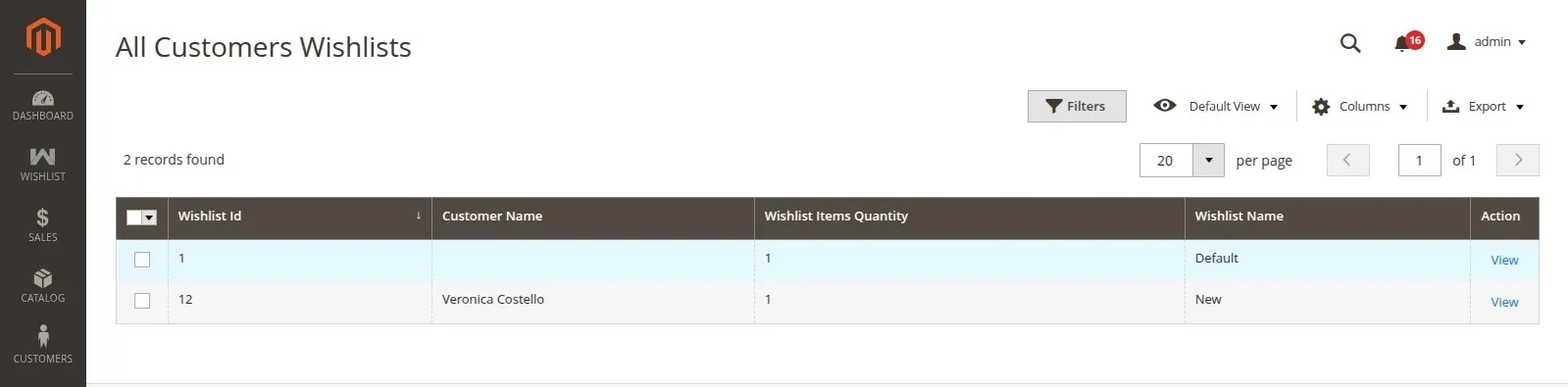
- The main admin grid displays all wishlists created by customers across the store.
Grid Features & Data Columns
- Columns Displayed: Wishlist Id, Customer Name, Wishlist Name, Wishlist Items Quantity, and Actions.
- Grid Features: Search filtering, column visibility controls, saved view bookmarks, pagination, and data export to CSV or XML.
- Inspecting Saved Items: Click View Wishlist Items under the Actions column to inspect the exact products, titles, and quantities saved inside a customer's wishlist.
Method B — Customer Account Edit View
- Log in to Magento Admin.
- Go to Customers > All Customers.
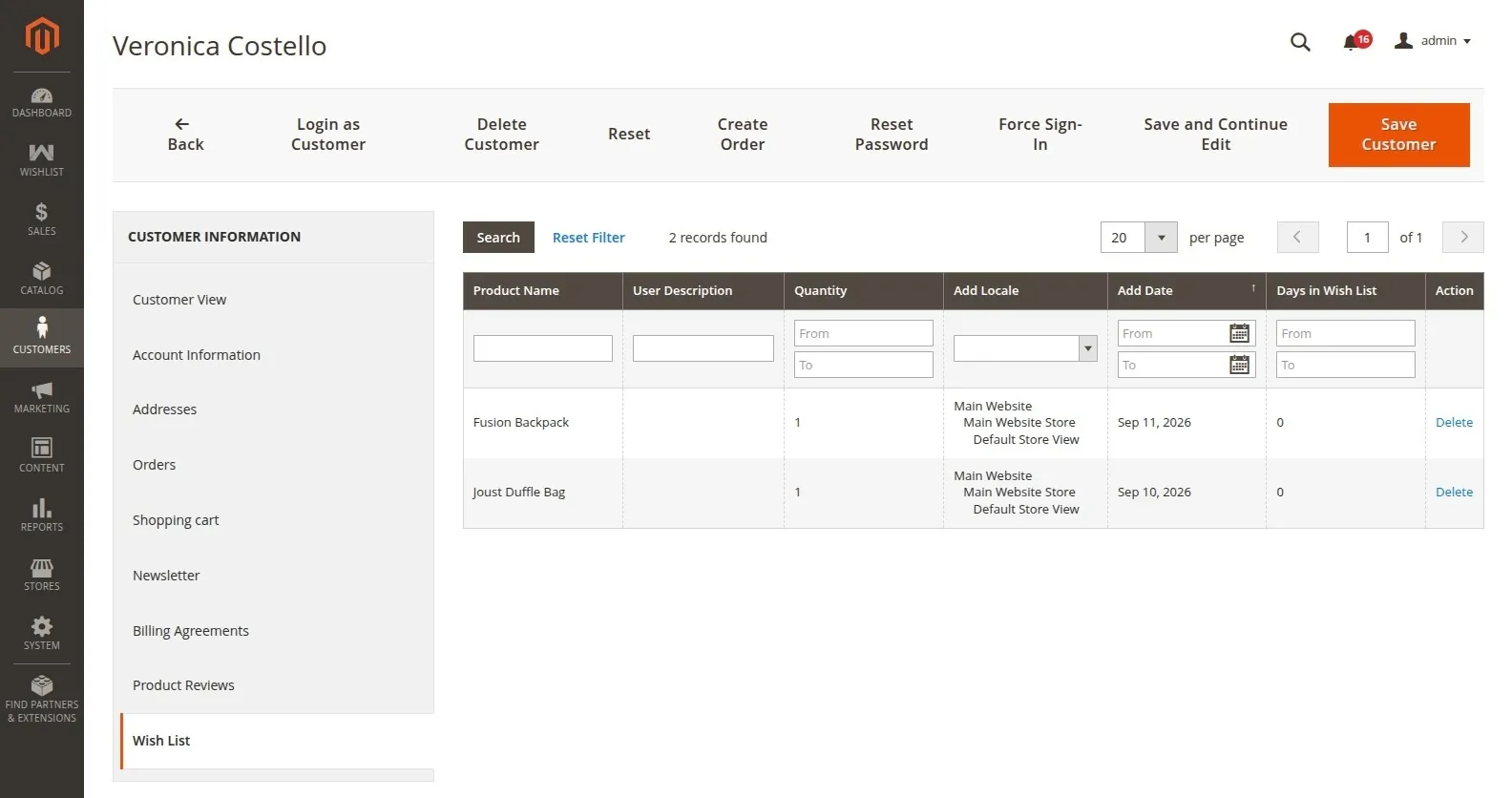
- Edit any customer profile.
- Click the Wishlist / Multi Wish List tab on the left customer navigation menu.
Admin Notifications
Whenever a customer adds a product to a wishlist, an automated notification alert is generated for store administrators in the Magento Admin notification menu:
- Notice Title: Product Added to Wishlist
- Notice Content:
"<Customer Name> (<Customer Email>) added <Product Name> (<SKU>) to wishlist."
Admin User Role Permissions
Access permissions can be granted or restricted for admin user roles under System > User Roles:
- Manage Wishlist: Access to the top-level Wishlist menu in Admin.
- View Wishlist: Permission to view the customer wishlist grid and inspect item details.
- Configuration Settings: Permission to edit extension configuration settings.
- Support Resources: Access to support, user guide, and ticket links.
Admin Support & Resources
Quick access links are available under Wishlist > Support in the Magento Admin menu:
- User Guide: Direct link to user documentation.
- Store Extension: View the module on Webkul Store.
- Ticket/Customisations: Submit a support request or customization inquiry.
- Services: View Webkul Magento development services.
- Reviews: Leave feedback and reviews.