
Hyvä Theme Compatibility
The Marketplace USPS Shipping module provides first-class support for the modern Hyvä Storefront Theme via the companion module Webkul_MpUSPSShippingHyva.
Why Hyvä Compatibility Matters
Standard Magento 2 Luma themes rely heavily on Knockout.js, RequireJS, and complex UI components, which often impact storefront loading times. Hyvä replaces this stack with Tailwind CSS and Alpine.js, reducing JavaScript bundle sizes by over 90% and delivering near-instant page transitions.
Webkul's Hyvä compatibility module ensures that:
- Real-time USPS shipping rate calculations update asynchronously on Hyvä checkouts.
- Seller portal shipping configuration and order management layouts blend seamlessly into Hyvä designs.
- No legacy Luma scripts or libraries are required on the storefront.
Architecture Overview
The compatibility layer decouples frontend presentation from core USPS shipping logic:
| Layer | Component | Responsibility |
|---|---|---|
| Storefront Presentation | Hyvä Theme | Alpine.js reactive state management and responsive Tailwind CSS utility classes. |
| Compatibility Layer | Webkul_MpUSPSShippingHyva | Overrides Luma layout XML handles with clean Hyvä PHTML templates and Alpine directives. |
| Core Rate Engine | Webkul_MpUSPSShipping | Rate calculations (Model/Carrier.php), origin resolution, packaging, and label generation. |
| API & Token Management | Model/UspsApi.php | USPS REST API V3 communication with per-seller token caching (mpuspsshipping_token). |
Installation & Enabling for Hyvä
Step 1: Install the Compatibility Module
Run the appropriate Composer command depending on your edition:
Community Edition (CE):
composer require webkul/module-marketplace-usps-shipping-hyva:^1.0
Enterprise Edition (EE):
composer require webkul/module-marketplace-usps-shipping-hyva-ee:^1.0
Step 2: Deploy & Compile
Execute the standard Magento commands:
php bin/magento module:enable Webkul_MpUSPSShippingHyva
php bin/magento setup:upgrade
php bin/magento setup:di:compile
php bin/magento cache:flush
Step 3: Purge Tailwind CSS Cache
If you maintain a custom Hyvä child theme, rebuild your Tailwind CSS bundle to include any utility classes referenced in the compatibility templates:
npm --prefix app/design/frontend/YourVendor/hyva-child/web/tailwind run build-prod
Seller End USPS Configuration in Hyvä Theme
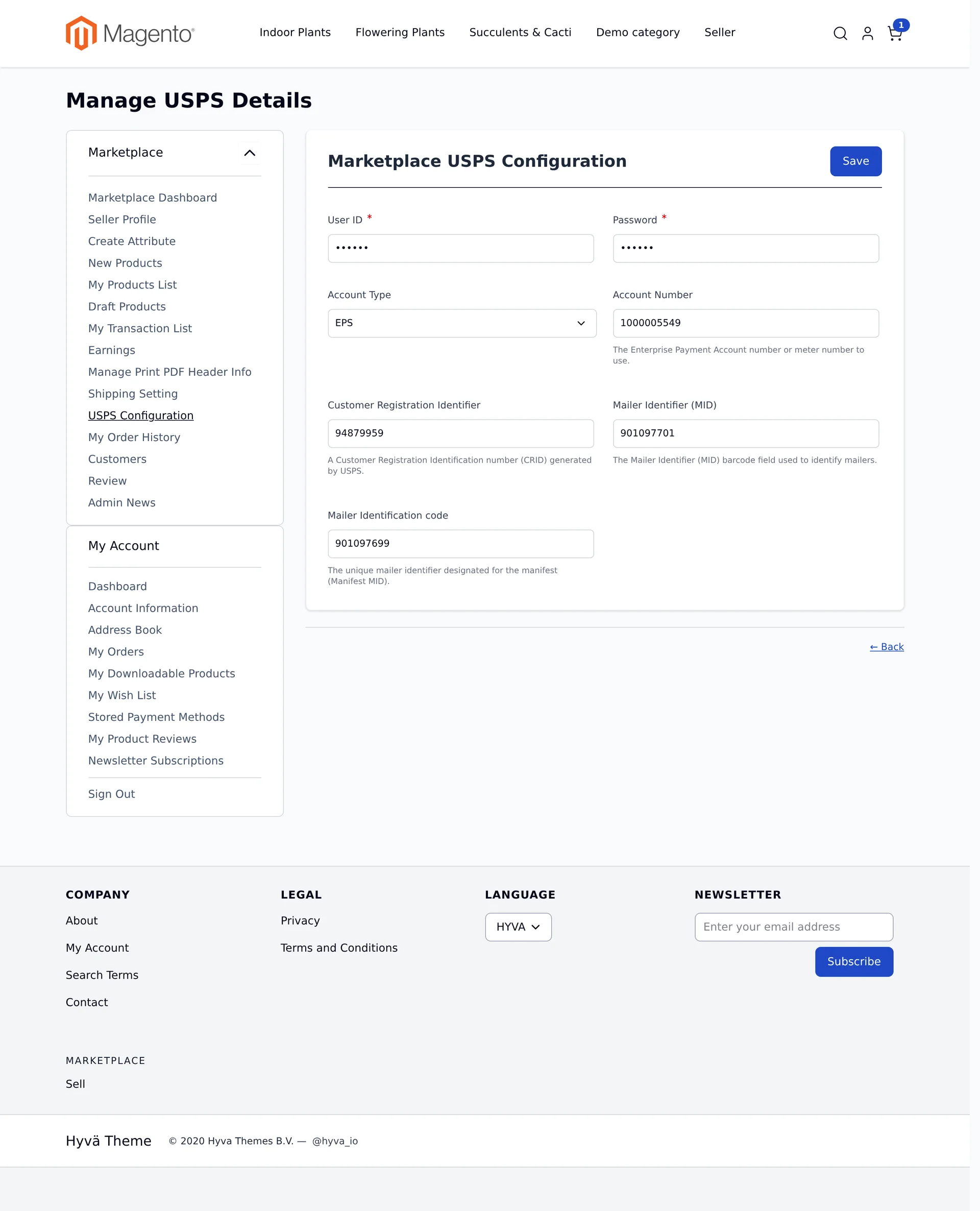
When Allow Sellers to Save USPS Details is enabled by the admin, marketplace sellers can manage their own USPS V3 REST API credentials directly within the native Hyvä vendor dashboard:
- Log in to the customer storefront with seller credentials on the Hyvä theme.
- In the marketplace navigation sidebar, select USPS Configuration (route
/mpusps/shipping/view). - Configure the USPS account details:
- User ID: Seller's USPS Developer Portal Consumer Key (Client ID).
- Password: Seller's USPS Developer Portal Consumer Secret (Client Secret).
- Account Type: Select payment type (e.g., EPS - Enterprise Payment System, METER, or PERMIT).
- Account Number: 10-digit Enterprise Payment Account number or meter ID.
- Customer Registration Identifier (CRID): Business location CRID generated by USPS.
- Mailer Identifier (MID): 9-digit or 6-digit Mailer ID barcode field.
- Mailer Identification Code (Manifest MID): Unique mailer identifier for shipping manifests.
- Click Save.
Secure Storage & Token Caching
Seller credentials are saved to customer EAV attributes (usps_user_id, usps_password, account_type, account_number, usps_crid, usps_mid, usps_manifestmid). During rate requests and label printing, Webkul_MpUSPSShipping automatically authenticates with the USPS V3 API on behalf of each seller and securely caches their OAuth2 access tokens in the mpuspsshipping_token table.
Storefront Verification & Checkout Experience
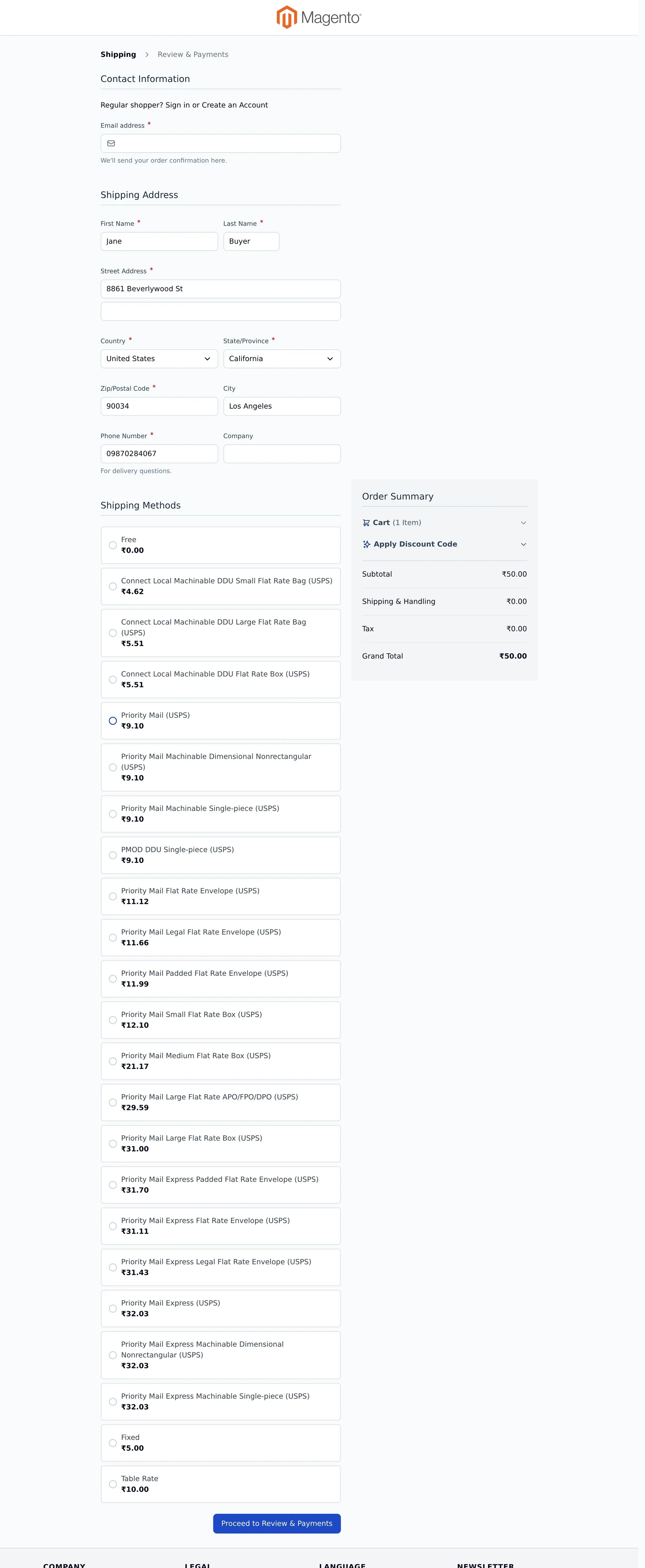
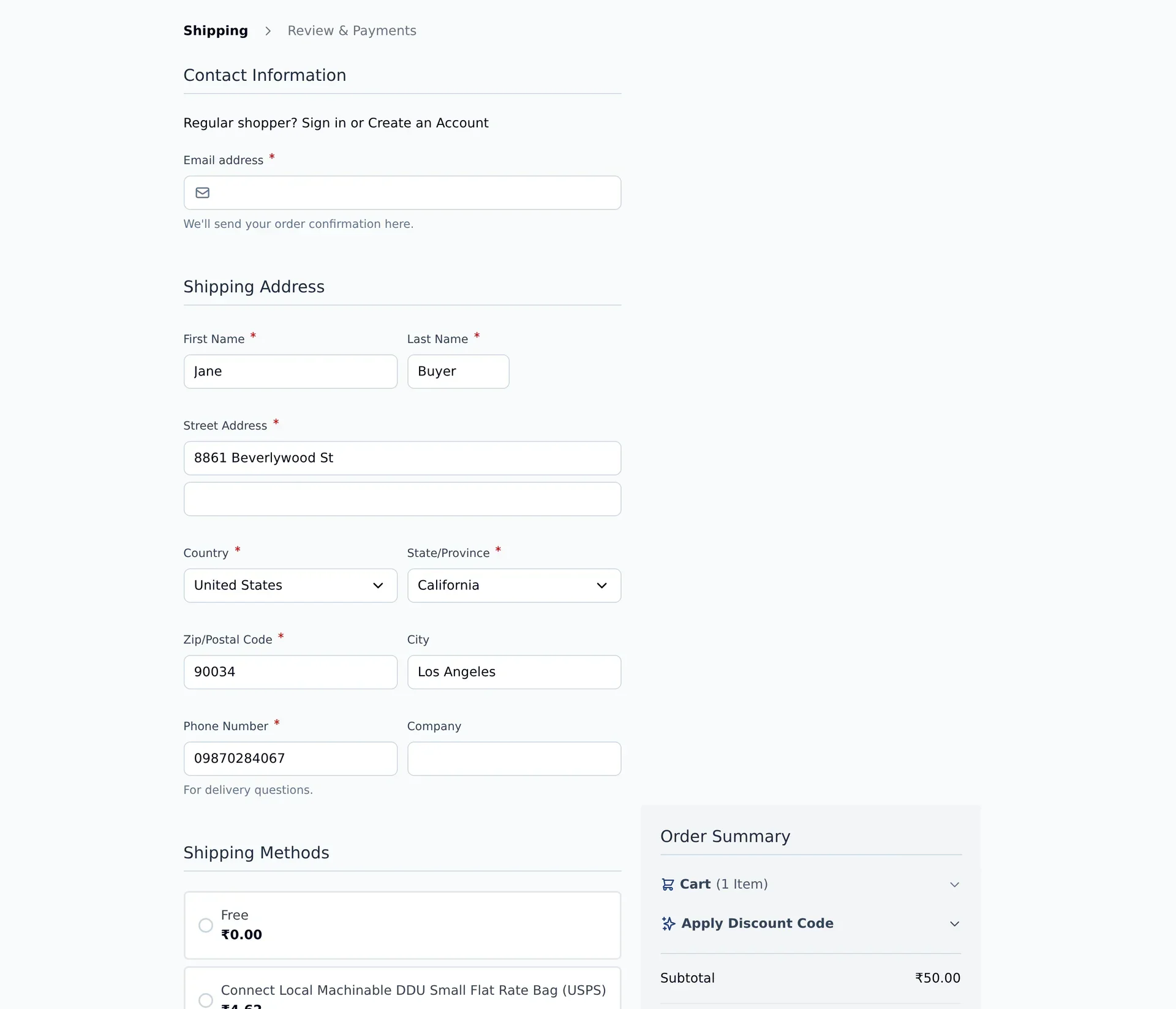
1. Real-Time Rates on Hyvä Checkout
When a customer proceeds to checkout on an active Hyvä theme and enters their shipping address, the Webkul_MpUSPSShippingHyva module fetches live USPS quotes asynchronously using Alpine.js:
2. Method Selection & Dynamic Summary Updates
USPS shipping options (such as Priority Mail, Connect Local, Priority Mail Express, and flat-rate packaging) are displayed as responsive Tailwind CSS cards. When the customer selects a shipping method:
- Alpine.js updates the selected method state without reloading the page.
- The Hyvä Order Summary sidebar dynamically updates the Shipping & Handling line item and recalculates the Grand Total.
- The customer proceeds cleanly to Review & Payments.
Verification & Testing Checklist
- Open your storefront using the active Hyvä theme (
?___store=hyva). - Log into a seller account and verify the USPS Configuration portal under Marketplace navigation.
- Ensure the seller's Shipping Setting contains a valid origin US postal code and country.
- Add items from the configured seller to the shopping cart.
- Proceed to checkout and specify a valid US shipping destination (e.g., California
90034). - Verify all eligible USPS rates display instantly without loading delays or script errors.
- Select a shipping method, verify the Order Summary updates dynamically, and complete the order.