
Magento 2 Hyvä Jewellery Theme
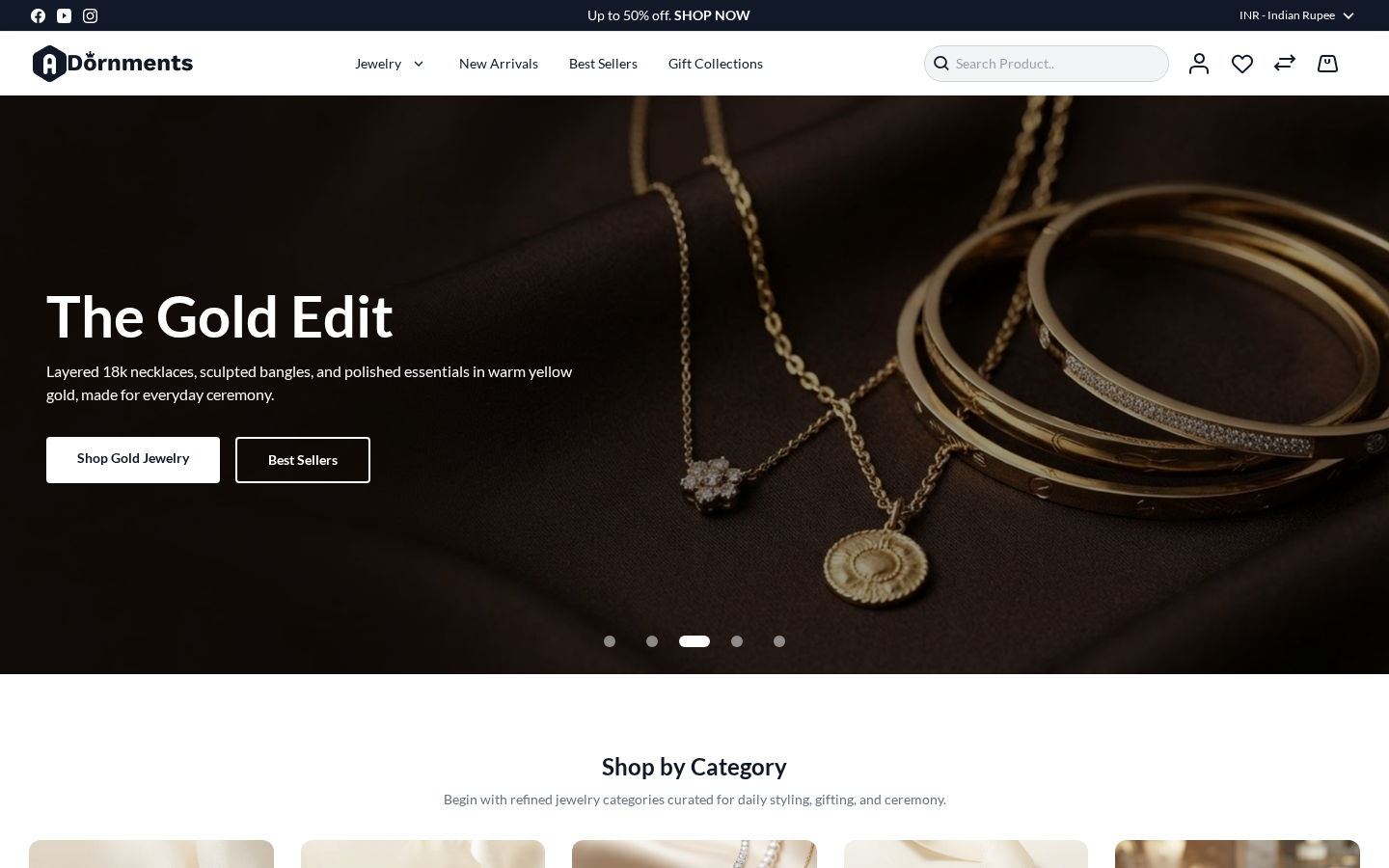
The Magento 2 Hyvä Jewellery Theme is made for jewellery and fashion accessory stores. It gives your store a clean homepage, simple navigation, product listing pages, product detail pages, cart, checkout, account pages, wishlist pages, contact page, and a branded 404 page. It is also Agent Ready, so the storefront can work well for modern AI browsing checks and agent-assisted shopping flows.
This guide explains what to check first, how to activate the theme, and where to manage the main storefront areas.
What is included
| Area | What it helps you do | Guide |
|---|---|---|
| Requirements | Check the store requirements before setup. | Open requirements |
| Installation | Add the theme to the Magento store and prepare it for use. | Open installation |
| Activation | Select the theme for the correct store view from Magento Admin. | Open activation |
| Homepage | Show the hero banner, category carousel, new arrivals, and featured products. | Open homepage guide |
| Header and footer | Manage the top bar, logo area, menu, search, cart, language, currency, and footer. | Open header and footer guide |
| Store pages | Review category, search, product, cart, and checkout pages. | Open store pages guide |
| Agent Ready | Check that the storefront is fast, easy to browse, and ready for agent-assisted shopping flows. | See the performance preview below. |
Agent Ready
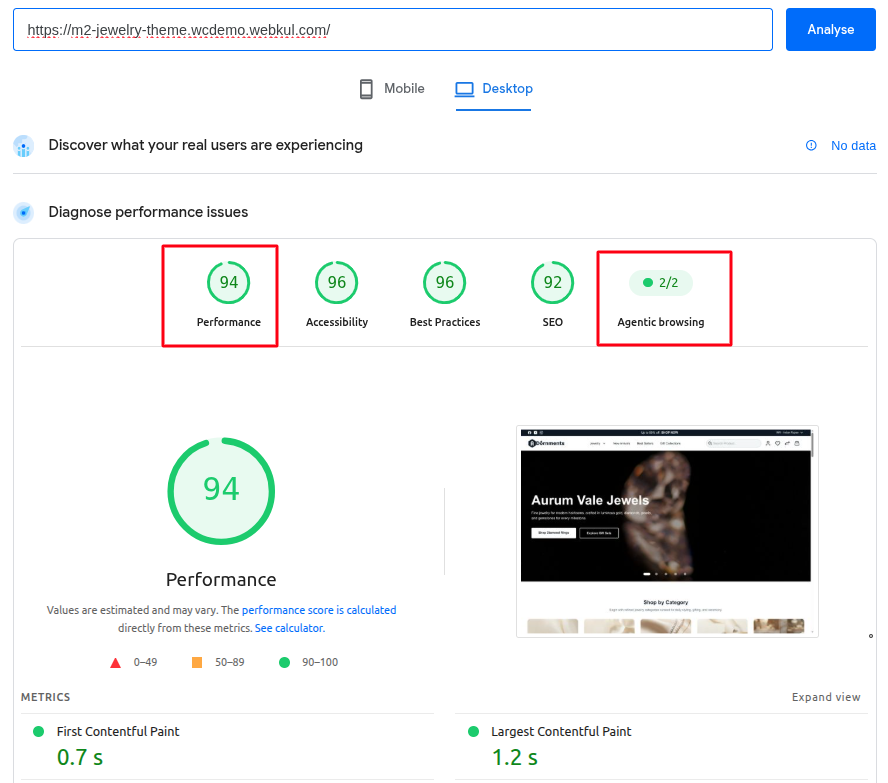
The theme is built on Hyvä for a fast storefront experience. It is prepared for agent browsing checks, so AI tools can understand the page structure, read key storefront content, and move through shopping pages more easily.
The example check below shows strong desktop performance and a passing agentic browsing result for the demo storefront.
Before you start
Make sure the store has the basic data needed for a good preview:
- Add active categories and include them in the menu.
- Add products with names, prices, images, and stock.
- Set the default store view, language, and currency.
- Check that Hyvä is installed and active on the Magento project.
- Keep the Magento cache ready to refresh after changing the theme.
Getting started
Follow these pages in order:
- Read the Requirements.
- Complete the Installation.
- Activate the theme from Activate the Theme.
- Open the storefront and check the homepage, category page, search page, product page, cart, and checkout.
- If something does not look right, open Troubleshooting.
After activation
After the theme is active, check these storefront areas:
| Store area | What to check |
|---|---|
| Homepage | Hero banner, category carousel, new arrival products, and featured products. |
| Header | Logo, menu, search box, customer account link, wishlist, compare, and cart. |
| Footer | Newsletter, store links, social links, and payment icons. |
| Category page | Product grid, filters, sorting, pagination, and product cards. |
| Search page | Search field, result count, filters, pagination, and product cards. |
| Product page | Product images, price, options, quantity, add to cart, wishlist, and reviews. |
| Cart and checkout | Cart drawer, cart page, checkout steps, address forms, shipping, payment, and order success page. |
Need help
Use the Troubleshooting page for common setup issues. Use the FAQ page for quick answers about the theme.