Hyvä Jewellery ThemeHyvä Jewellery Theme
Live Demo
Buy Now
Support
Live Demo
Buy Now
Support
  • Getting Started

    • Introduction
    • Requirements
    • Installation
    • Activate the Theme
  • Build storefront

    • Homepage Configurator

      • Overview
      • Section Types
      • Hero Banner
      • Category Grid
      • Product Carousel
      • Collection Banners
      • Split Content
      • Promo Banner
      • Luxury Grid
      • CTA Banner
      • Instagram Feed
      • Trust Badges
    • Header, Footer & Mega Menu

      • Overview
      • Building the Menu
      • Submenu Templates
      • Header & Footer Settings
      • Agent Readiness
    • Storefront Pages

      • Category Page
      • Search Results
      • Product Page
      • Cart & Checkout
  • Help

    • Troubleshooting
    • FAQ

Header & Footer Settings

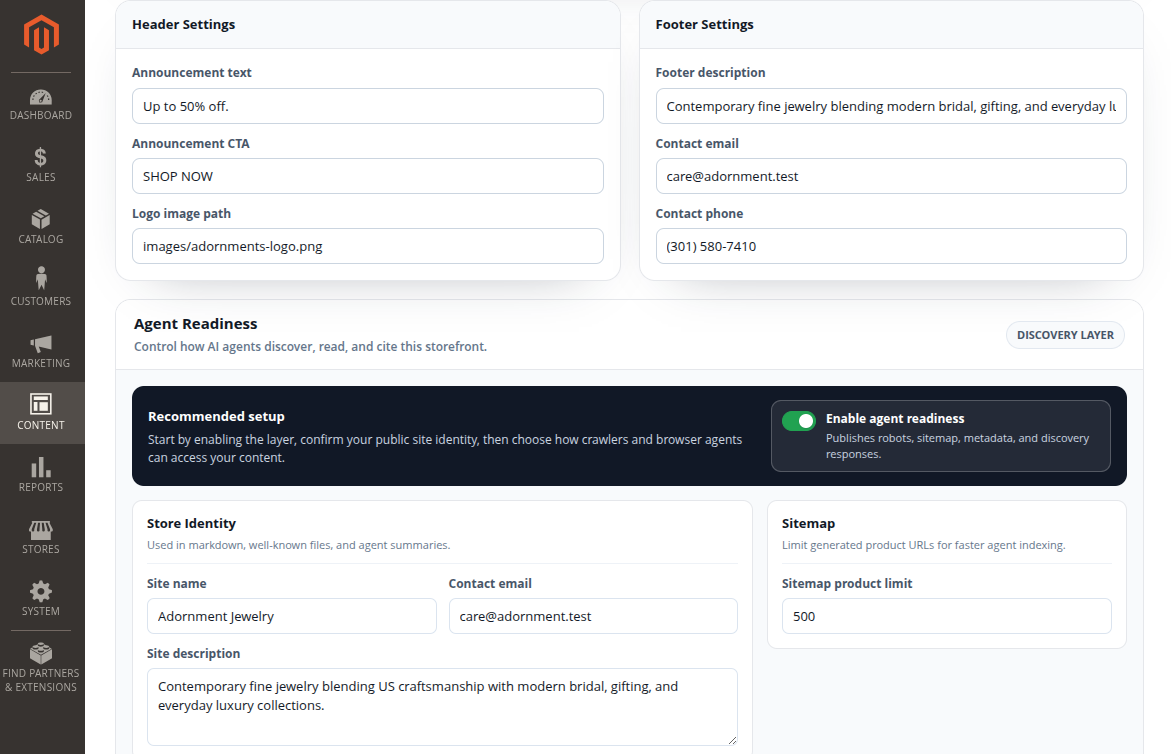
Beyond the menu, the builder controls the header announcement, logo, and footer content.

Header settings

FieldPurpose
Announcement textSmall bar above/within the header (e.g. "Complimentary shipping on orders over $150")
Announcement CTALabel for an optional announcement button/link
Logo imageStore logo shown in the header

Footer settings

FieldPurpose
Footer descriptionShort brand/about blurb in the footer
Contact emailShown in the footer contact block
Contact phoneShown in the footer contact block

Header and footer settings in Magento Admin

After saving

After changing header or footer text, click Save Configuration. If the old content still shows, refresh the storefront and clear Magento cache from Admin if needed.
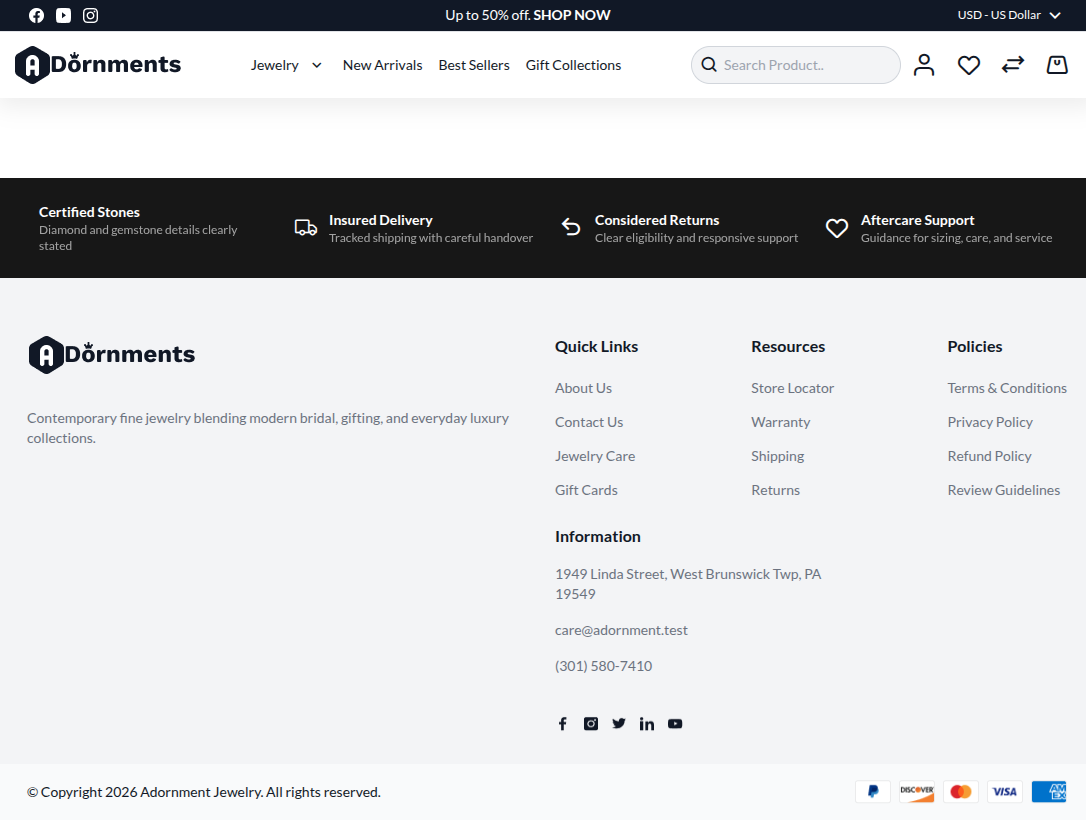
Header and footer storefront result

Prev
Submenu Templates
Next
Agent Readiness