
Admin Configuration & Permissions
This guide explains how to enable the Service Fee module in your store settings and manage staff access permissions.
Enabling the Module
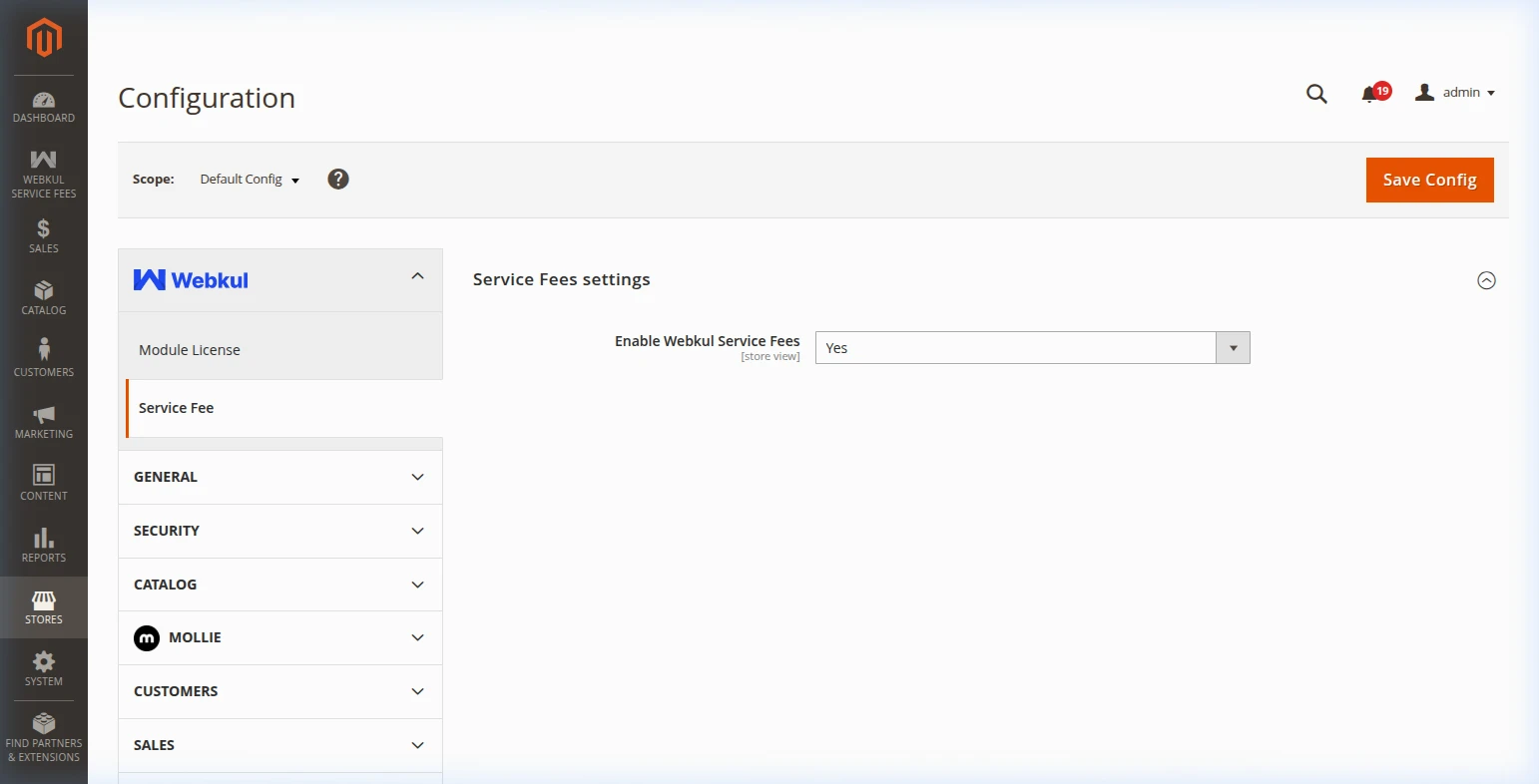
To turn the Service Fee feature on or off globally:
- Log into your Magento Admin Panel.
- Navigate to:
Navigation Path
Stores → Settings → Configuration → Webkul → Service Fee
- Set Enable Webkul Service Fees to
Yes. - Click Save Config.
| Setting Name | Option | Description |
|---|---|---|
| Enable Webkul Service Fees | Yes / No | Turn on to display service fees at checkout. Turn off to hide all extra fees. |
Admin Staff Access Permissions (ACL)
If you have multiple staff members managing your Magento store, you can control who can manage service fees.
Navigate to:
Navigation Path
System → Permissions → User Roles
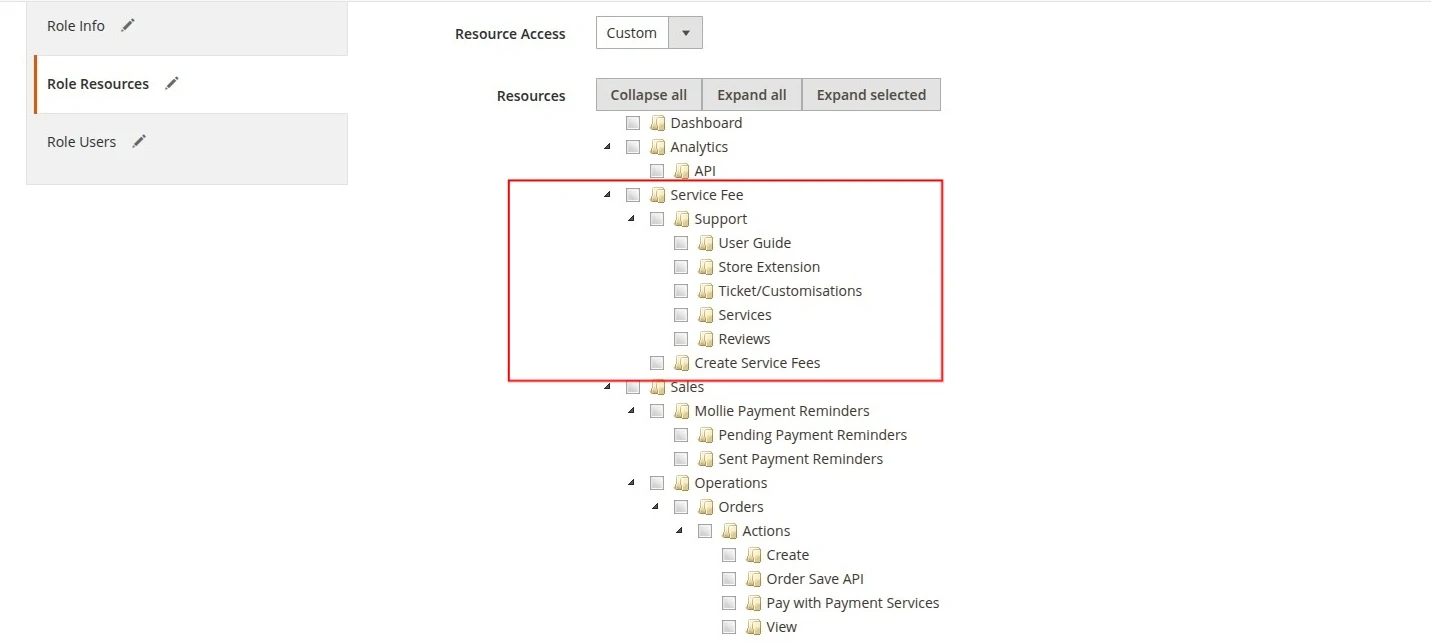
- Service Fee Management (
Create Service Fees): Allows staff to view, create, edit, enable, disable, and delete service fee rules. - Support Access (
Support): Allows staff to access Webkul help documentation and user guides. - System Configuration (
Config Service Fee): Allows staff to toggle the global module on or off.