
Order & Invoice Management
Store administrators can manage orders placed with Parcel Perfect Shipping, verify courier rates, and generate and print invoices containing shipping breakdowns.
1. Viewing Customer Orders
Once an order is submitted on the storefront:
- Log in to the Magento Admin Panel.
- Navigate to Sales > Orders.
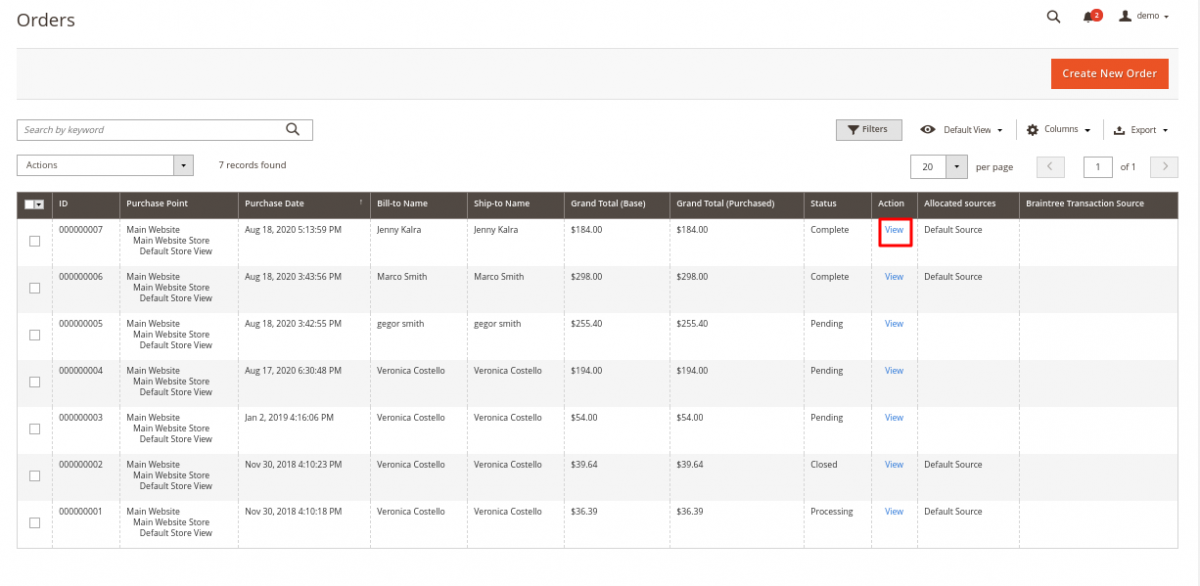
- In the orders grid, locate the relevant order and click View under the Action column.
2. Reviewing Shipping & Payment Details
Inside the Order View screen, administrators can inspect comprehensive details:
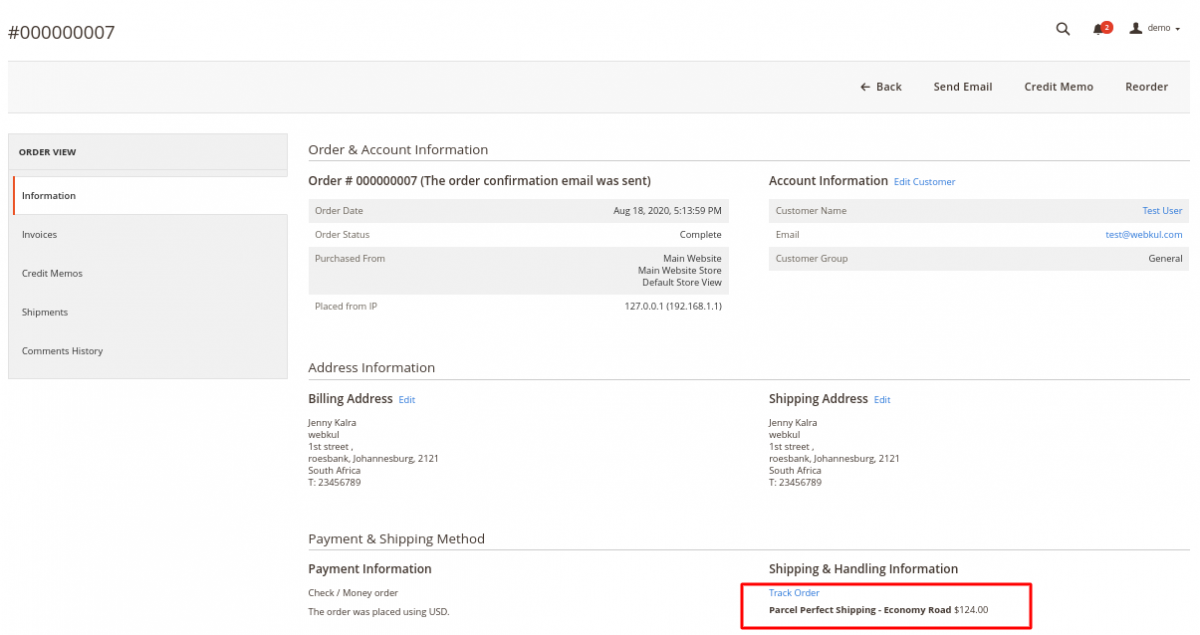
- Payment & Shipping Method: Shows the exact Parcel Perfect shipping method selected by the customer along with the total shipping and handling charge.
- Shipping and Handling Fee Breakdown: Displays base shipping cost plus any configured surcharge.
- Order Action Controls: Buttons to generate invoices, ship items, re-order, send order emails, or cancel the order.
3. Creating Invoices
To create an invoice for the order:
- In the upper action bar of the order page, click Invoice.
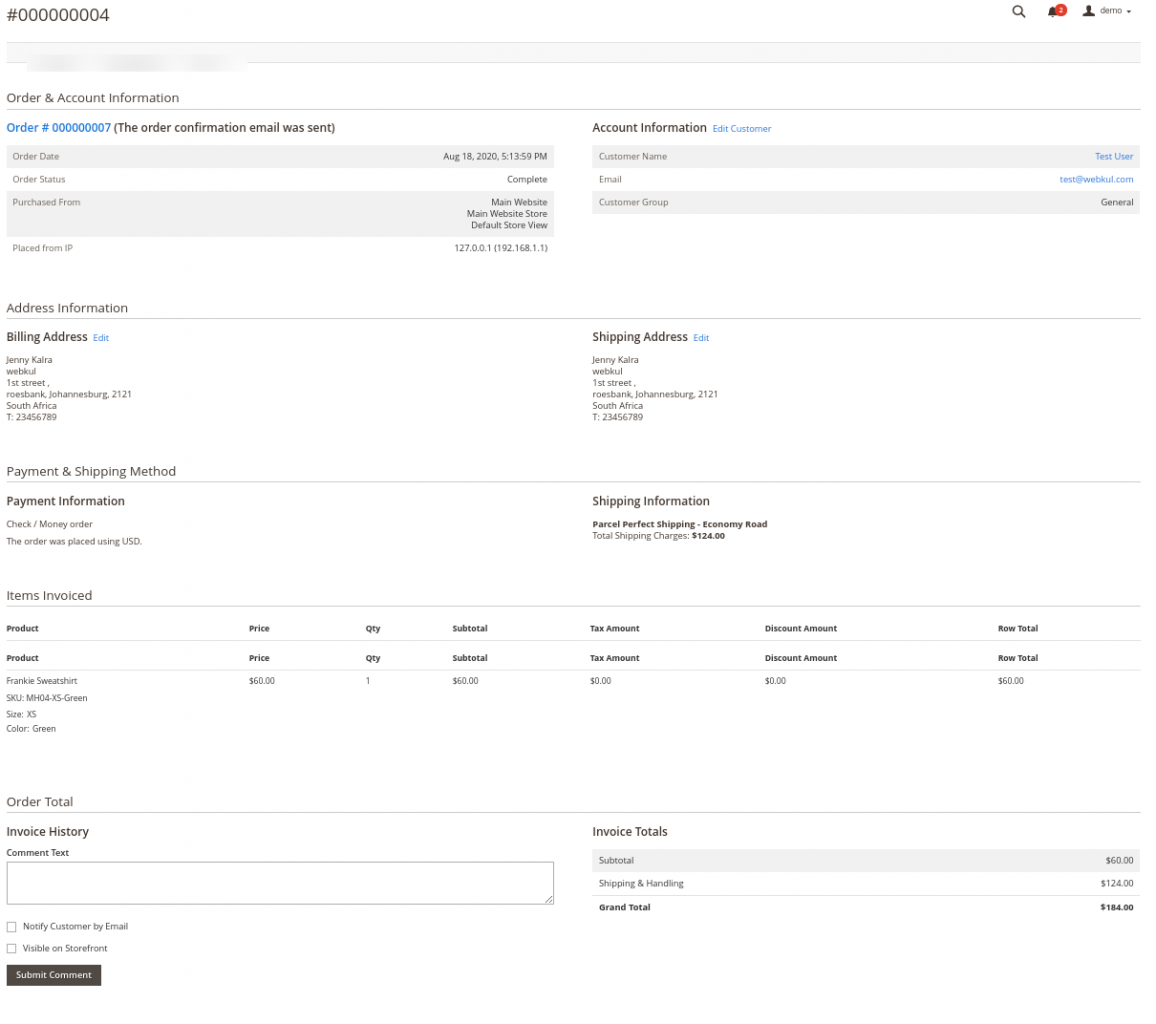
- Review the invoice items and shipping amounts. The invoice reflects all shipping details and fees calculated for that specific order.
- Click Submit Invoice.
4. Printing Invoices
Store administrators can print hard-copy or PDF invoices directly from the admin panel:
- Inside the generated invoice view, click the Print button in the top action bar.
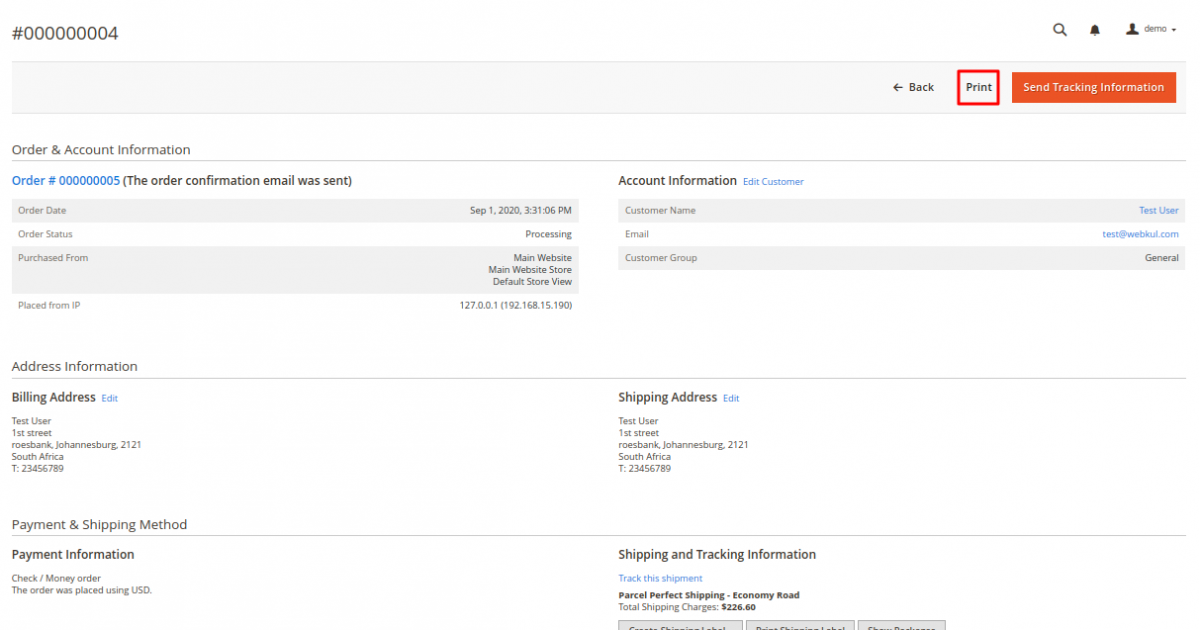
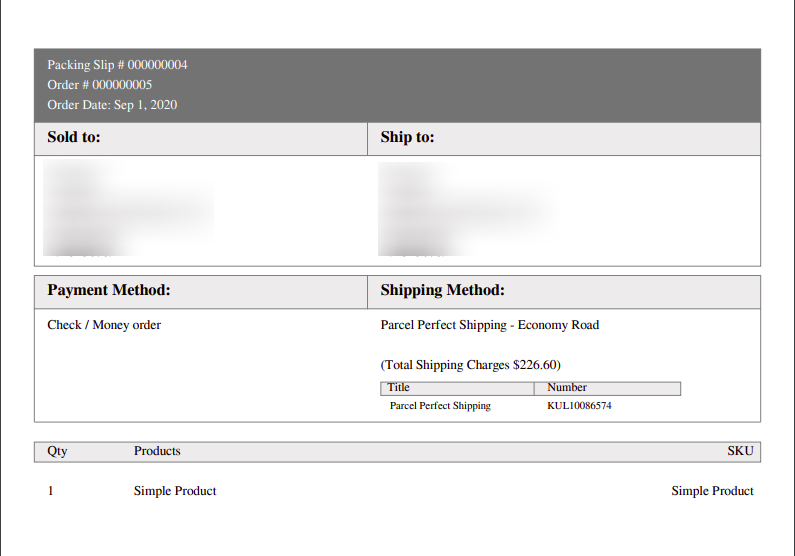
- A print-ready PDF invoice is generated containing order items, billing/shipping addresses, and Parcel Perfect shipping charges.
Next Step
Proceed to Shipment & Tracking Labels to learn how to package items, generate Parcel Perfect shipping labels, and send tracking information to buyers.