
Search Query Configuration
The Webkul Magento 2 Elasticsearch extension provides both automated query optimization and deep Query DSL configuration options, letting store owners fine-tune how Elasticsearch interprets shopper queries.
Navigate to Stores > Configuration > Webkul > Elastic Search Settings > Search Settings.
Smart Search Mode vs Manual Query DSL
Enable Smart Search Mode: Yes (Recommended) When enabled, Webkul uses optimized search query algorithms and safe tokenization out-of-the-box. Complex query parameters are automatically calibrated to prevent query execution errors and deliver balanced relevance.
Enable Smart Search Mode: No Disabling Smart Search Mode reveals advanced Query DSL settings, allowing you to manually configure query matching types, boolean operators, search fields, and thresholds.
1. Multi-Match Query
When Select Frontend Search Type is set to Multi Match Query, customer searches span multiple product attributes defined in your catalog.
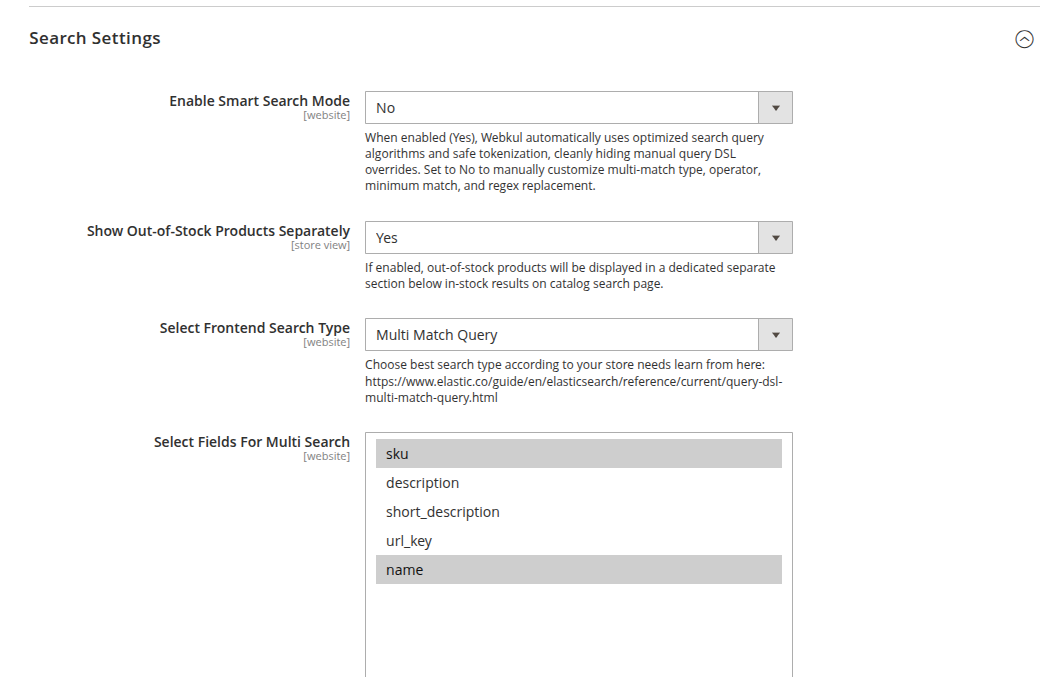
Multi-Match Settings
Select Fields For Multi Search: Choose which attributes are evaluated by Elasticsearch. Common attributes include:
skudescriptionshort_descriptionurl_keyname
Select Multi-Match Type: Elasticsearch offers 5 multi-match scoring algorithms:
- best_fields (Default): Finds documents that match in any field, but uses the
_scorefrom the best-matching field. Best for queries looking for individual terms in single fields. - most_fields: Finds documents that match in any field and combines the
_scorefrom each matching field. Useful when querying fields that analyze the same text in different ways (e.g., standard text vs stemmed). - cross_fields: Treats all fields with the same analyzer as if they were one big field. Excellent for user queries where words might appear across separate fields (e.g., brand in one attribute and model in another).
- phrase: Runs a
match_phrasequery on each field and uses the best field's score. Preserves word order. - phrase_prefix: Runs a
match_phrase_prefixquery on each field, treating the last term as a prefix. Ideal for autocomplete matching.
- best_fields (Default): Finds documents that match in any field, but uses the
Select Operator For Multi Search:
- OR (Default): A product is returned if any of the query terms match. Produces broader results.
- AND: A product is returned only if all search terms match across the indexed fields. Produces strictly focused results.
Minimum Should Match: Specifies the minimum percentage that must match (e.g.,
75%). Helps reduce low-quality search results on long multi-word queries.
2. Simple Match Query
When Select Frontend Search Type is set to Simple Match Query, searches are restricted strictly to the primary product identifiers: Product Name and SKU.
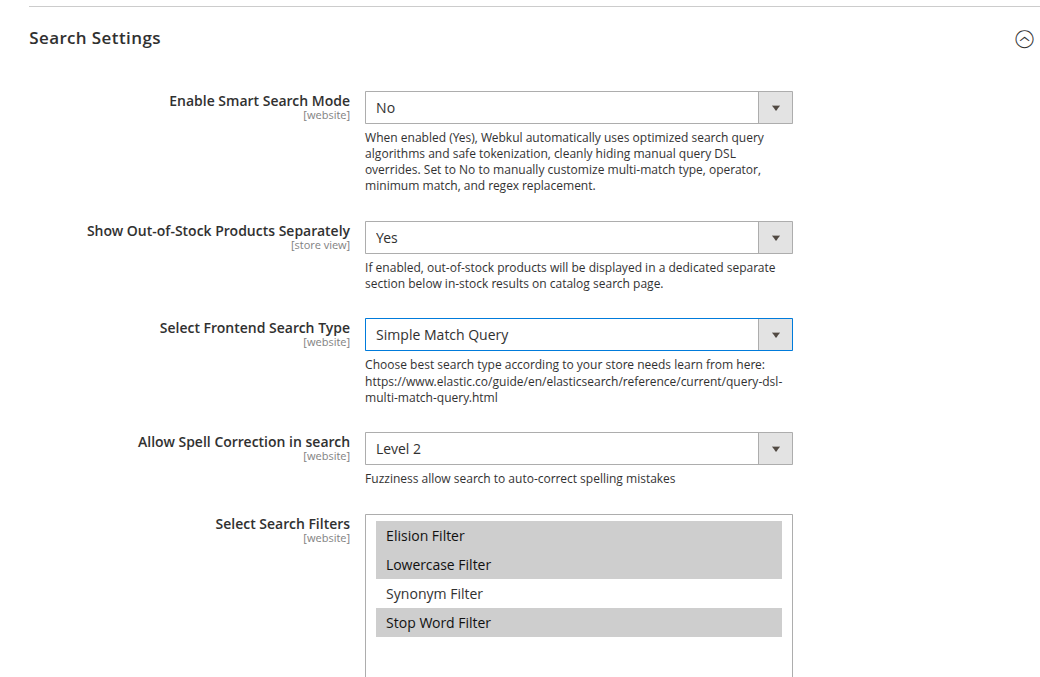
Use Cases for Simple Match Query
- Catalogs where descriptions contain broad terminology that might produce false-positive relevance matches.
- B2B portals where buyers search predominantly by SKU codes or exact part names.
Query DSL Comparison Table
| Query Setting | Multi-Match (best_fields) | Multi-Match (cross_fields) | Simple Match Query |
|---|---|---|---|
| Searchable Attributes | Name, SKU, Descriptions | Name, SKU, Descriptions | Name & SKU only |
| Cross-Attribute Matching | Per-field evaluation | Unified field evaluation | Evaluates Name & SKU |
| Relevance Scoring | Best matching field | Term frequency across fields | Exact Name / SKU match |
| Recommended For | General B2C eCommerce | Broad multi-attribute catalogs | B2B & Parts catalogs |