
Multi-Entity Search
The Webkul Magento 2 Elasticsearch module delivers a high-speed, interactive storefront search experience through unified multi-entity indexing and debounced AJAX based search suggestions.
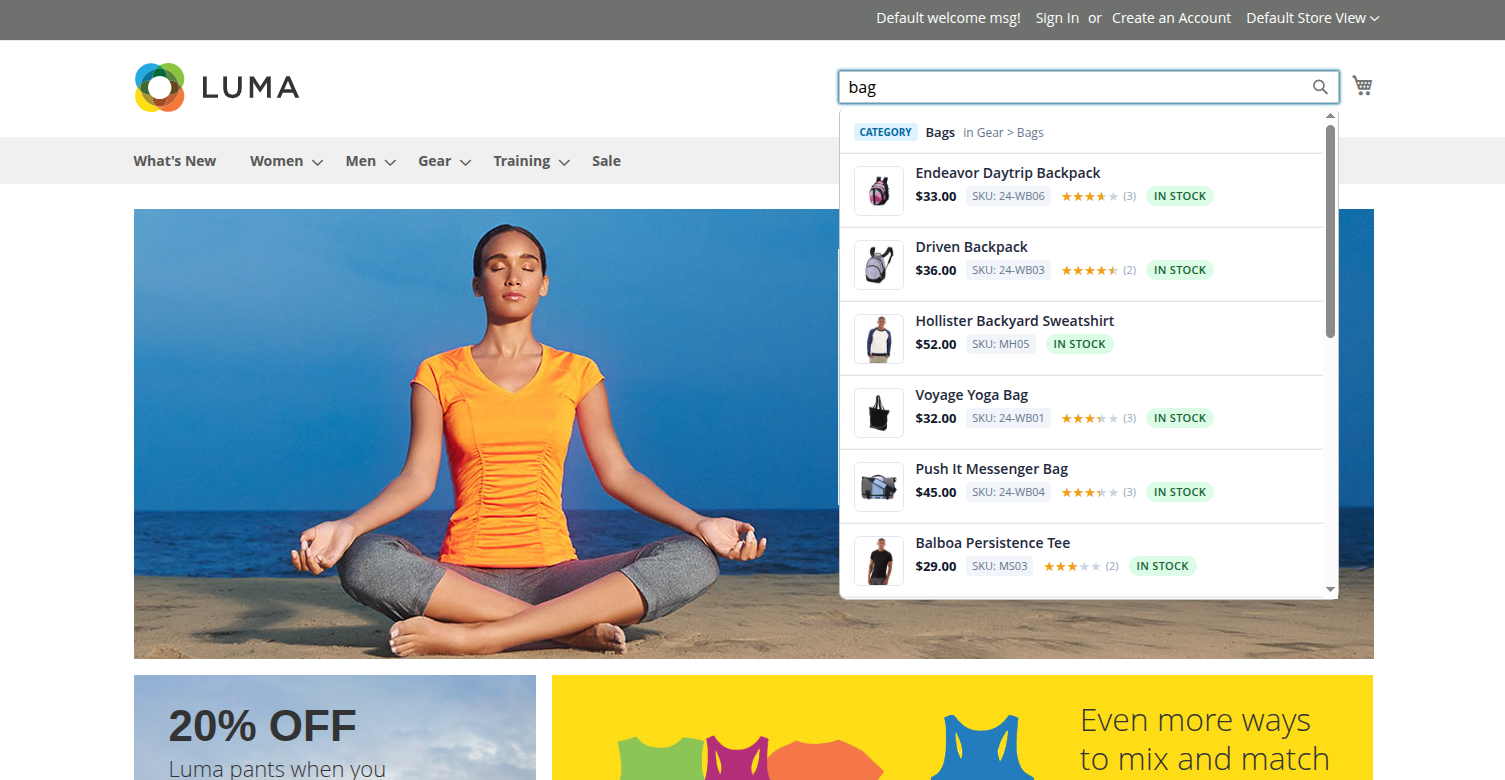
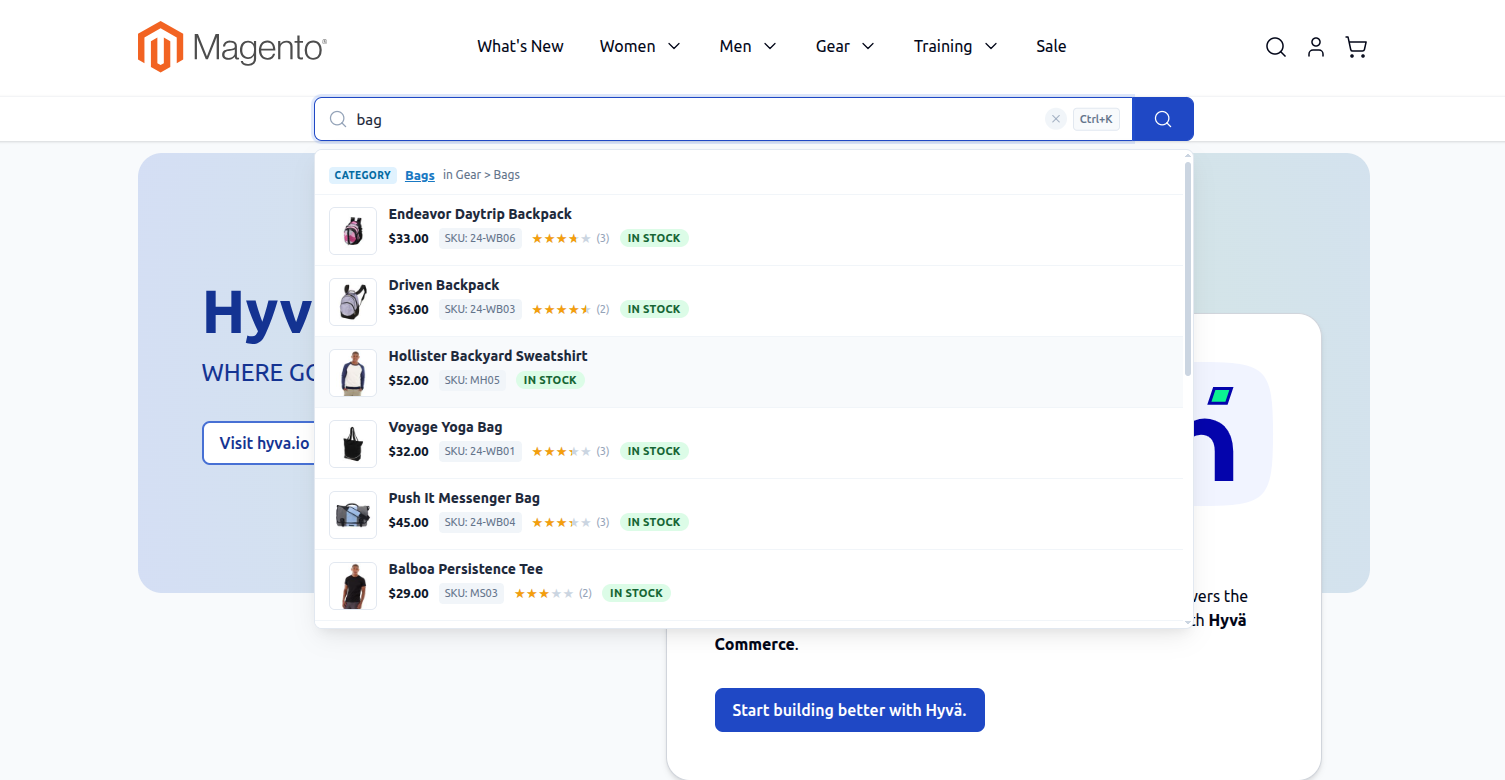
Instead of only searching product names, the search engine indexes Products, Categories, and CMS Pages simultaneously. When a customer enters text into the search bar, the dropdown presents categorized suggestions in real time.
Storefront Search Suggestions Dropdown
Hyva Theme Search Suggestions Dropdown
Loading diagram...
1. Categories Section
- Displays matching catalog categories matching the typed keyword.
- Includes hierarchical breadcrumb paths (e.g., Men > Tops > Jackets) so shoppers understand the catalog structure.
2. Products Section
- High-visibility product presentation including:
- Product Thumbnail Image: Scaled visual preview of the item.
- Product Title: Matching product names.
- Product SKU: Matching SKU.
- Formatted Price: Currency-formatted price.
- Star Review Rating: Displays customer review stars.
- In-Stock Badge: Indicates immediate purchase availability.
3. CMS Pages Section
- Indexes store CMS pages (e.g., About Us, Customer Service, Shipping & Returns, Privacy Policy).
- Displays direct clickable links in the search suggestions dropdown, enabling shoppers to find informational content without leaving the search bar.
4. "View All Results" Navigation
- At the bottom of the suggestions list, a View All Results link shows the total number of matching products and redirects shoppers to the full catalog search results page.
To ensure all categories and CMS pages are available in search suggestions:
- Verify that your categories are set to Is Active: Yes and Include in Menu: Yes.
- Ensure that CMS pages have Status: Enabled.
- Run an initial reindex of category and page entities:
php bin/magento elastic:index category -a reindex
php bin/magento elastic:index pages -a reindex