
Linguistic Filters & Stemmers
Elasticsearch's linguistic analysis capabilities allow the search engine to understand word roots, synonyms, grammar rules, and unwanted characters across multiple languages.
Under Stores > Configuration > Webkul > Elastic Search Settings > Search Settings, administrators can configure token filters, store-specific stemmers, and character mapping filters.
1. Search Token Filters
Token filters process individual terms after text tokenization.
Synonym Filter
Integrated directly with Magento 2's native Marketing > Search Synonyms interface:
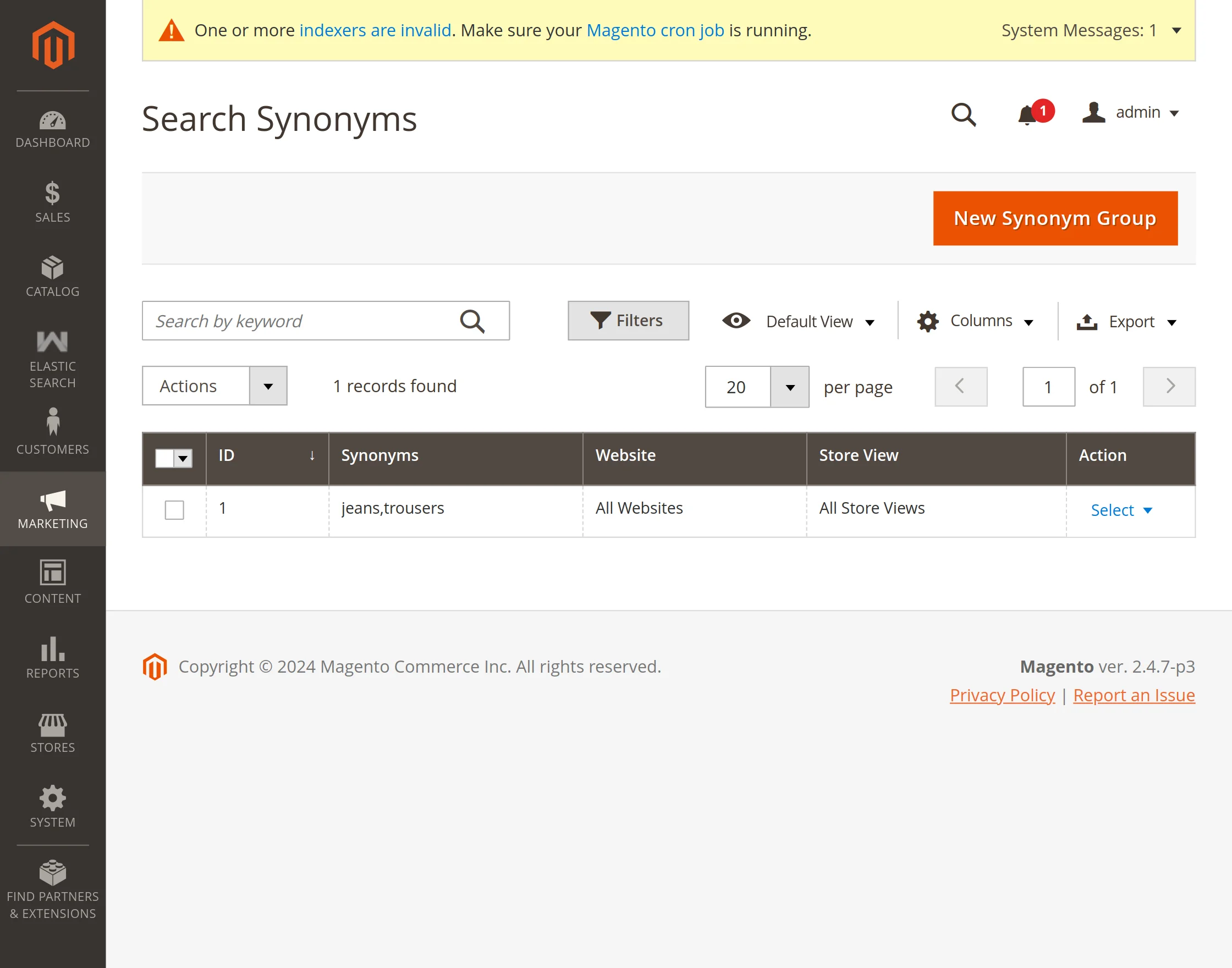
- Navigate to Marketing > Search Synonyms in your Magento Admin Panel.
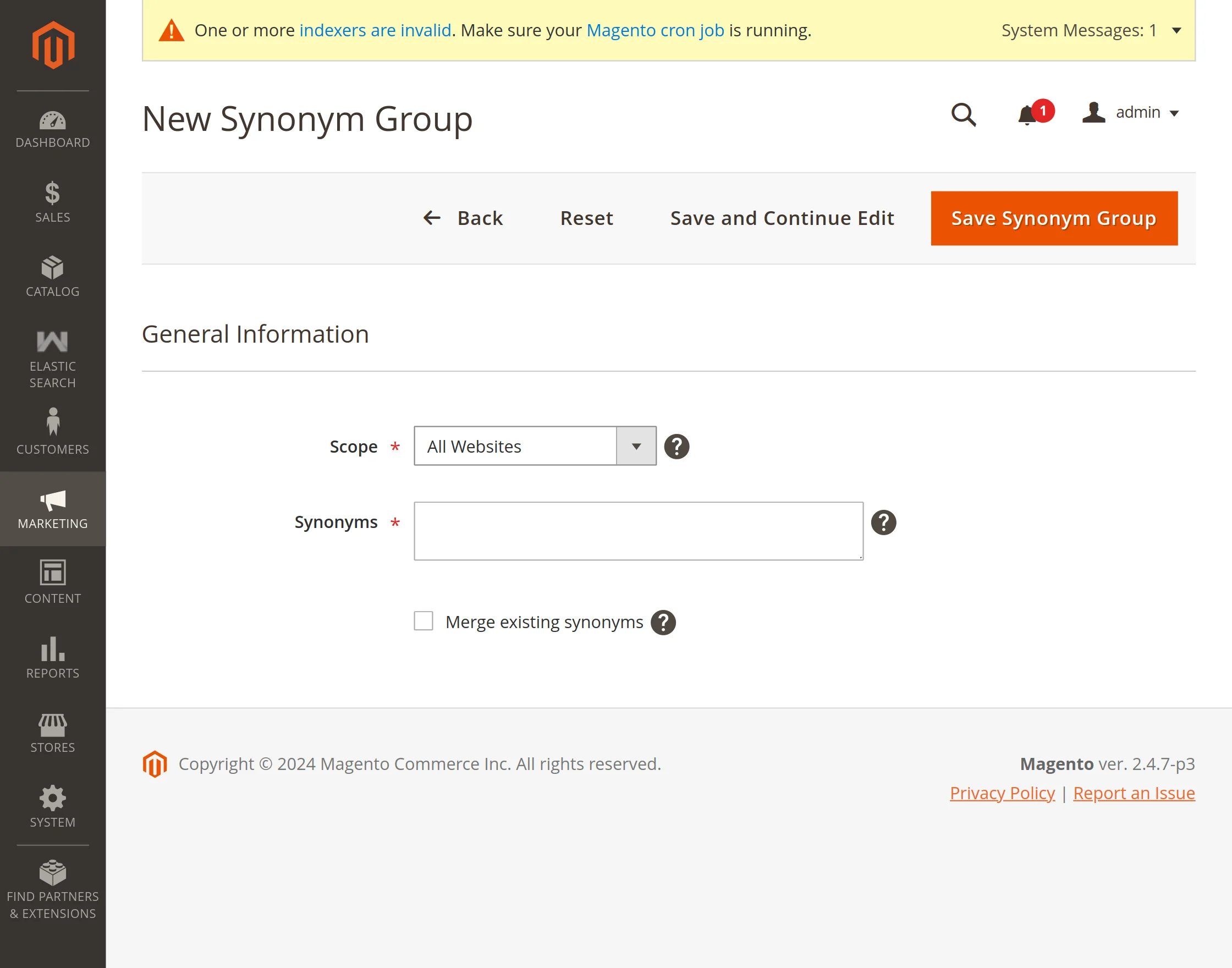
- Click New Synonym Group.
- Enter comma-separated synonymous terms (e.g.,
jeans, pants, trousersorcellphone, mobile, phone). - Set Scope to your store view and click Save Synonym Group.
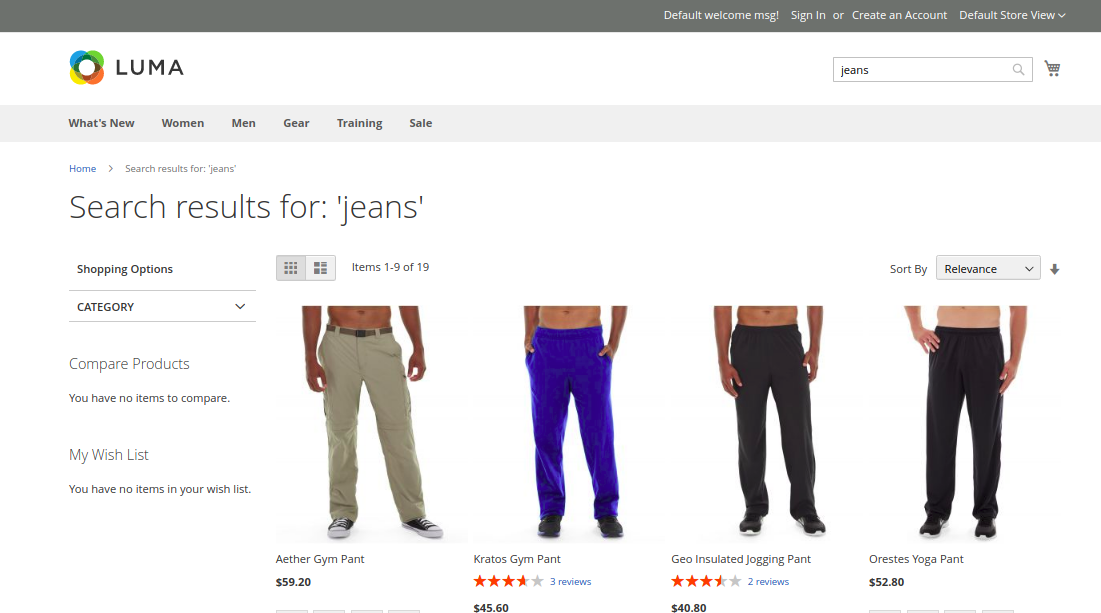
When a customer searches for "pants", the search engine automatically surfaces products tagged or titled with "jeans" or "trousers":
Elision Filter
An elision-removing token filter designed for languages such as French or Italian where articles merge with nouns (e.g., l'avion becomes avion, d'or becomes or).
- Enter Comma Separated List Elisions: Enter articles to strip (e.g.,
l, d, m, t, s, n).
Lowercase Filter
Converts all indexed token text to lowercase, ensuring searches are case-insensitive.
Stop Words Filter
Eliminates high-frequency noise words (e.g., and, is, the, to) from query execution.
- Use Stop Words Filter: Set to Yes.
- Enter Comma Separated List Of Stop Words: Enter custom stop words, or leave blank to use Elasticsearch's standard stop words dictionary.
2. Store-Specific Language Stemmers
Stemming reduces words to their grammatical root form (for example, "running", "runs", and "ran" reduce to "run"), allowing search queries to match various word inflections.
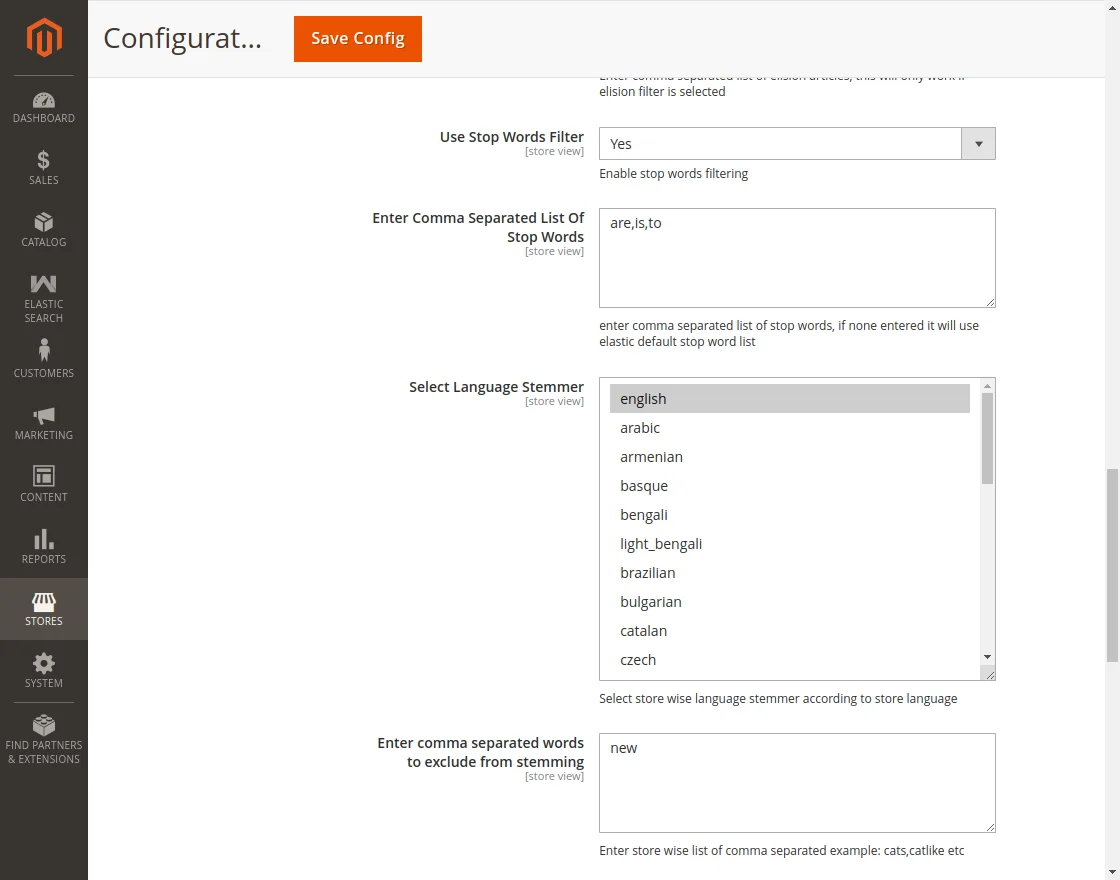
- Select Language Stemmer: Select the language stemmer corresponding to each store view's active language (e.g., English, French, German, Spanish, Arabic, Italian, Dutch, Russian, Portuguese).
- Enter comma separated words to exclude from stemming: Define specific brand terms, technical model identifiers, or words that should remain un-stemmed (e.g.,
shoes, skis, glasses).
3. Character Filters
Character filters preprocess the text before it reaches the tokenizer, stripping or modifying raw characters:
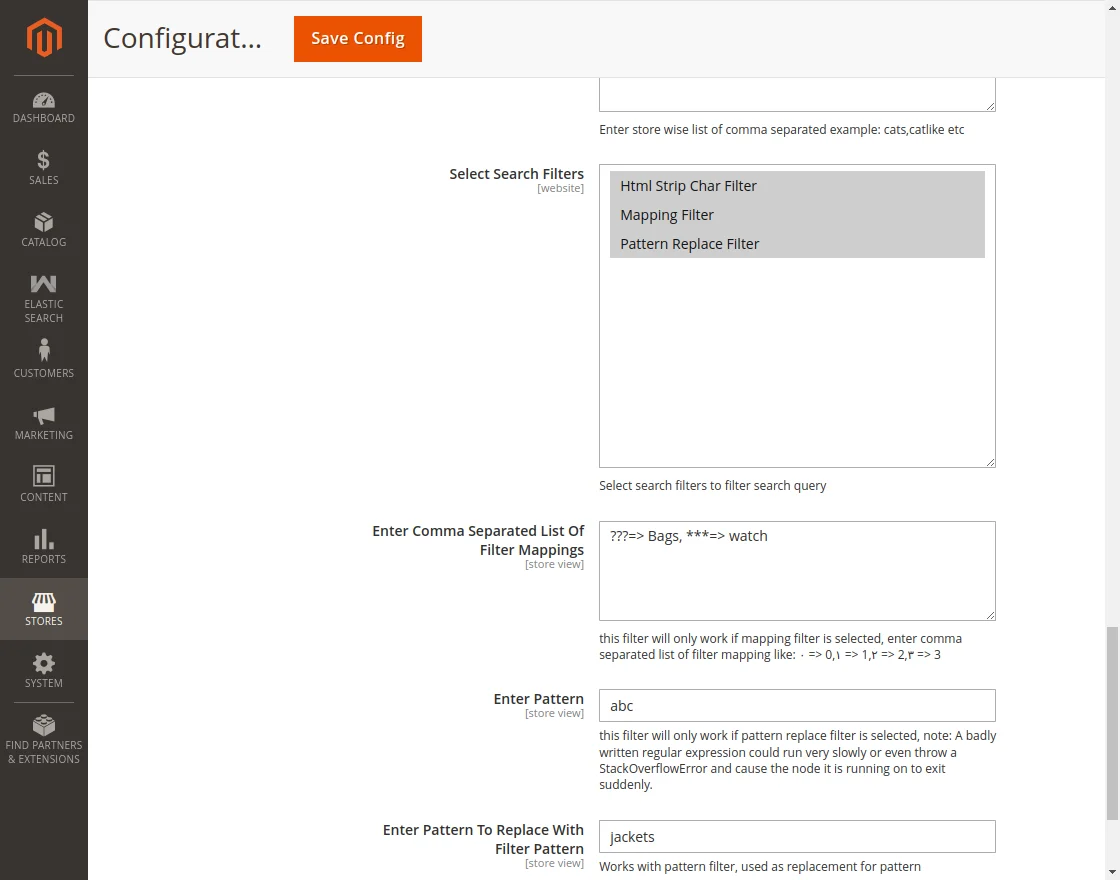
- HTML Strip Char Filter (
html_strip): Strips HTML tags (e.g.,<p>,<strong>,<br>) from product descriptions before indexing, preventing markup from contaminating search results. - Mapping Filter (
mapping): Replaces specific character mappings. Useful for standardizing Eastern Arabic numerals or accented glyphs:٠ => 0, ١ => 1, ٢ => 2, ٣ => 3, ٤ => 4, ٥ => 5, ٦ => 6, ٧ => 7, ٨ => 8, ٩ => 9 - Pattern Replace Filter (
pattern_replace): Uses regular expressions to transform, clean, or standardize custom text patterns before indexing. This is especially useful for catalogs with complex SKUs, part numbers, or imported data containing unwanted punctuation:- Enter Pattern: Regular expression string to identify the targeted format (e.g.,
(\d+)-([A-Z0-9]+)to match hyphenated model numbers, or[^\w\s]to target unwanted symbols). - Enter Pattern To Replace With Filter Pattern: Replacement string substituted for matches (e.g.,
$1$2to unify hyphenated SKUs so customers can findABC-123by searchingABC123, or leave blank to strip the matched characters).
- Enter Pattern: Regular expression string to identify the targeted format (e.g.,