
Category Mapping
To ensure products appear in the correct departments on both platforms, you must map Magento store categories to the corresponding Amazon product categories and product types.
Accessing Category Mapping
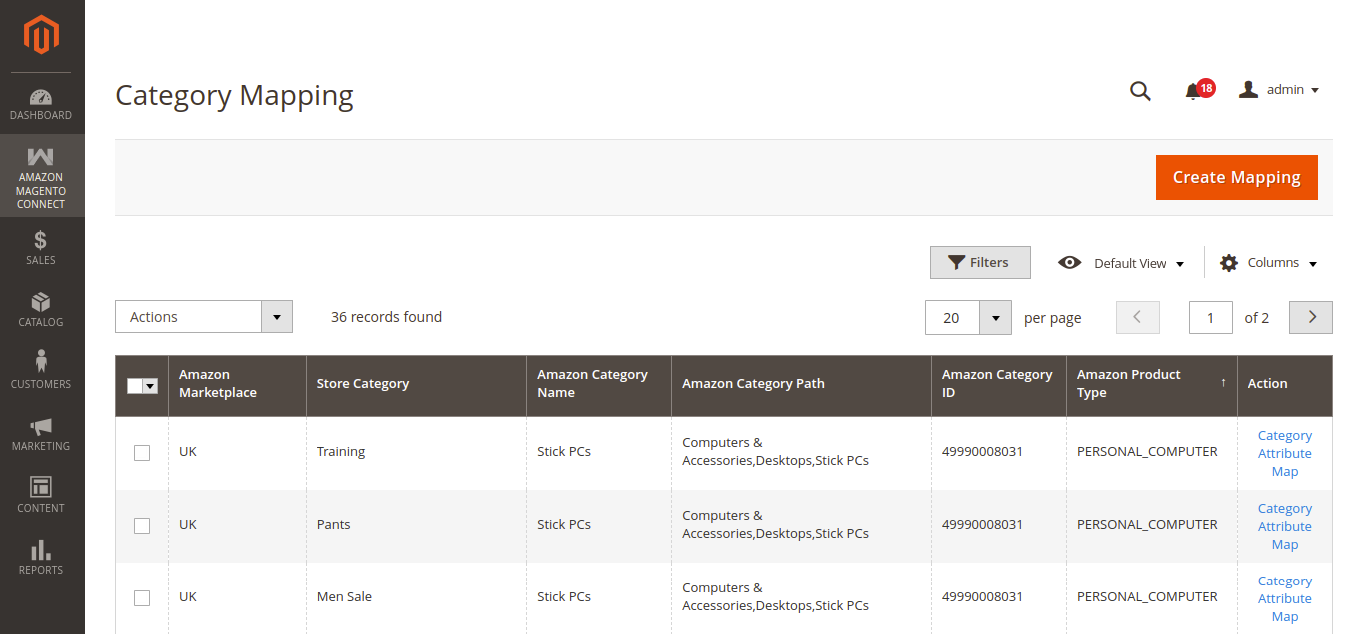
- Navigate to Amazon Magento Connect > Category Map in the Magento Admin sidebar.
- The Category Mapping grid displays existing mapped categories with filters by Amazon Marketplace.
- Click the Create Mapping button in the top right corner to create a new category mapping.
Configuring Category Mappings
When creating a new category mapping, specify the following fields:
- Store Category: Select the target Magento category from your store's interactive category tree.
- Amazon Marketplace: Select the applicable Amazon marketplace location (e.g., United States, UK).
- Amazon Parent Category: Select the root Amazon category from the dropdown.
- Amazon Sub Category / Product Type: Select the specific child category or product type keyword matching your Magento store category.
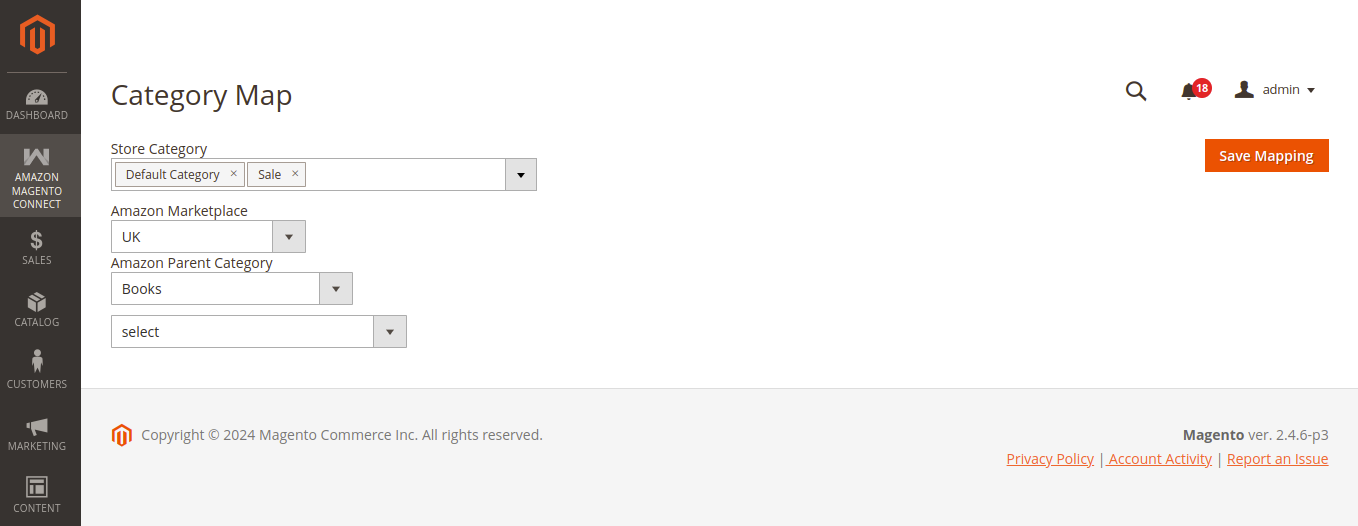
Click Save Mapping to store the mapping.
Category Attribute Mapping
Once a category mapping is saved, you can click Category Attribute Map in the Action column of the Category Mapping grid to map category-specific attributes (such as brand, size, color, or material) between Magento and Amazon.
How It Works
- Product Export: When exporting products from the mapped Magento category to Amazon, the connector automatically packages the product data using the mapped Amazon category schema and product type.
- Product Import: When importing products from Amazon, the connector places the items under the mapped Magento store category instead of the default fallback category specified in global settings.