
Attribute Mapping
To ensure product data is exported and imported without errors, product characteristics (such as product identifiers and exemption flags) must align between Magento 2 and Amazon.
Why Attribute Mapping is Crucial
Amazon enforces a strict schema for listing products. For example, standard external product identifiers (like ASIN, UPC, EAN, or ISBN) are required for matching listings. Attribute mapping connects Magento product attributes to the corresponding Amazon product catalog fields.
Configuring Attribute Mapping
- In your Magento Admin panel, navigate to Amazon Magento Connect > Attribute Map.
- Under the Mapped Attribute section, configure the row mappings between Amazon and Magento attributes.
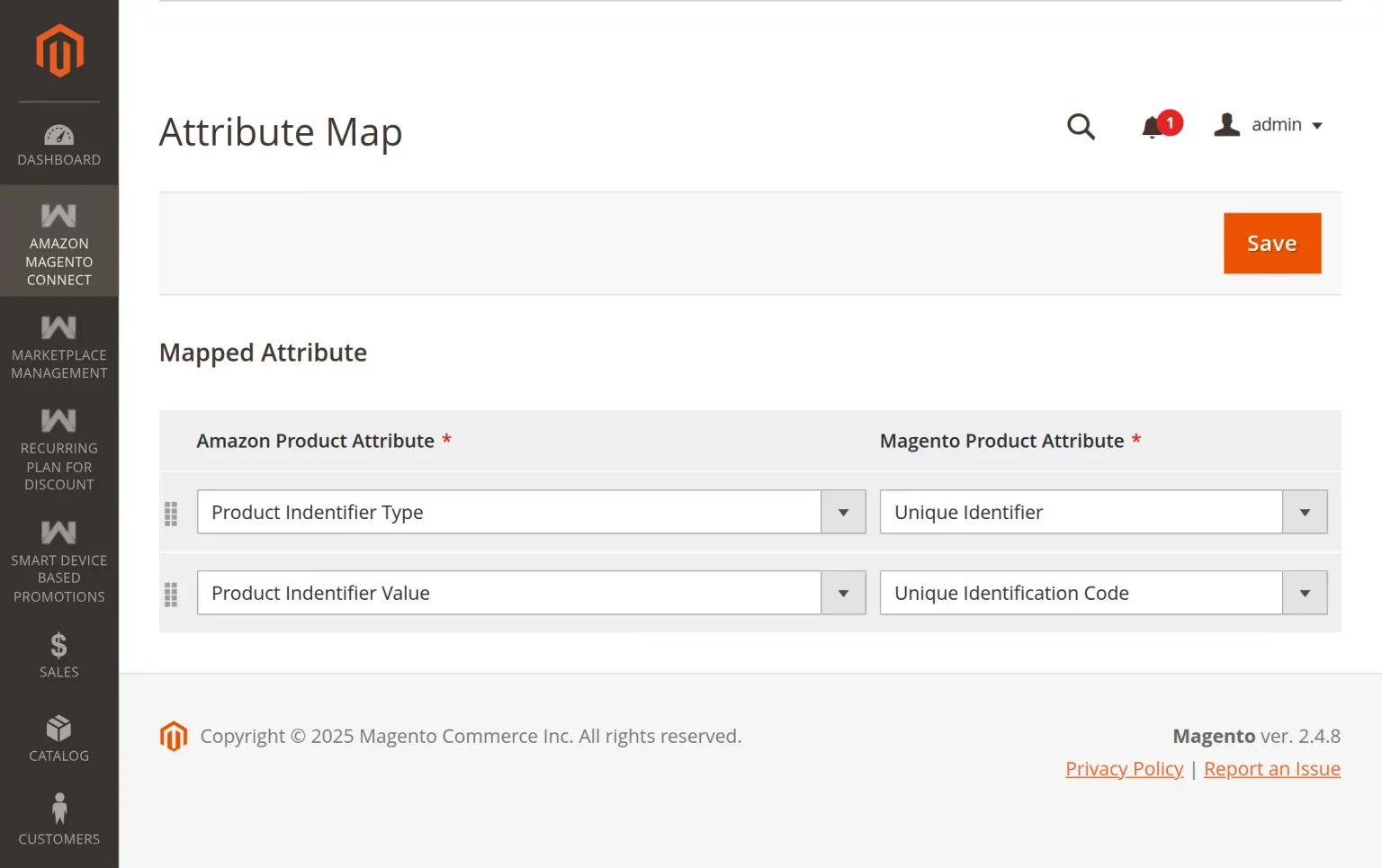
Mapped Fields:
- Amazon Product Attribute: Select the target Amazon product attribute from the dropdown list:
- Product Indentifier Type: Defines the type of external identifier (e.g., ASIN, UPC, EAN, ISBN).
- Product Indentifier Value: Contains the actual barcode or identifier value.
- Is exempt from supplier declared external product identifier: Indicates whether the product is exempt from external product identifiers.
- Magento Product Attribute: Select the corresponding Magento attribute from the dropdown list. If no matching attribute exists in Magento, select Create New Attribute to automatically generate one.
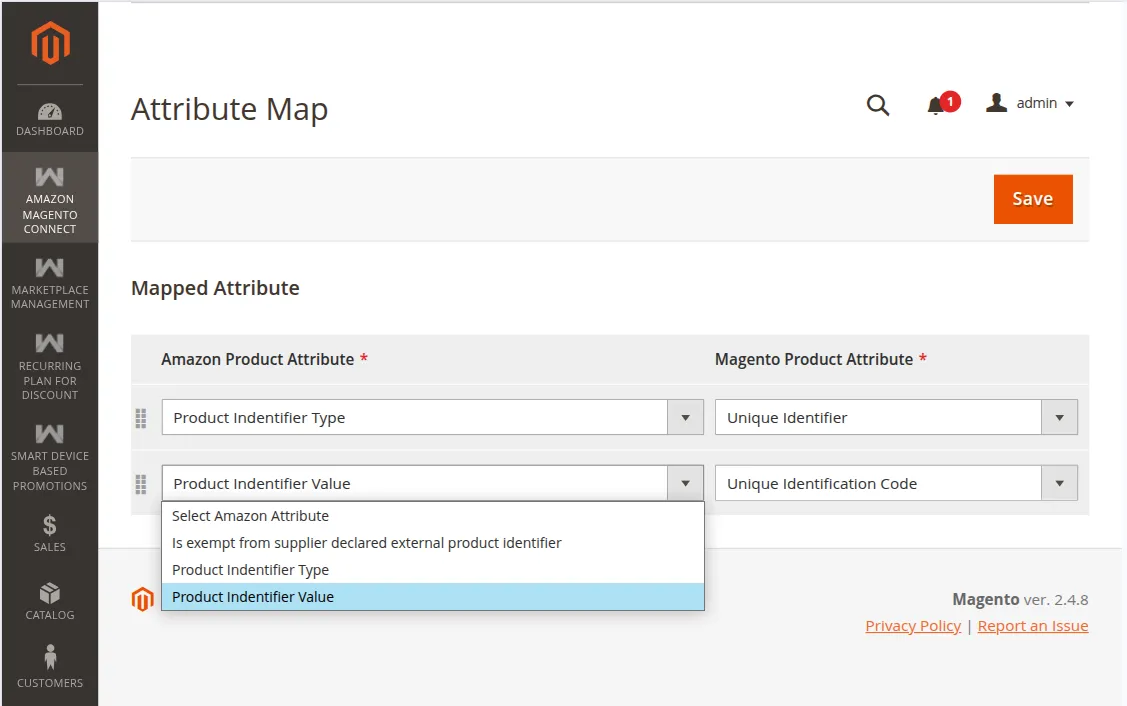
Key Mappings to Configure:
- Product Indentifier Type: Map to the Magento attribute defining the identifier type.
- Product Indentifier Value: Map to the Magento attribute containing the barcode or ASIN string (e.g.,
upc,ean, orasin). - Identifier Exemption: Map to the Magento attribute representing external identifier exemption status.
Click Save in the top right corner when you are finished to persist your mapping rules.