CMS Page Workflows
The AI Content Generator module supports both individual, on-demand content creation and bulk updates for CMS Pages.
1. Individual CMS Page Generation
Store managers can generate content directly while editing CMS pages in the Magento Admin Panel.
Page Content
- Content: Click Fill description with AI Content Generator beneath the main page content layout.
SEO Metadata
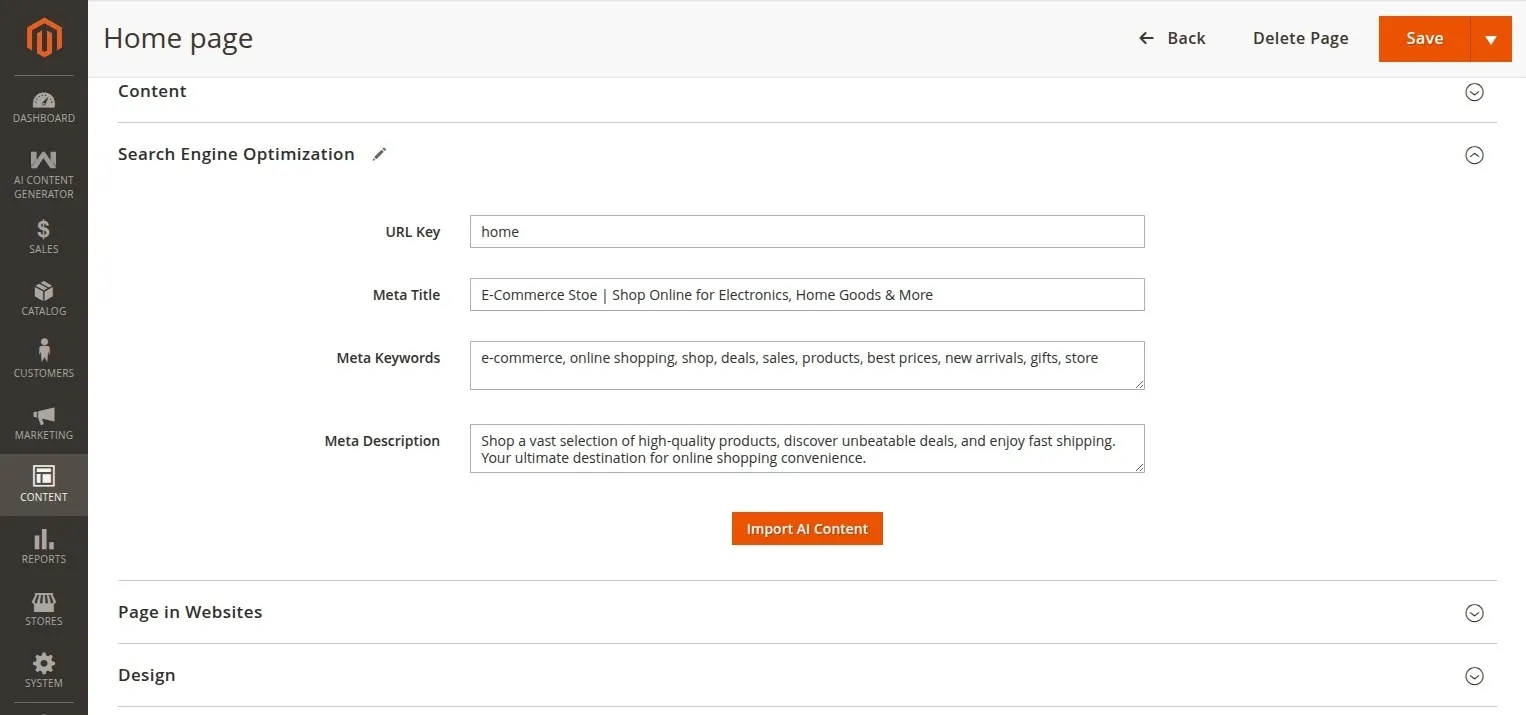
- SEO Metadata: Access the Import AI Content button under the Search Engine Optimization section.
2. CMS Page Bulk Generation (Synchronous Profiler)
Bulk generation for CMS Pages is triggered directly from the Pages Grid and runs synchronously within the administrator's browser session.
How to trigger Page bulk generation
- Navigate to Content → Pages.
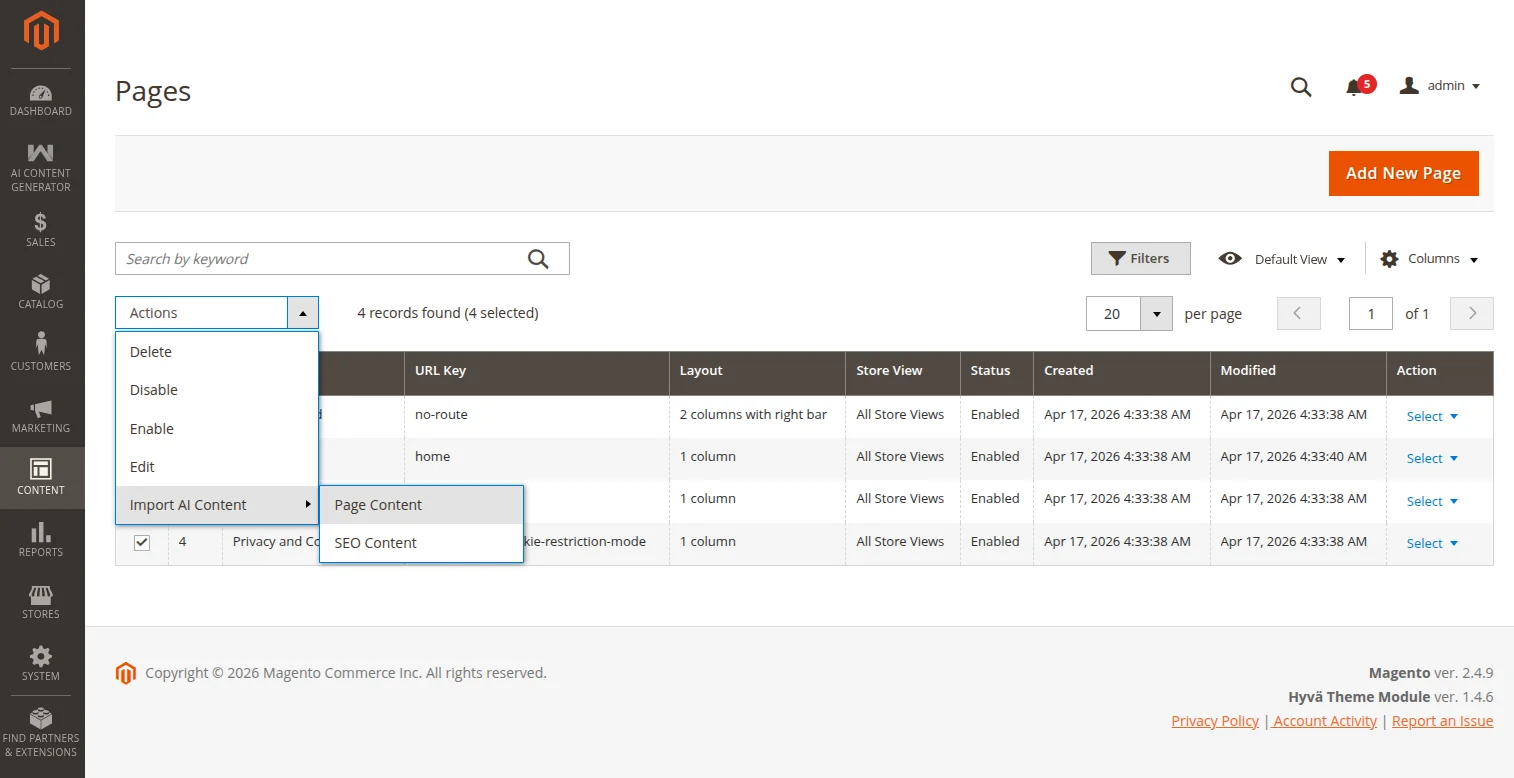
- Multi-select the desired pages in the grid.
- In the Actions dropdown menu, select Import AI Content.
- Choose the target attribute scope to generate (e.g., Page Content or SEO Content).
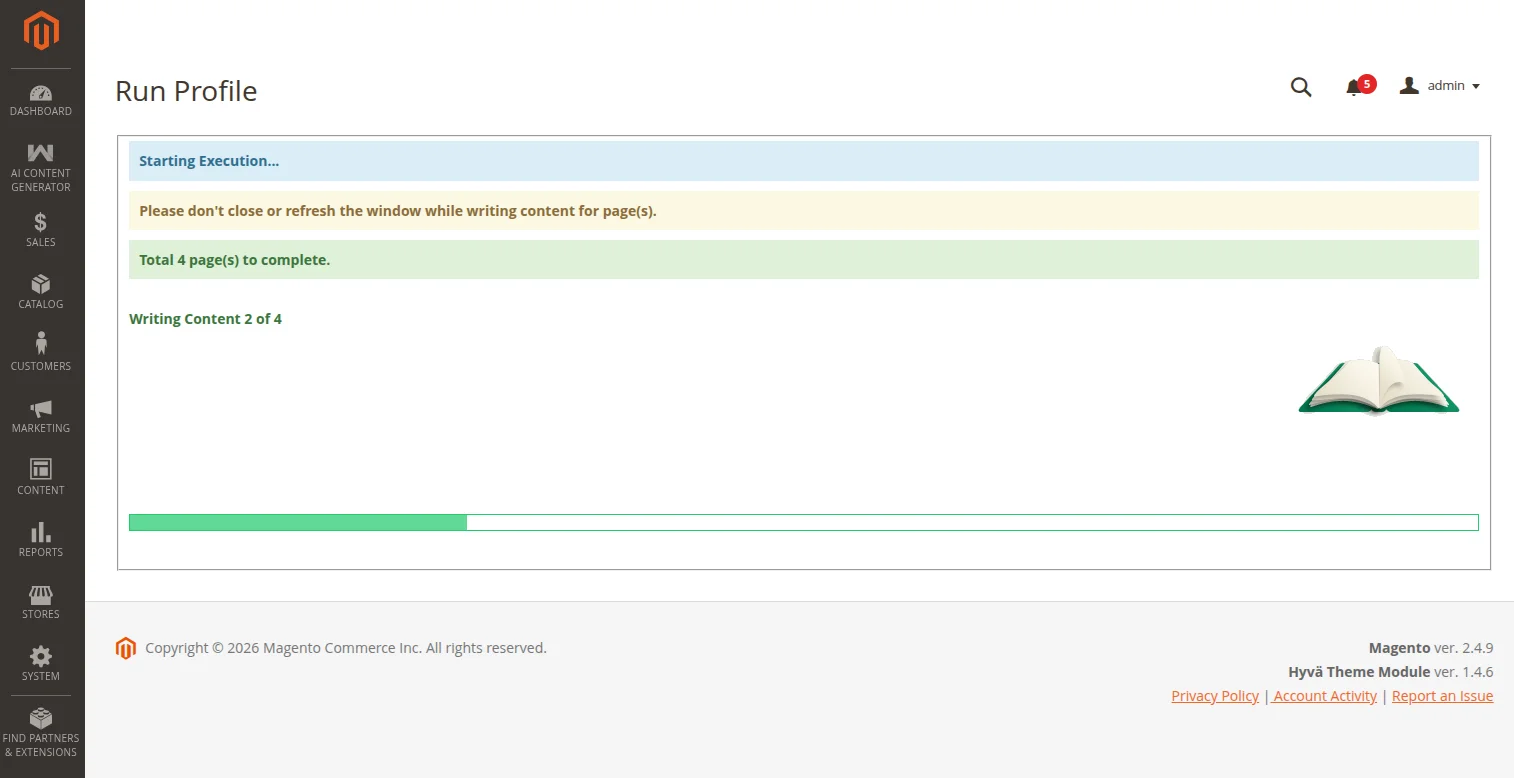
- The admin is redirected to the Run Profile dashboard page where the generation runs synchronously item by item.
- Keep the page open until the loader finishes and the Go Back button is displayed.
Critical Consideration
Do not close, reload, or navigate away from the Run Profile tab while the generation is running, as this will abort the AJAX sequence and halt the bulk update process.
3. Magento Page Builder Integration
For Magento setups utilizing the Magento Page Builder editor for CMS Pages, Products, or Categories:
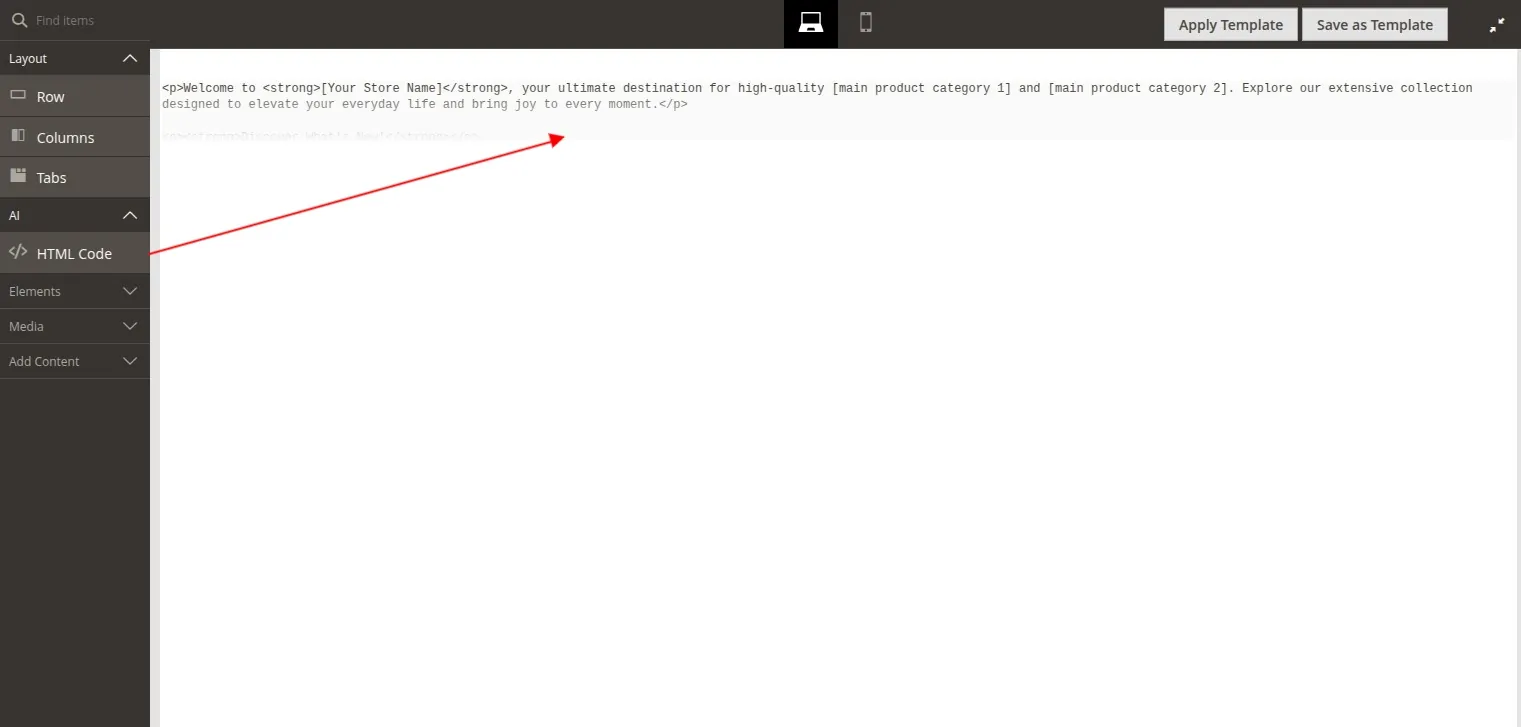
AI Page Builder Sidebar Section
- Custom AI Group: The module registers a custom AI accordion section within the Page Builder drag-and-drop components panel (registered under the identifier
aicontentgenerator). - HTML Code Block: To facilitate seamless inline generation, the standard Page Builder HTML Code element is dynamically moved under the custom AI group panel.
Drag-and-Drop Content Generation
- Drag the custom HTML Code block from the Page Builder AI section into your layout grid.
- Hover over the element and click the Settings (gear) icon to edit the HTML content.
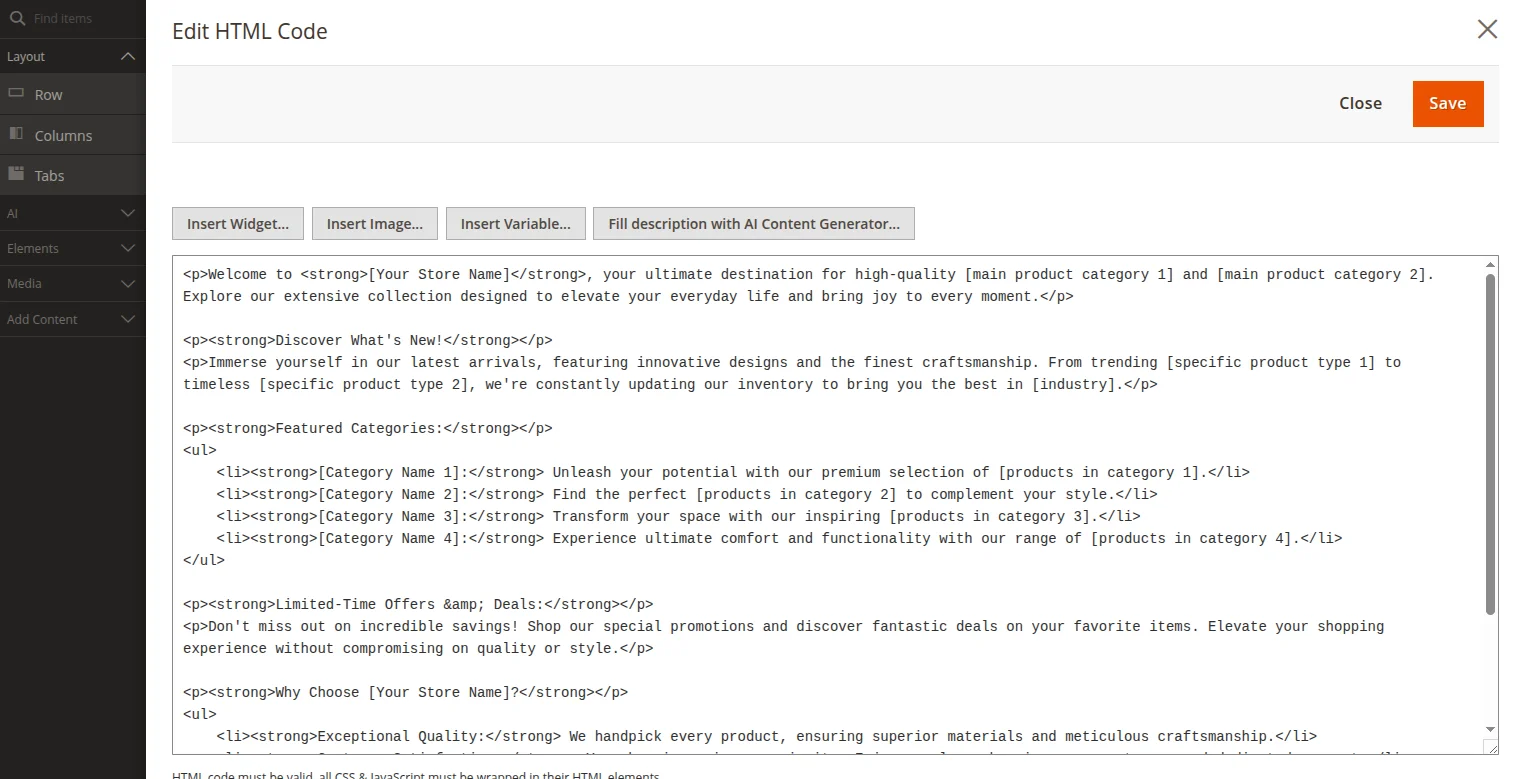
- In the slide-out editor panel, click the Fill description with AI Content Generator... button next to the textarea.
- The module triggers an AJAX call to query the configured LLM, generating semantic HTML markup based on the parent item's name/title.
- Once generation is complete, the generated HTML structure is filled into the Page Builder editor automatically. Click Save to apply.