Category Settings
The Category Settings section governs the mapping of prompt templates and displays progress dashboards for category page content generations.
To access these settings, navigate to:
Navigation Path
Stores → Configuration → Webkul → AI Content Generator → Category Settings
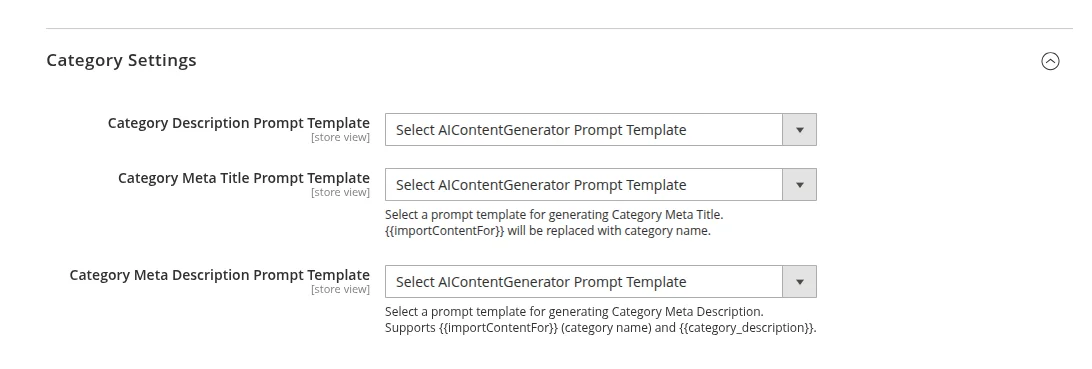
Category Prompt Templates
If Enable Prompt Templates is enabled globally, configure the templates used when generating category content:
- Category Description Prompt Template: Custom prompt structure used to generate the main HTML description of the category.
- Category Meta Title Prompt Template: Custom prompt used to generate the SEO Meta Title.
- Category Meta Description Prompt Template: Custom prompt used to generate the SEO Meta Description.
Category Generation Status Chart
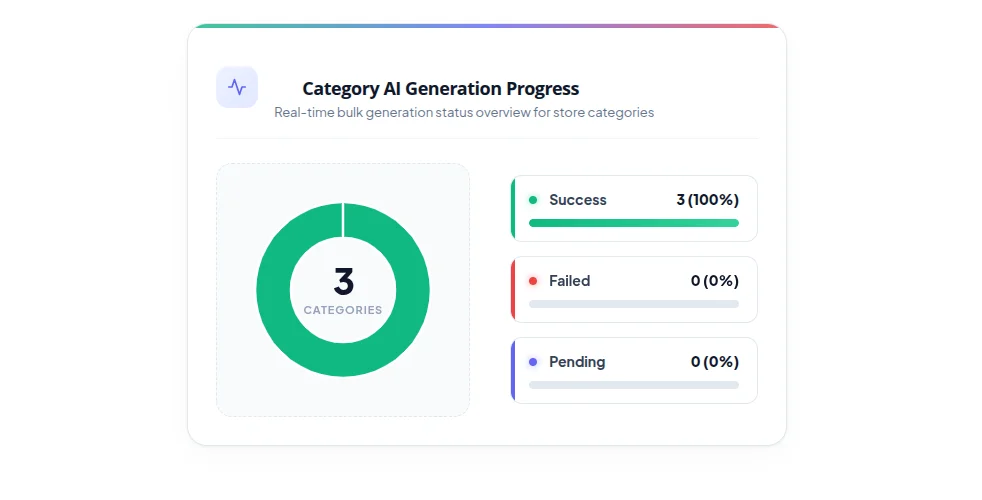
This section displays a real-time reporting doughnut chart specifically for category AI generations:
- Pending: Category items queued for asynchronous background generation.
- Success: Categories that have completed description and metadata generation successfully.
- Failure: Categories that encountered issues (e.g. rate limit exceptions, missing category details, etc.) during processing.
It aggregates generation metrics directly from the log tables, giving admin users instant tracking of background queue work.