
Admin Settings Reference
To access the configuration options, log in to the Magento Admin Panel and navigate to:
Stores > Configuration > Webkul > Age Verification
1. General Settings
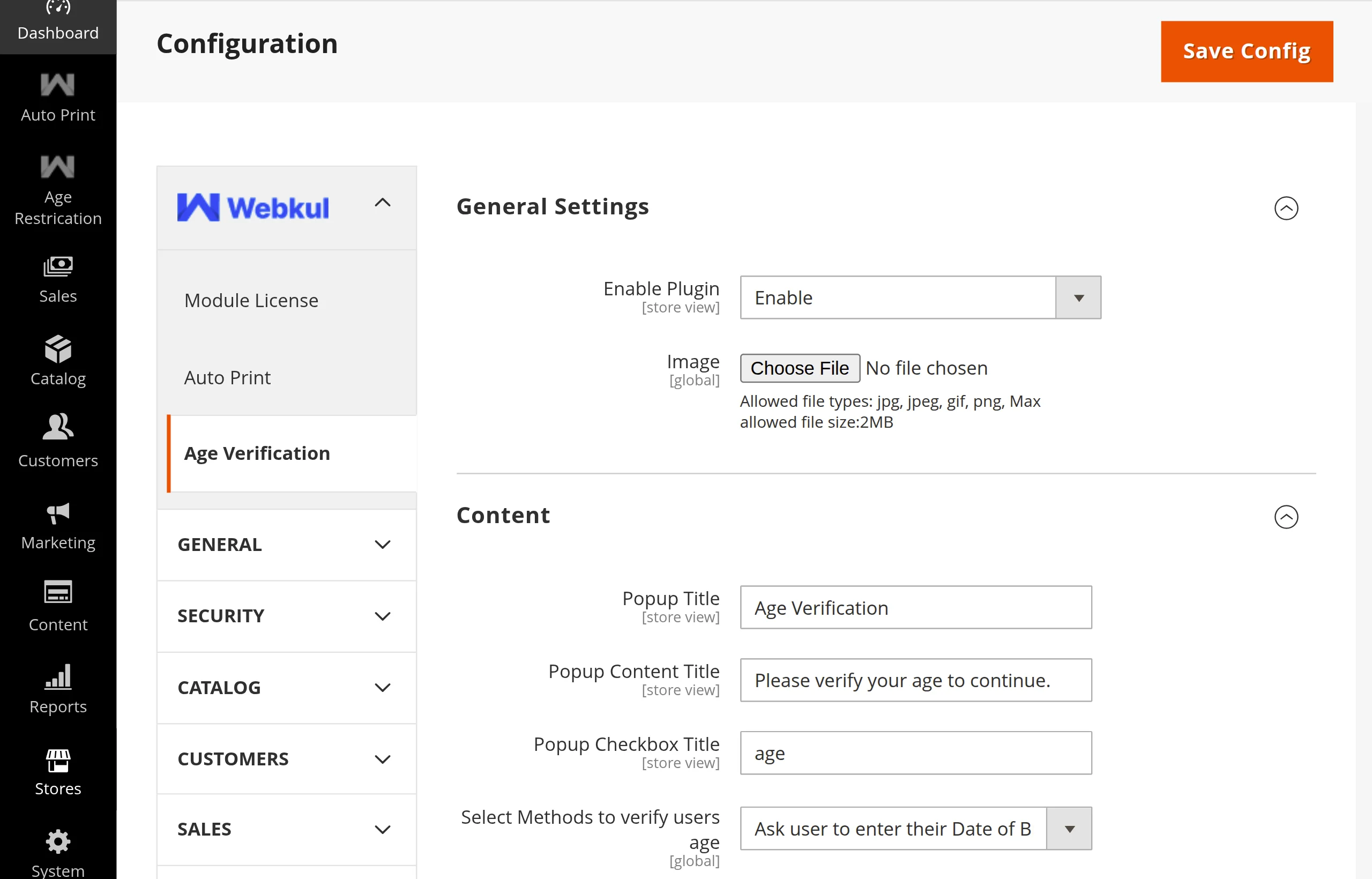
| Field | Type | Default | Description |
|---|---|---|---|
| Enable Plugin | Dropdown (Yes/No) | No | Master switch to enable or disable age verification throughout the store. |
| Image | File Upload | None | Upload a custom header image or logo for the popup. Allowed file types: jpg, jpeg, gif, png (Max size: 2MB). |
2. Content
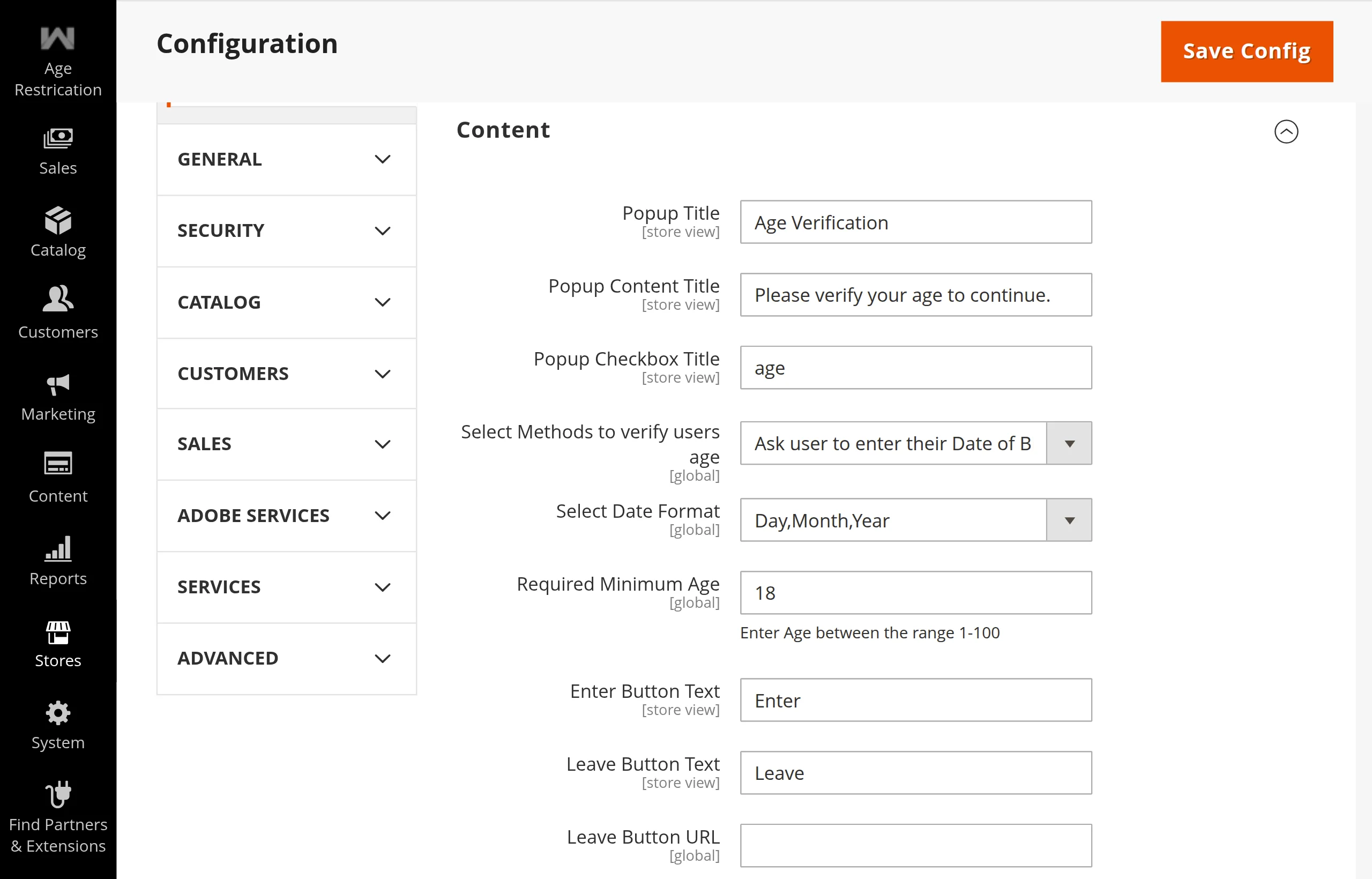
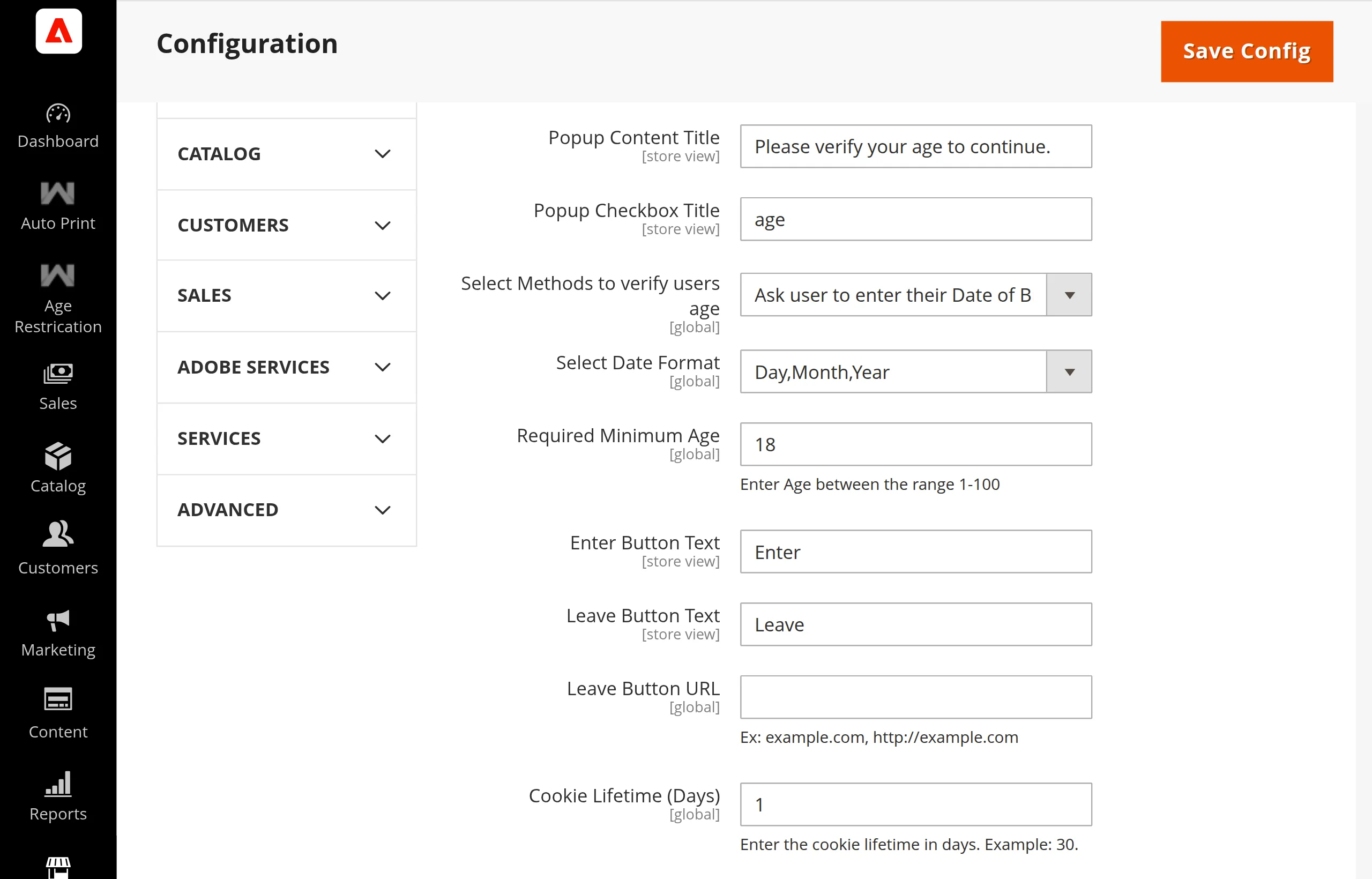
| Field | Type | Default | Description |
|---|---|---|---|
| Popup Title | Text | Are you 18 year old? | The main headline text displayed at the top of the popup. |
| Popup Content Title | Text | You must confirm your age... | Sub-headline or explanatory description below the title. |
| Popup Checkbox Title | Text | Checked | Label displayed next to the confirmation checkbox when using the checkbox verification method. |
| Select Methods to verify users age | Dropdown | Ask user to enter their Date of Birth | Verification method: using_dob, checkbox_option, or yesno_button. |
| Select Date Format | Dropdown | Day,Month,Year | Date order for DOB dropdowns: dd-mm-yy, mm-yy-dd, or yy-dd-mm (Visible when DOB method is selected). |
| Required Minimum Age | Number (1–100) | 18 | The minimum age threshold required to access restricted content (Visible when DOB method is selected). |
| Enter Button Text | Text | Enter | Label for the positive confirmation button. |
| Leave Button Text | Text | Leave | Label for the cancellation/exit button. |
| Leave Button URL | URL | None | Destination URL where users are redirected upon clicking Leave or failing age verification (e.g. https://google.com or /underage-policy). |
| Cookie Lifetime (Days) | Number | 1 | Number of days before the age_verified cookie expires and the user must re-verify. |
3. Terms and Conditions
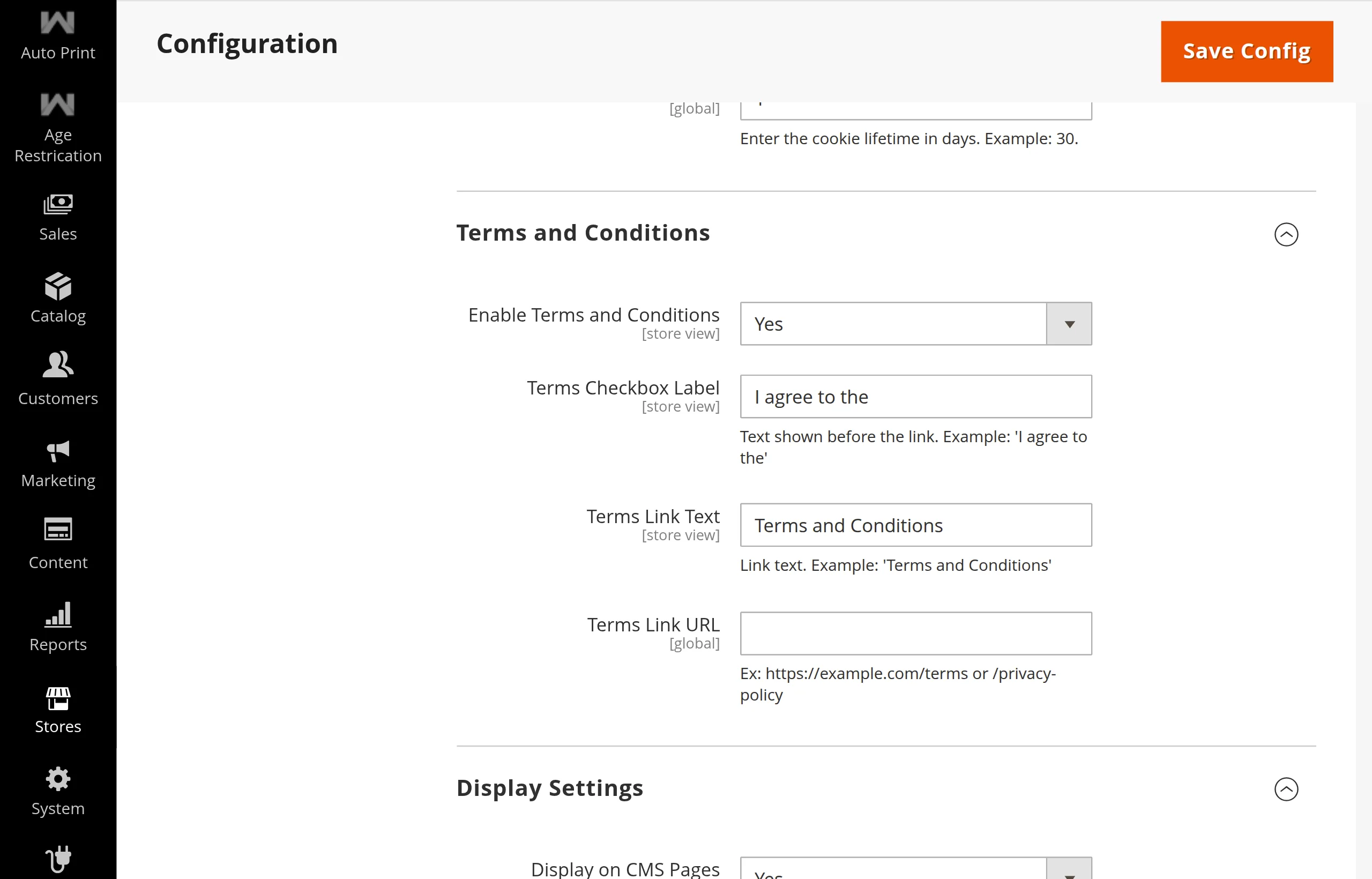
| Field | Type | Default | Description |
|---|---|---|---|
| Enable Terms and Conditions | Dropdown (Yes/No) | No | When enabled, requires visitors to check an agreement box before entering. |
| Terms Checkbox Label | Text | I agree to the | Prefix text displayed before the link (Visible when terms are enabled). |
| Terms Link Text | Text | Terms and Conditions | Anchor text for the terms link (Visible when terms are enabled). |
| Terms Link URL | Text / URL | None | URL or internal store path to the Terms page (e.g., https://example.com/terms or /privacy-policy). |
4. Display Settings
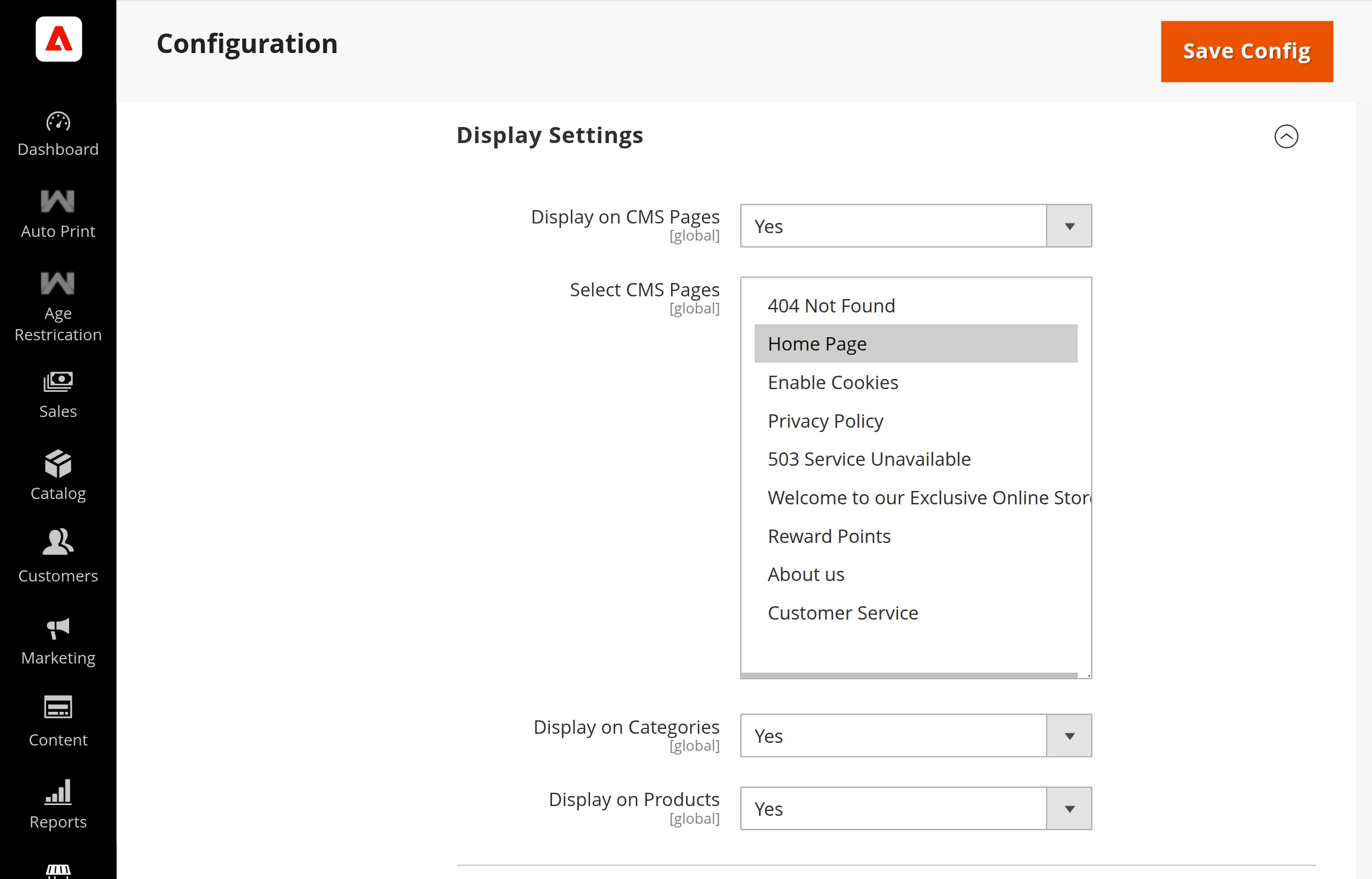
| Field | Type | Default | Description |
|---|---|---|---|
| Display on CMS Pages | Dropdown (Yes/No) | Yes | Enable age verification on selected CMS pages. |
| Select CMS Pages | Multiselect | None | Choose specific CMS pages that require age verification (Visible when Display on CMS Pages is Yes). |
| Display on Categories | Dropdown (Yes/No) | Yes | Enable category-level verification checks for categories marked with the Age Verification attribute. |
| Display on Products | Dropdown (Yes/No) | Yes | Enable product-level verification checks for products marked with the Age Verification attribute. |
5. Design
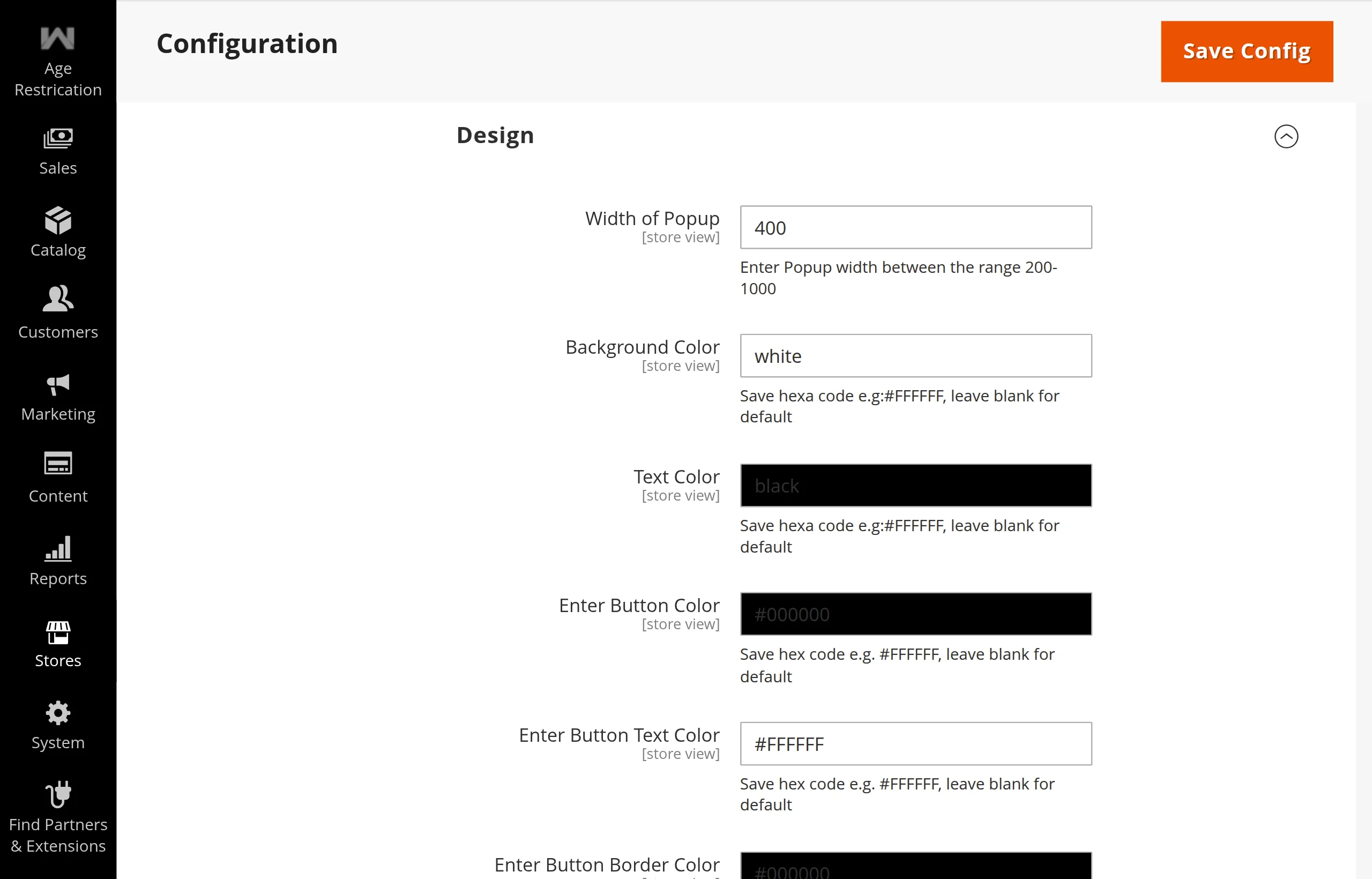
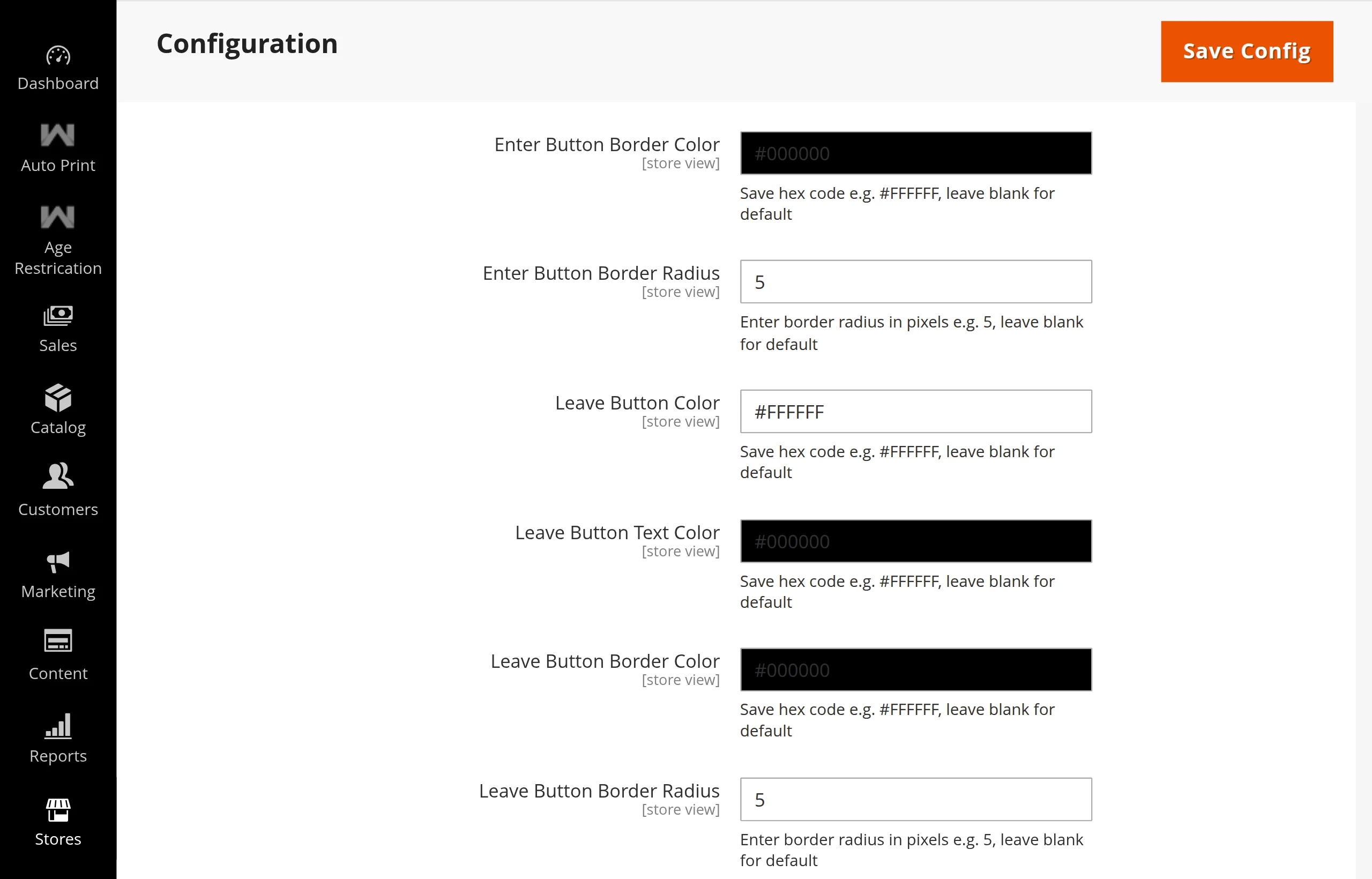
| Field | Type | Default | Description |
|---|---|---|---|
| Width of Popup | Number (200–1000) | 400 | Width of the popup modal in pixels. |
| Background Color | Color Picker (Hex) | white | Background color for the popup modal container. |
| Text Color | Color Picker (Hex) | black | Font color for titles, labels, and text inside the popup. |
| Enter Button Color | Color Picker (Hex) | #000000 | Background color for the Enter confirmation button. |
| Enter Button Text Color | Color Picker (Hex) | #FFFFFF | Text color for the Enter button. |
| Enter Button Border Color | Color Picker (Hex) | #000000 | Border color for the Enter button. |
| Enter Button Border Radius | Number (px) | 5 | Border radius in pixels for rounded corners on the Enter button. |
| Leave Button Color | Color Picker (Hex) | #FFFFFF | Background color for the Leave button. |
| Leave Button Text Color | Color Picker (Hex) | #000000 | Text color for the Leave button. |
| Leave Button Border Color | Color Picker (Hex) | #000000 | Border color for the Leave button. |
| Leave Button Border Radius | Number (px) | 5 | Border radius in pixels for rounded corners on the Leave button. |